100 Free Useful Mac Applications (Part I)

Advertisement


free mac applications

If you’ve just got yourself a new Mac and totally clueless what to install, this article is for you. If you are looking for alternatives for some applications you are currently using in your Mac, the following list might come in handy too. This week, we’d like to showcase you a list of useful yet free applications you can install for your Mac. Full list after jump.

Productivity

Anxiety

Provides a streamlined, easily accessible interface to add and check off your tasks, while remaining poised to melt into the background at a moments notice.

Appointments

Keep record of customers, contact persons and important events related to them.

BackBoard

A Mac app to collect notes and tasks.

Camouflage

Hides all the icons and leaves nothing but the pure wallpaper

Evernote

Easily capture information in any environment using whatever device or platform you find most convenient, and makes this information accessible and searchable at any time, from anywhere.

EventSync

Allows you to sync your Facebook events with iCal.

HimmelBar

HimmelBar provides an icon in the menu bar to quickly access your installed applications by scanning standard locations such as local, user, network and developer applications.

iClockr

Simple way to track your time.

MindNode

Simple-to-use mindmapping applications for the Macintosh that help to visually collect, classify and structure ideas as well as organize, study and solve problems.

NameChanger

Designed for the sole purpose of renaming a list of files.

Namely

Fast way to open applications.

Punakea

Allows you to tag your files and bookmarks, freeing you of the strict hierarchy of the Finder’s folder structure.

Quicksilver

A unified, extensible interface for working with applications, contacts, music, and other data.

SketchBox

Sticky Notes Manager for your Mac Desktop.

Slife

Time and activity analytics application that automatically keeps track of where you spend your time on your computer.

SyncMate

Help you keep all your documents, text messages, contacts, calendar entries and events and other stuff well organized.

TaskMate

Simple Mac to-do list application.

Think

Helps you to concentrate on your current task and activity.

Todos

Todos shows you all your applications in a complete dock.

Tools and Utilities

AppFresh

Helps you to keep all applications, widgets, preference panes and application plugins installed on your Mac up to date.

Burn

Mac’s application to burn discs, with a lot of advanced options.

Font Explorer X

Font management tool.

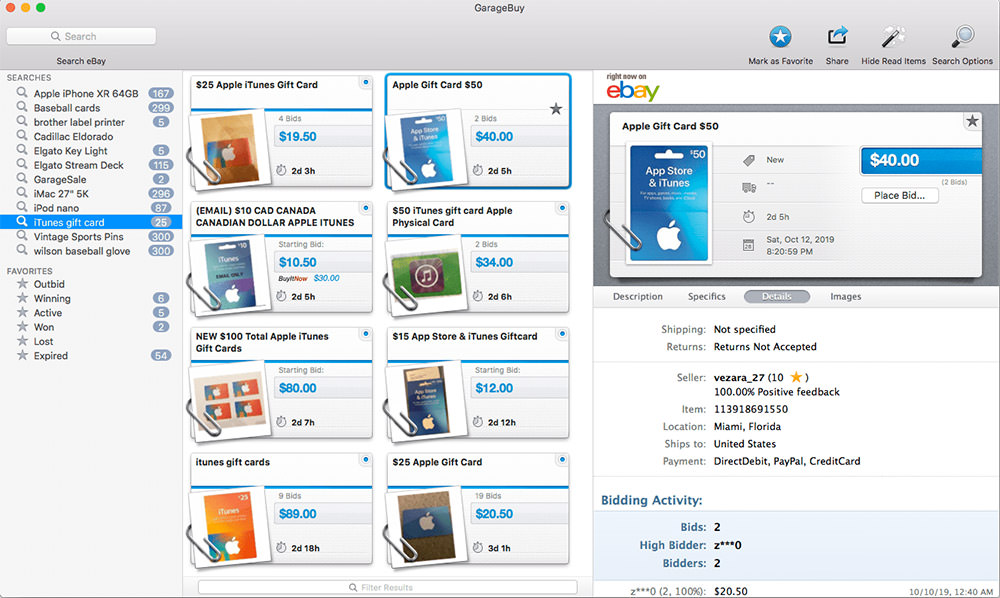
Garagebuy

Help you find and purchase items on eBay.

Set Icon

Small application that lets you quickly and easily set a custom icon for one your drives either from an ICNS file or any old image file that Mac OS supports.

TextWrangler

Powerful general purpose text editor, and Unix and server administrator’s tool.

NeoOffice

Full-featured set of office applications (including word processing, spreadsheet, presentation, drawing, and database programs) for Mac OS X.

Emacs

An Editor for Text, HTML, LaTeX, C++, Java, Python, Perl, Ruby, PHP, and more…

Readers

Adobe Reader

Read PDF files with this Adobe Acrobat reader.

NetNewsWire

RSS reader for Mac by NewsGator

NewsFire

A great RSS reader for Mac whom recently made free.

ThunderBird

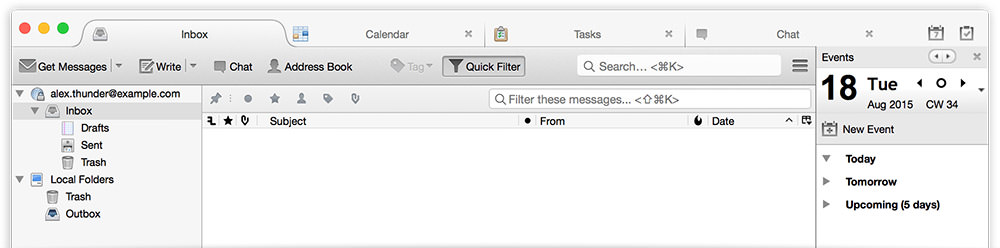
Powerful email application from Mozilla.

System

AppCleaner

AppCleaner is a small application which allows you to thoroughly uninstall unwanted apps.

Caffeine

Caffeine is a tiny program that puts an icon in the right side of your menu bar. Click it to prevent your Mac from automatically going to sleep, dimming the screen or starting screen savers. Click it again to go back. Hold down the Command key while clicking to show the menu.

Carbon Copy Cloner

Clone, synchronize, backup. Schedule and forget it.

Deeper

Allows you to enable and disable the hidden functions of Finder, Dock, Dashboard, Exposé, Safari, Login window and many Apple’s applications.

EverSave

Allows you to save all of your documents in a specific time interval or by changing the frontmost application.

Growl

Growl lets Mac OS X applications unintrusively tell you when things happen.

iStat pro

Highly configurable widget that lets you monitor every aspect of your Mac, including CPU, memory, disks, network, battery, temperatures, fans, load & uptime and processes.

Loginox

Easily customize your Mac’s login screen.

MacLoc

After clicking on MacLoc, it will appear that you’ve logged out, however upon entering your username and password, all open documents and applications will be right where you left them.

Mactracker

Provides detailed information on every Apple Macintosh computer ever made, including items such as processor speed, memory, optical drives, graphic cards, supported Mac OS versions, and expansion options.

OnyX

Allows you to verify the Startup Disk and the structure of its System files, run miscellaneous tasks of system maintenance, configure some hidden parameters of the Finder, Dock, Dashboard, Exposé, Safari, Login window.

Monolingual

A program for removing unnecessary language resources from Mac OS X, in order to reclaim several hundred megabytes of disk space.

PresentYourApps

Lets you hide the Dock and menu bar for every Cocoa application you choose.

SMARTReporter

Application that can warn you of some hard disk drive failures before they actually happen.

SuperDocker

Tweak your Mac’s dock.

Chat Clients

Adium

Free instant messaging application for Mac OS X that can connect to AIM, MSN, Jabber, Yahoo, and more.

Colloquy

Advanced IRC, SILC & ICB client.

Gabtastik

Gabtastik lets you keep chat sessions open on your OS X desktop outside of your regular web browser, using minimal screen real estate and system memory.

Messenger

Think of it as Mac’s MSN Messenger.

Skype

Skype for Mac.

Stay tuned for Part II

Be sure to keep an eye on next week’s Part II where we’ll cover more free Mac applications categories of:

  • Internet & Network Utilities
  • Audio and Video
  • Imaging
  • More tools

We’ve missed out something or you’ve got some Mac applications to suggest? Feel free to contact us.

Updates: We’ve got Part 2!

Related Contents

Sponsors

Posted by hongkiat in Tools , at 03.10.09

Tags: , , , , , ,

Comments

  1. pemmax March 10th, 2009

    Nice work. I can`t wait for next part ;-)

    Reply
  2. Ben Lind March 10th, 2009

    Really great list! I just recently got a mac, so I’m still learning everything it can do. This list should come in handy.

    Reply
  3. goldfish300 March 11th, 2009

    nice work !! love that keep it up .
    can’t wait for part II :)

    Reply
  4. laberso March 11th, 2009

    Cool. Thanks for this list.

    Reply
  5. Marta March 11th, 2009

    Thanks a lot! I loved the dock skins! Keep doing the nice work! :D

    Reply
  6. Navdeep March 11th, 2009

    Amazing list…

    Reply
  7. abdusfauzi March 11th, 2009

    thats a bunch of useful apps!
    I have almost all of them! Adium Rocks! hehe.

    Reply
  8. aerie9 March 11th, 2009

    Awesome list! I’m subscribed to most of the Apple blogs, but this list is totally comprehensive and offered up several gems I haven’t heard about before… Looking forward to part II

    Reply
  9. Ole Bülow March 11th, 2009

    Nice post with some great free apps.. :o) Thumbs up

    Reply
  10. Daryn St. Pierre March 11th, 2009

    Wow! This a gold mine of great applications. Mind Node, NeoOffice, Quicksilver, AppCleaner, TextWrangler… this is the best Mac app list I’ve seen in a while. Great work! I can’t wait for part 2.

    Reply
  11. alian March 11th, 2009

    Very nice, i am beginer on Mac – this is so much userful ;)

    Reply
  12. Gary March 11th, 2009

    thanks for cool list of free apps for the mac os x..

    Reply
  13. joe March 11th, 2009

    I love this blog, however this time besides the great Adium, Growl and AppCleaner this list is almost useless.

    Reply
  14. Eric Sornoso March 11th, 2009

    Great Stuff. I can’t wait to download, and use these new toys this weekend. :)

    Reply
  15. Al March 11th, 2009

    Just a quick suggestion for a great quality RSS reader: Vienna

    Reply
  16. Robert March 11th, 2009

    Thanks for the list – nice work. Looking forward to part 2….

    Reply
  17. Abulafio March 11th, 2009

    Beautiful and useful collection! I think you forgot Vienna as RSS reader (I use it for read your rss…!)
    Thanks a lot!

    PS: Ops, Al suggest Vienna yet… now we are 2!

    Reply
  18. Stefan March 11th, 2009

    Thanks for compiling the list; tweeted it already via @susuh . :)

    Reply
  19. Ben March 11th, 2009

    Awesome man. I’ll slowly digest these.

    Reply
  20. Sheona Hamilton-Grant March 11th, 2009

    Smashing! Tahnk you!

    Reply
  21. Steve March 11th, 2009

    Really cool, thanks
    As for Autosave , there is also “Save Circle” a tiny jewel
    I also very, very warmly recommend Tineye and its FFox plugin
    google it: I don’t like to leave links on comments
    Tineye is a reverse image search engine. a must in my book.

    I’ll RT this blog :-) ASAP!

    Reply
  22. Bruno March 11th, 2009

    Just remember that the current FontExplorer X is no longer freeware, but its previous version is: Linotype FontExplorer X 1.2.3 (http://fex.linotype.com/download/mac/FontExplorerX123.dmg).

    Reply
  23. Team Nirvana March 11th, 2009

    An amazing list there.

    Very good compilation to get to know more intuitive applications for a Mac.

    Thanks for sharing these.

    Reply
  24. Jonathon March 11th, 2009

    You are missing TextMate, the best text editor out. In addition, iSerial Reader, Remote Desktop Connection (to connect to your windows computer at work),VisualHub, AudialHub, Audacity, Picasa, Transmission, Cyberduck. Do not really have time to explain what they all do but besure to reseach them.

    Reply
  25. WinBingo March 11th, 2009

    woaaah a lots of apps, thanks for the list!

    Reply
  26. Sean March 12th, 2009

    Awesome list – several apps I had stopped using when they weren’t free and now I’ll have to give them another look. For example, I started using Slife when they were in beta, then they started charging to track more than a small number of applications (6 if my memory serves correctly), and now, according to their faqs, they are free again. Similarly is NetNewsWire, which for a while had different versions – a $$$ aka full featured and a free aka lite featured version.

    Reply
  27. Adam March 12th, 2009

    Textmate is great, but not free.

    Reply
  28. JAYSEN March 12th, 2009

    I LOVE YOU

    Reply
  29. Michele March 12th, 2009

    Very very very nice.

    Reply
  30. aBDALLAH Mohamed March 12th, 2009

    nice app real helpful .

    Reply
  31. John Montgomery Rouse March 12th, 2009

    We see many of these lists but really this IS the best list I’ve seen – I actually downloaded 4 strightaway – thanks and a great job!

    Reply
  32. Hazman March 12th, 2009

    Thanks mate…very nice compilation. Can’t wait for part II. When will that be?

    Reply
  33. MBzle March 12th, 2009

    Great Post!

    thanks!

    Reply
  34. Htoo Tay Zar March 12th, 2009

    Great I’ve bookmarked this. Really want to see more Mac tips & tricks and free softwares & games compilation.

    Reply
  35. Global Warming March 12th, 2009

    N1, but I missed dropbox.

    Reply
  36. tom March 13th, 2009

    Haven’t you say “FREE APPS”?
    Check FontExplorer

    Reply
  37. artsist March 13th, 2009

    Good Job, Thanks.

    Reply
  38. Gabe March 13th, 2009

    Awesome job! Thank you very much!! :D

    Reply
  39. hongkiat March 14th, 2009

    Thanks for the feedbacks. I’ll be including most of them in the Part II. Stay tuned :-)

    Reply
  40. iShervin March 16th, 2009

    Amazing… Thanks…

    Reply
  41. Tim March 16th, 2009

    Unbelievably useful post. Thank you!

    Reply
  42. nruth March 17th, 2009

    OpenOffice.net is a supported OSX app now, so worth mentioning as an alternative to NeoOffice (which is based on oo anyway?).

    Add Skim as a pdf reader too.

    Reply
  43. timuism March 17th, 2009

    Quicksilver is an incredible application. Great list.

    Reply
  44. Guest March 18th, 2009

    Can’t believe you mentioned Adobe Reader but not Skim. What can AR do that Preview can’t.

    Skim, on the other hand, is amazing.

    Reply
  45. alex March 21st, 2009

    Hi

    Great List you have here!!

    I kind of like a couple of those.

    And inf you’re done in RSS readers, I must say that VIENNA is the greatest rss reader for Mac.

    Great Work.

    I can’t wait to see more!!

    Reply
  46. Marshall Taylor March 22nd, 2009

    Brilliant list, very useful, many thanks.

    Reply
  47. venu March 23rd, 2009

    Amazing stuff…..Thanx.

    Reply
  48. Mariana Caminha March 24th, 2009

    Thanks for the tips! Just for MAC LOVERS!

    Reply
  49. Clare Swindlehurst March 25th, 2009

    Amazing list – I’ve just downloaded 80% of these apps – now I’m off to play with them!

    Reply
  50. dounz March 29th, 2009

    thats awsome thx,plz let me knw of part 2

    Reply
  51. Anita April 22nd, 2009

    Great, useful information, thanks.

    Reply
  52. Thomas Bastien April 22nd, 2009

    Thanks a lot for all these tools

    I saved 3.4 GB of HD using Monolingual

    Looking forward part II

    BigMacTom

    Reply
  53. Umar May 1st, 2009

    Pretty cool list

    Reply
  54. Marten May 4th, 2009

    Name Changer – perfect.

    Reply
  55. Marten May 4th, 2009

    Link please – oh I’ll do it ;)
    http://skim-app.sourceforge.net/

    Reply
  56. Monika Halim May 14th, 2009

    you got a broken link on TaskMate :) great compilation btw!

    Reply
  57. Alejandro May 19th, 2009

    After years using Windows i got to the conclusion Mac is better. i mean its faster and better looking

    Reply
  58. Casino Hawk June 9th, 2009

    This is a great list, personally my favourite is AppCleaner since it’s easy to dispose of the apps that I no longer use.

    Reply
  59. Tony Harewood June 13th, 2009

    A listing this good & there’s more to come?!

    Reply
  60. Vladimir Chen June 24th, 2009

    Thanks for a great list. There is another one here http://www.opensourcemac.org/

    Reply
  61. Alicia July 17th, 2009

    This is wonderful! Thanks!

    Reply
  62. spoonjuice July 31st, 2009

    Thanks for such a good info.

    I came across with this interesting Mac application : Funbooth

    Download trial version from: http://www.spoonjuice.com/funbooth/

    have fun…!!!

    Spoon

    Reply
  63. Carterx August 8th, 2009

    great list, will have to check some of these out.

    Also, check out this list of free mac apps http://tinyurl.com/freemacapps

    Reply
  64. robb August 17th, 2009

    eventsync is totally rocks !!

    Reply
  65. Denise September 5th, 2009

    Thank you for this list, I downloaded some apps including QuickSilver and Himmerlbar, the latter is so functional and useful for me!<333

    Reply
  66. fradouan September 15th, 2009

    super bien merci

    Reply
  67. Alyssa Myers September 28th, 2009

    This list is invaluable! I use Adium everyday and Onyx at least once a month. There are some great apps on this list that I didn’t know about!

    Reply
  68. Rocasone From Chile September 29th, 2009

    Thanks…! is great, Viva Chile!

    Reply
  69. ward21 October 3rd, 2009

    hi great site i really recommend it

    Reply
  70. Anthony October 26th, 2009

    Excellent work for a newcomer to Mac.
    Love it! Please keep it up!
    A+++

    Reply
  71. Pasta recipes November 3rd, 2009

    Great list, i just love adium. It’s amazing how many apps for mac are available, but always hungry for more, thanks for all the ideas! It’s great food for though to think how much is available for free when we just take some time to search a bit!

    Reply
  72. sajjad November 15th, 2009

    i want to recived all n73 applicationd .

    Reply
  73. Sam Thorpe December 11th, 2009

    I AGREE!! I just love adium too!! What a fanTAStic coincidink!! xx

    Reply
  74. iDoc December 13th, 2009

    Did I hear Handbrake?

    Reply
  75. Myo tha January 2nd, 2010

    Well done!!! Absolutely done!!! Great and so wonderful!!!

    Reply
  76. david January 27th, 2010

    I love you, my soul mate, forever and ever ; )

    Reply
  77. Valeriu February 2nd, 2010

    I’l like to post my tool – RenameX. For mass file renaming.
    You can download the latest version here – http://v.1oo.im/2010/02/01/i-just-updated-renamex-v1-2/
    Maybe someone has the time to check it and give me some feedback. Thanks a lot!

    Reply
  78. jeey March 1st, 2010

    wow, cool! thanks a million!
    and you can get more free MAC stuff here: http://www.ifunia.com/resources.html hope you can enjoy yourself !

    Reply
  79. yves March 3rd, 2010

    “useful yet free”
    Fontexporer is free? … it’s only trial. I feel cheated.
    Sorry, horrible post.

    Reply
  80. Steve Patterson March 20th, 2010

    Hey thanks nice collection. Keep up the great work!

    Reply

Trackbacks

  1. 100 Free Useful Applications for Mac, Part I : Design Newz
  2. popurls.com // popular today
  3. Technoblabber | 100 Free Useful Applications For Mac
  4. pix's me2DAY
  5. Daily Links | AndySowards.com :: Professional Web Design, Development, Programming, Hacks, Downloads, Math and being a Web 2.0 Hipster?
  6. links for 2009-03-10 « memor.ia blog
  7. links for 2009-03-10 « Donghai Ma
  8. Turulcsirip - Tamas Bogdan
  9. Scott Jarkoff :: 100 Free Useful Applications for Mac, Part I
  10. 100 Free useful tools for Mac OSX « Linux and Friends
  11. Drum Creative || A Marketing, Advertising and Design Company in Greenville, SC || 100 Free Applications for Mac
  12. 100 Free apps for Mac | Fluxotronic
  13. Bookmarks for March 10th through March 11th | valeriovaz.com
  14. Useful apps for macs | Staceyrawling.com
  15. iLibrarian » 100 Free Useful Applications for Mac, Part I
  16. faaabulous » 100 applications gratuites pour Mac OS
  17. 100 Free Useful Applications for Mac, Part I « Switchblog
  18. links for 2009-03-11 « riverrun meaghn beta
  19. links for 2009-03-11 « Mandarine
  20. Aluminum Macbook Review - Zac’s Pad
  21. storage.goodmix » Blog Archive » links for 2009-03-11
  22. 100 applications gratuites pour Mac - 100 free applications for Mac | Cmic Blog
  23. an Record - 100 Free Useful Applications for Mac, Part I | Tools
  24. 100 aplicaciones gratis para Mac
  25. Gratisprogram till Mac
  26. Nouks.nl » Dagelijkse samenvatting van 2009-03-12
  27. Alright, I will blog it! « a little bit of garlich is a powerful thing…
  28. Entradas en las blogosferas.114, Carrero
  29. The week in links 12/03/09 - Craig Baldwin's Blog
  30. Bookmarks for March 10th through March 13th • Blog Archive • noahcarter . com
  31. Best of the Links #2
  32. Linkit 13.3. - 14.3. | Valontuoja
  33. 100 Free Useful Applications for Mac, Part I | World Boxx
  34. Heavy Backpack - A Creative Catalogue » 100 Free Useful Apps for Mac
  35. der tag und ich » del.icio.us-Links (10. März bis 16. März)
  36. Aurora Borealis « Unwind of the mind
  37. 100 application Mac gratuites | taggle.org
  38. le blog à Ollie » Nouveaux liens
  39. Recopilación de 100 aplicaciones gratuitas para Mac
  40. 100 aplicaciones mac gratuitas
  41. 100 programas gratis para Mac
  42. 100 Free Useful Mac Applications (Part II) | Tools
  43. Emil Jansson » Rek. 10#
  44. Software Apple: 100x Gratis Applicaties | Clicko.nl
  45. Bloggliv - allt om datorer och IT » Blog Archive » Dagens intressanta #4
  46. 10 sites inconnus (n°21) « 10 Sites Inconnus
  47. Delicious Bookmarks (2009-03-08 - 2009-03-22) | Josh Babetski : Quixotic Bravado
  48. smashed shoe » Blog Archive » Links! Links! Links! Vol. 4
  49. Free Mac Apps « The Harlemite
  50. 100 aplicativos grátis para Macs « Favoritos
  51. 100 aplicaciones útiles y gratuitas para MAC (parte 1) | El mundo de IMD
  52. Low Down,Dirty Best Buy?, MixTape.me, Mac Apps Galore « Ask Tony C - The Internet Specialist
  53. 100 Free Useful Mac Applications | Paperholic
  54.   100 darmowych aplikacji dla Maca (część 1) by mELON.pl
  55. 100 Free Useful Mac Applications (Part I) « The Fearby’s Blog
  56. 100 Free Useful Mac Applications « The Momentum of Failure
  57. j’s scratchpad » Blog Archive » Google Search Improvements, Find Images by Color, and Some Misc
  58. » Tribulations, bafouilles et bricoles du 2009-03-26
  59. 100 Free Useful Mac Applications (via Hongkiat.com) | Michael W. Vollmer
  60. 100 δωρεάν και χρήσιμες εφαρμογές για το Mac σας | arvanitidis.gr
  61. Dica // 100 Aplicativos gratuitos pra Mac | Rafaelbs
  62. 100 Free Useful Mac Applications (Part I) | wtf?
  63. 100 Free Useful Mac Applications (Part II) | wtf?
  64. 100 Free Useful Mac Applications (Part II) | Techcom for dummy
  65. Mac Applications Software Part II « Google Blogs and Wallpapers
  66. Mac Applications Softwares - Part I « Google Blogs and Wallpapers
  67. 100 Aplicaciones gratuitas para Mac | Ordenadores | Pecadoweb.com
  68. Principiantes Mac » Blog Archive » 100 Aplicaciones gratuitas para Mac
  69. 100 Free Useful Mac Applications (Part I & II) « PCH’s Stuff
  70. links for 2009-04-17 - Life according to Itto
  71. Beautiful post introduction images: examples and Photoshop tutorial
  72. 100 aplicaciones gratuitas y útiles « Eyes On Apple
  73. Sandwich Mac Users Group (SMUG) - Session 2 « The adventures of Hank Spaniel
  74. 100 Free Useful Mac Applications (Part II) « fulldigi.com
  75. - ..ecomm4u.net
  76. 100 δωρεάν και χρήσιμες εφαρμογές για το Mac σας | Search Top Greek Blog
  77. 100 Free Useful Mac Applications (Part II) | Mac Bargains
  78. 58 Essential Resources For Every Mac Geek | Hi, I'm Grace Smith
  79. 15 Resources für Macfans « guerillagirls daily design soap
  80. 100 Free Mac apps | Youth With A Mac
  81. 58 lebenswichtige Quellen für Apple OS X Software ^^ | // TBDTTT
  82. Occidental Bodega » Essential Mac Apps
  83. I've just joined the Mac revolution - Page 2 - AVForums.com
  84. 100 Free Useful Mac Applications (Part I) | Tools | Yama-raja
  85. 100 Free Useful Mac Applications (Part I, II) | Erik Kirschner
  86. 100 Free Useful Mac Applications (Part I) | Tools | Aqued.com
  87. 100 Free Useful Mac Applications (Part I) | Tools | Aqued.com
  88. افضل ١٠٠ برنامج مجانى للماك - ماك ارابيا : mac ماكنتوش ...
  89. 100多款免费苹果Mac软件 : 米缸还有米
  90. برامج مجانية و مفيدة للماك (2) | عالم آبل
  91. 100多款免费苹果Mac软件 | 帕兰映像
  92. 100 Aplikasi Untuk Apple (Mac) Part. 1 « HendraBozzieBlog!
  93. برامج خدمية ومجانية للماك « برامج ماك
  94. 100+ MAC OS X SNOW LEOPARD FREE APPLICATION | DOWNLOAD FREE PHOTOSHOP, DOWNLOAD FREE WALLPAPERS , DOWNLOAD FREE GRAPHICS, DOWNLOAD FREE ICONS, DOWNLOAD WORDPRESS, DOWNLOAD ANTIVIRUS, DOWNLOAD CODEC PACK, DOWNLOAD PLAYERS, DOWNLOAD TOOLS
  95. Some Useful Mac apps | styl.eti.me
  96. 100 Free Useful Mac Applications (Part I) | Rapidcow.com
  97. 100 Free Useful Mac Applications (Part II) | Rapidcow.com
  98. 100 programas gratis para Mac | SOLO|DESCARGAS
  99. adrianaswebclass.com » Blog Archive » Best 100 Mac Apps.
  100. NamrouD | Upgrade Your Mind ! » 100 Free Useful Mac Applications
  101. 51 programas gratuitos para Mac! « Intermídias
  102. Aplicaciones de Mac de gratis, que mejor que eso? | Apple | Tecnologianow | Tecnologianow
  103. Intermídias » Blog Archive » Mais 44 programas gratuitos para Mac!
  104. A Collection Of The 30 Best Mac Apps Roundups
  105. now » Blog Archive » Free Usefull Mac Applications!
  106. 100 Free useful tools for Mac OS X
  107. Free Productivity Applications for Mac | TechiPod.com
  108. Passer du PC au MAc : 5 raisons de le faire
  109. Mac用户必备!100多款免费实用的苹果Mac软件大搜集 | 博发软件BoFaRJ.Com
  110. 5 raisons de passer au Mac | madmoiZelle.com
  111. Event 2 - Useful Sites | My own place
  112. links for 2010-03-05 | blog@alessandrobozzon.org

Leave a reply