VoxCPM2, a Free ElevenLabs Alternative
Most open-source voice models sound promising until you actually use them.
The output is flat, the setup is messy, or the cloning feels good enough for a demo but not for real work.
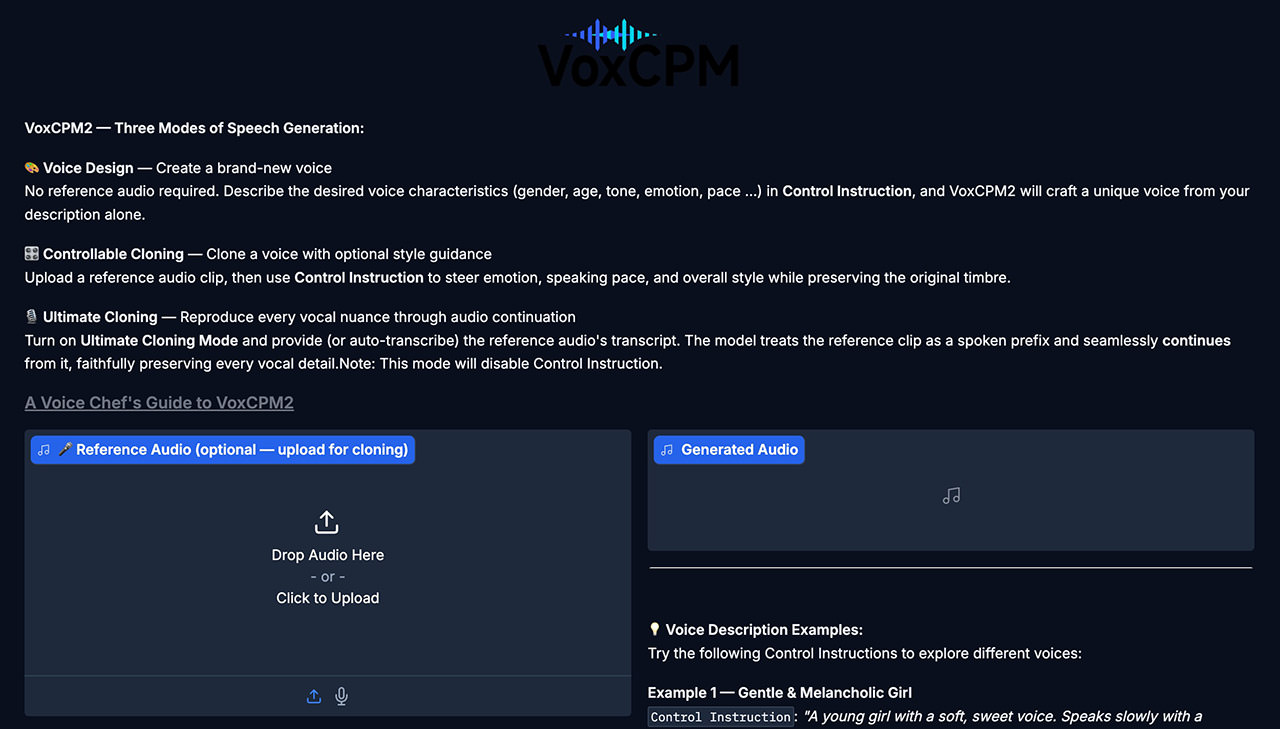
VoxCPM2 looks more serious. It is an open-source text-to-speech and voice cloning model from OpenBMB with local inference, voice design, controllable cloning, higher-fidelity cloning, and streaming support. That does not automatically make it an ElevenLabs killer, but it does make it one of the more interesting free alternatives I have seen in a while. If you want a broader frame for where this space is heading, this guide to text to speech with OpenAI is a useful comparison point.
What Makes VoxCPM2 Stand Out
A lot of open-source TTS projects do one thing reasonably well.
VoxCPM2 seems to be aiming for a broader toolkit.
Instead of only turning text into speech, it also supports several workflows depending on what you are trying to do.
1. Basic Text-to-Speech
If you just want to generate speech from text, the standard flow is straightforward:
wav = model.generate(
    text="Hello, this is VoxCPM2 running locally!",
    cfg_value=2.0,
    inference_timesteps=10,
)
sf.write("output.wav", wav, model.tts_model.sample_rate)
That cfg_value controls how strongly the model sticks to the prompt, while inference_timesteps lets you trade speed for quality.
In other words, you can keep things fast for testing, then turn quality up later when you want a cleaner result.
2. Voice Design From a Text Description
This is one of the more interesting features.
Instead of cloning a real speaker, you can describe the kind of voice you want and let the model synthesize from that prompt.
wav = model.generate(
    text="(A young woman, gentle and sweet voice) Welcome to my blog post about free AI voice cloning!",
    cfg_value=2.0,
    inference_timesteps=10,
)
sf.write("voice_design.wav", wav, model.tts_model.sample_rate)
That opens the door to quick prototyping when you do not have a reference clip ready, or when you want to explore different voice styles before committing to one.
3. Controllable Voice Cloning
If you do have a short voice sample, VoxCPM2 can use it as a reference.
wav = model.generate(
    text="This is my cloned voice saying whatever I want.",
    reference_wav_path="path/to/short_clip.wav",
)
sf.write("cloned.wav", wav, model.tts_model.sample_rate)
This is the mode a lot of people will probably care about most.
It is the classic promise of modern TTS: give the model a short clip, then have it speak new text in a similar voice.
How good that sounds in practice depends on the source audio, prompt quality, and the model itself, but the workflow is refreshingly direct.
4. Higher-Fidelity Cloning
There is also a more exact cloning path for people who want tighter reproduction.
wav = model.generate(
    text="Every nuance of my voice is perfectly reproduced.",
    prompt_wav_path="path/to/voice.wav",
    prompt_text="Exact transcript of the reference audio here.",
    reference_wav_path="path/to/voice.wav",
)
sf.write("ultimate_clone.wav", wav, model.tts_model.sample_rate)
This mode is clearly aimed at users who care more about fidelity and control than convenience.
It is more involved, but that is usually the tradeoff with better voice matching.
5. Streaming Output
VoxCPM2 also supports streaming generation, which matters if you are building interactive apps, assistants, or anything that should start speaking before the entire waveform is finished.
chunks = []
for chunk in model.generate_streaming(text="Streaming audio feels incredibly natural!"):
    chunks.append(chunk)

wav = np.concatenate(chunks)
sf.write("streaming.wav", wav, model.tts_model.sample_rate)
That kind of real-time output is not just a nice extra. It is what makes a voice model feel usable in live products instead of only batch demos. If you want to compare that against more mainstream options, this list of best text-to-speech applications gives some useful context.
CLI Support
Not everything needs to start in Python.
If you just want to test the model quickly, the built-in CLI looks like the faster entry point:
voxcpm design --text "Your text here" --output out.wav
That is a small detail, but a useful one. Good tooling matters, especially for projects people are still evaluating.
A Few Practical Notes
The appeal here is pretty obvious. A lot of people want high-quality AI voice generation without a subscription, API bill, or closed platform sitting in the middle of the workflow.
If an open-source model can deliver solid quality locally, with cloning, voice design, and streaming built in, that changes who gets to experiment with these tools and what kinds of products they can build. That is where the ElevenLabs comparison comes from. It is less about claiming perfect parity and more about showing that the polished paid option is no longer the only serious one. For a lighter browser-side take on the same space, this walkthrough of a text-to-speech feature on any web page is another related read.
Based on the project materials, a few details stand out:
- It supports LoRA fine-tuning with a relatively small amount of audio.
- You can speed things up by lowering
inference_timesteps. - The project mentions Nano-VLLM as another performance lever.
- Output is written as 48kHz WAV, which is a sensible default for high-quality audio workflows.
Those details matter because they push VoxCPM2 beyond toy-demo territory.
They suggest this was built for people who will actually want to tune, automate, and integrate it. The GitHub repo and Hugging Face model page are the obvious places to start if you want to test it properly.