Find Usernames Across Social Networks with Sherlock
When you are trying to trace a person’s public online footprint, you do not always need a full OSINT stack right away. Sometimes you just need an answer to a simpler question: where does this username exist?
That is the job Sherlock handles. It gives you a quick way to check public username trails before doing deeper manual research.
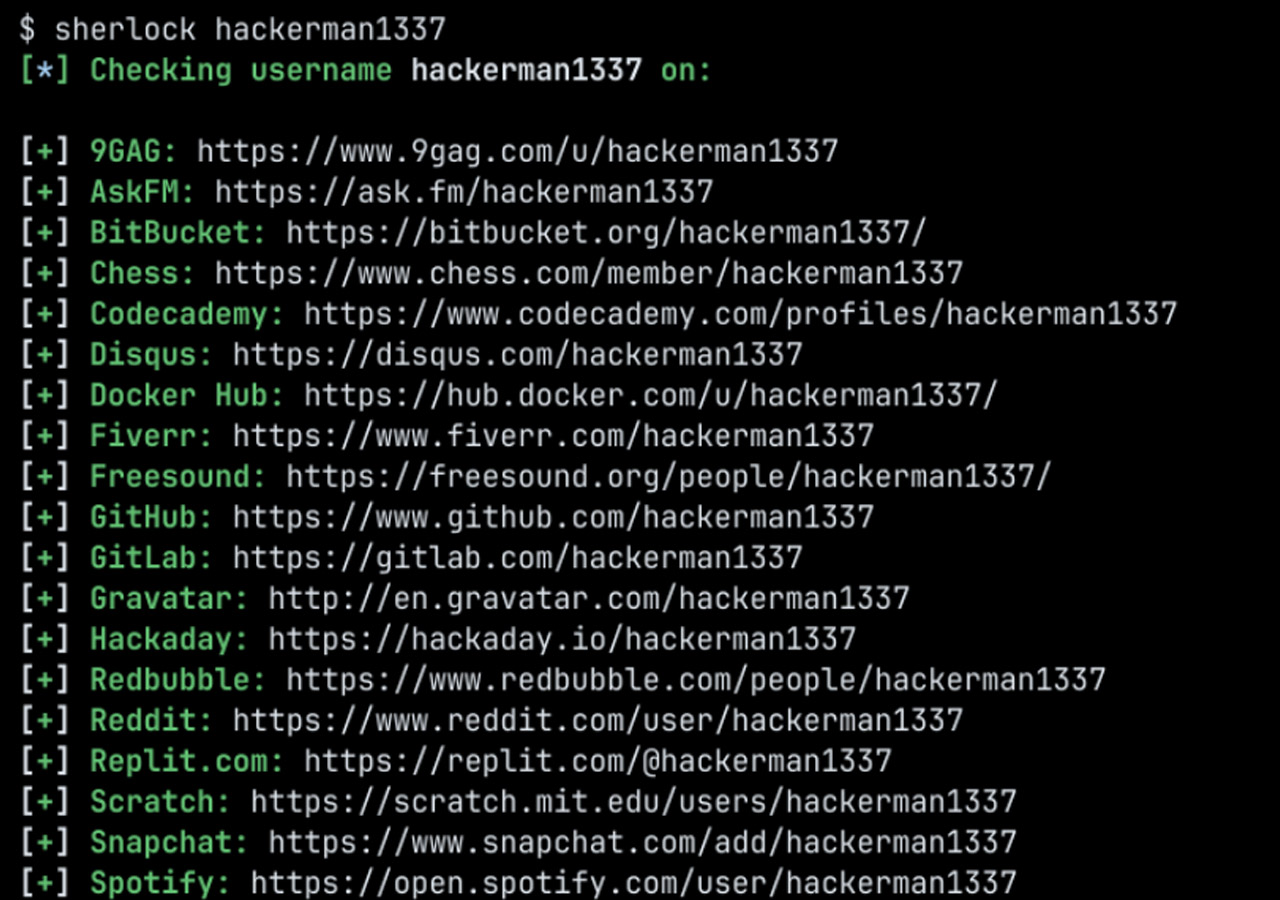
Sherlock is an open source command-line tool that checks whether a username appears across hundreds of websites and social platforms. Instead of testing one site at a time, you give it a username and let it do the repetitive work for you.
If you want a quick way to see whether the same handle shows up on GitHub, Reddit, Instagram, TikTok, or a long tail of smaller platforms, Sherlock is one of the easiest tools to keep in your kit.
Sherlock in a Nutshell
Sherlock is a username discovery tool maintained by the sherlock-project team.
It checks a given username against a large list of supported sites and returns the profiles it finds. According to the project documentation, it supports checks across 400+ websites and social networks.
It is an approachable OSINT tool. You do not need API keys, browser extensions, or a complicated setup to start using it.
What Sherlock Does
Sherlock automates a task that is dull, repetitive, and easy to get wrong by hand.
Instead of opening site after site and testing the same username manually, it builds the likely profile URL for each platform, checks the response, and reports what it finds.
In practice, Sherlock can help you:
- find where a username is active online
- check several usernames in one run
- save results to text, CSV, or XLSX
- limit searches to specific sites
- route lookups through a proxy or Tor
- open found profiles in the browser
- load usernames from JSON for bulk checks
Sherlock does not bypass privacy settings, unlock private accounts, or reveal hidden information. It works by checking publicly visible usernames and public profile patterns.
Username reuse is common. Many people keep the same handle, or a close variation of it, across multiple platforms. That makes Sherlock useful to journalists, OSINT researchers, security researchers, recruiters, investigators, developers, creators, and ordinary users who want a quick starting point for mapping a public online presence.
Getting Started
Sherlock is a Python-based CLI tool, and the project offers a few installation options.
Install With pipx
This is one of the cleanest ways to install Sherlock at user level:
pipx install sherlock-projectIf you do not use pipx, you can install it with plain pip instead.
Install With pip
pip install --user sherlock-projectRun With Docker
If you would rather avoid installing Python packages directly:
docker run -it --rm sherlock/sherlockOther Package Sources
The project also mentions community-maintained packages for platforms such as Debian, Ubuntu, Homebrew, Kali, and BlackArch. Those packages are not maintained directly by the Sherlock Project, so the pipx route is still the safer default recommendation.
How to Use Sherlock
Once Sherlock is installed, the basic pattern is simple: run it with a username, then add options depending on how broad or narrow you want the search to be.
Search for One Username
sherlock user123That checks user123 across supported sites and saves the results to a text file named after the username.
Common Options
sherlock user1 user2 user3to check several usernames in one runsherlock user123 --print-foundto only print matchessherlock user123 --print-allto print found and not found resultssherlock user123 --site GitHub --site Instagramto limit checks to specific platformssherlock user123 --csvor--xlsxto export resultssherlock user123 --output results/user123.txtto save to a custom filesherlock user123 --proxy socks5://127.0.0.1:1080to run through a proxysherlock user123 --torto run over Torsherlock user123 --browseto open found results in the browser
Example Workflow
Suppose you want to check whether the username johndoe exists across major platforms. Start with:
sherlock johndoe --print-foundIf the first pass looks useful and you want something you can review later, export it:
sherlock johndoe --print-found --csvIf you already know which platforms matter, narrow the search instead of checking everything:
sherlock johndoe --site GitHub --site Reddit --site InstagramThat is usually the better approach when you care more about a few relevant platforms than maximum coverage.
What Sherlock Is Good At, and Where It Falls Short
Sherlock is strong at speed and coverage. It checks a public username across a large number of sites and fits easily into a lightweight research workflow.
Its limits matter just as much:
- it depends on public profile patterns and site responses
- it can only check the sites it knows about
- it may miss accounts if a platform changes how profile detection works
- a matching username does not prove identity
That last point is the important one. If coolhandle99 exists on five platforms, that does not automatically mean all five accounts belong to the same person. Sherlock gives you leads, not proof.
Final Thoughts
Sherlock does one job well: it helps you find where a username appears across a wide range of websites without doing the same checks by hand.
That makes it a practical tool for OSINT work, username research, and general online footprint checks. Test it with a few known usernames and you will quickly see whether it belongs in your toolkit.