How Good Is GhostTrack for IP Phone and Username Lookups
The name sounds serious. The actual tool is much simpler.
GhostTrack is a Python command-line tool that groups a few public data lookups into one menu. You can run it locally, pick an option, and get results without setting up anything complex. I spent some time with it to see what it actually does and where it falls short.
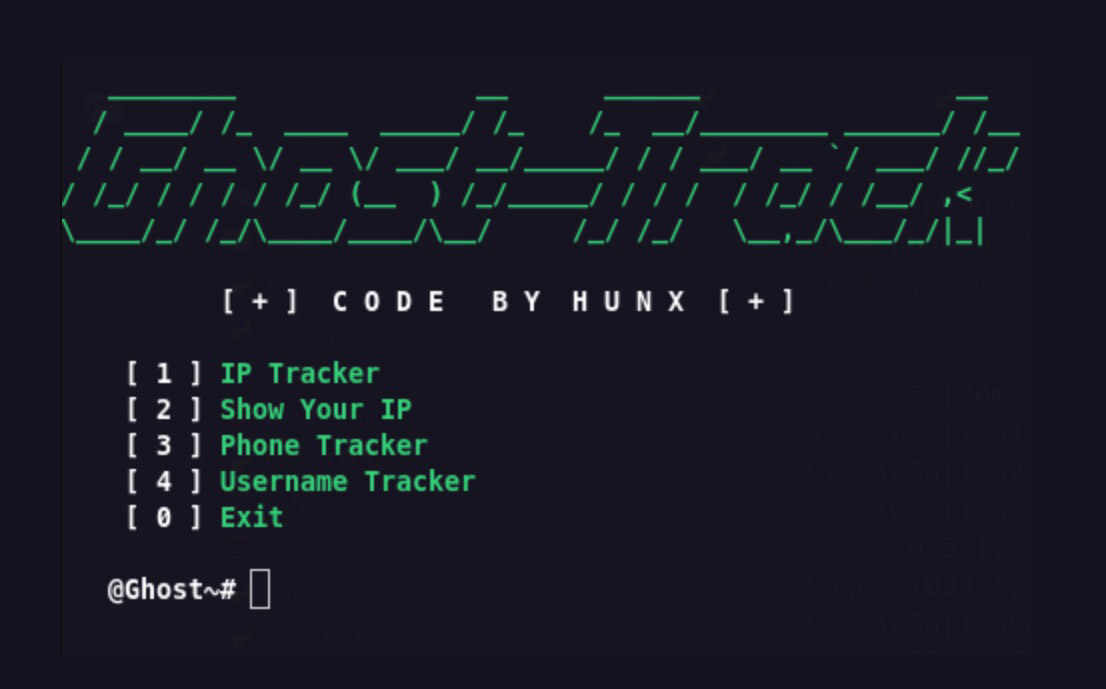
What you get with GhostTrack
After installing and running it, the menu gives you four options:
- IP Tracker
- Show Your IP
- Phone Number Tracker
- Username Tracker
The IP Tracker takes any address you throw at it and pulls country, city, region, ASN, ISP, timezone, and rough coordinates from ipwho.is. Running it against a test IP gave back readable output in seconds. To understand how much an IP can already reveal on its own, this breakdown of what your IP exposes is worth reading alongside it.
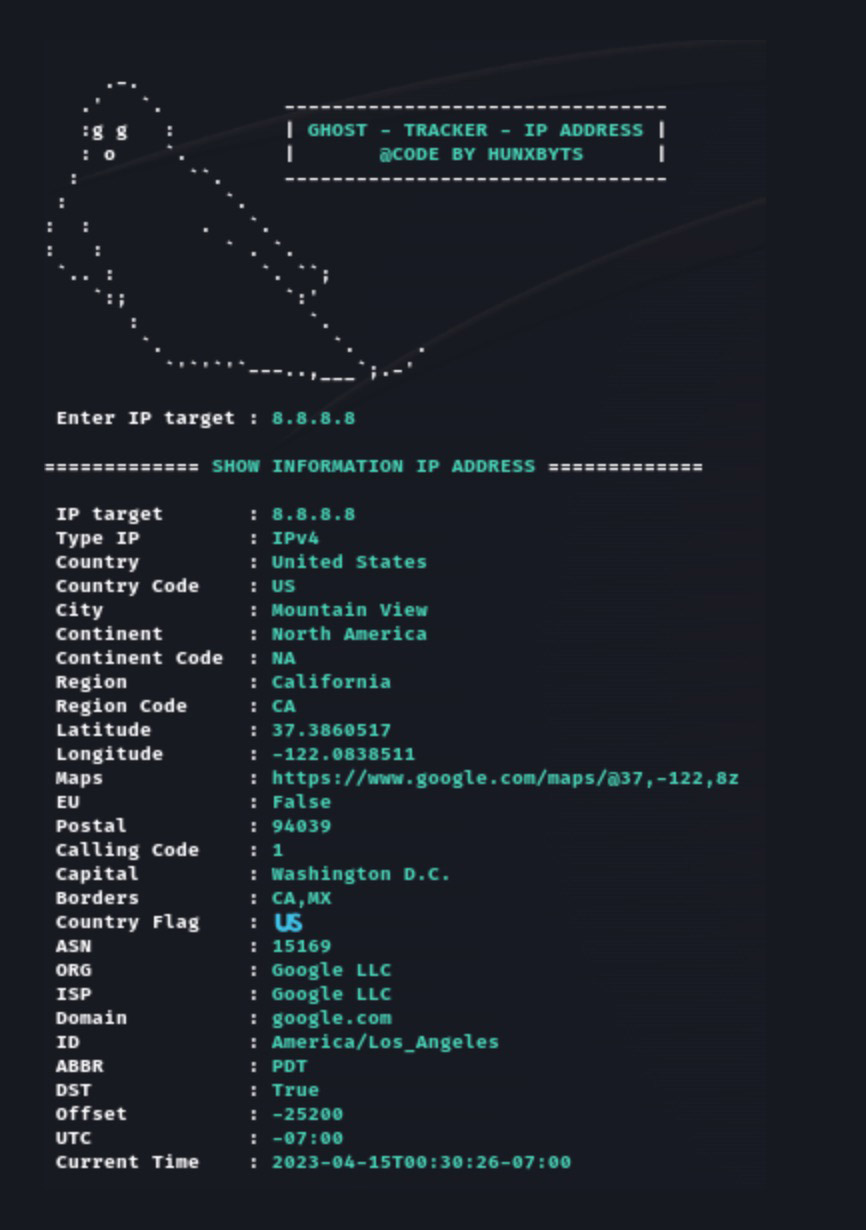
The Phone Number Tracker parses a number using Python’s phonenumbers library and returns region, carrier, timezone, formatting, and number type. The Username Tracker checks whether a handle shows up across a list of social platforms by hitting profile URLs and reading the response.
If username lookups are what you are after, Sherlock is worth comparing. It covers more platforms and scales larger, but the idea is similar.
This is not a live location tracker. It wraps public lookups and common Python libraries into something a bit more convenient to use.
What actually works
That does not make it useless.
If you are running beginner OSINT labs, security demos, or CTF prep and need one quick interface for basic recon, GhostTrack lowers the friction. One script, one menu, readable output without stitching together separate commands. That is the main appeal: convenience over capability.
The code itself is small and readable. For someone learning how these lookups work, it is a decent starting point to see how IP metadata, number parsing, and username checks are handled programmatically.
Where the pitch overstates what it does
The marketing leans on phrases like “track location” and “track mobile number,” which sound more dramatic than what actually happens when you use it.
The IP lookup gives approximate geolocation from an API, useful context but not live tracking. The phone lookup tells you carrier and region, not where someone is right now. The username check mostly reports whether a handle exists on a platform.
Going in expecting precision surveillance will disappoint you. Going in expecting a quick public-data aggregator makes the tool feel more honest.
Rough edges you will notice
The username checker flags HTTP 200 as a match, which is blunt. Some sites serve friendly pages even for accounts that do not exist, so false positives are likely. The phone-number tracker also defaults to Indonesia as the region, understandable given the author’s background, but not useful if you are working with numbers from elsewhere.
Beyond that, there is very little documentation, no validation notes, and no discussion of error cases. For a quick personal script this is fine, but it means you have to manually verify anything important.
Who it actually suits
GhostTrack makes most sense for:
- beginners exploring how OSINT lookups work
- hobbyists who want a menu instead of running separate commands
- quick demos showing what public metadata can reveal
It is less suitable for professional investigations, anything where evidence quality matters, or workflows that need clean reporting and real validation. It is not Maltego or a full recon platform. It is a small script behind a terminal menu.
The Privacy Angle
What stands out most after using it is not GhostTrack itself. It is how much metadata ordinary systems already expose. IP geolocation, carrier info, timezone hints, and username reuse patterns all add up. Even basic lookups can sketch a surprising amount of context when stacked together.
Defensively, that is a good reason to audit your own digital footprint. If you want to take that further, this guide on deleting your digital footprint is a practical next step.