10 Basic Youtube Tips You Should Know
Have you ever thought that there might be more to YouTube than just hitting the play button? Beyond the basics, YouTube offers a variety of features that can improve your viewing experience.
In this post, we will share ten straightforward yet essential YouTube tips and tricks that tend to go unnoticed. From easier video navigation to discovering hidden functions, these suggestions can help you use YouTube more effectively and enhance your overall video-watching experience.
1. Excluding Keywords in Searches
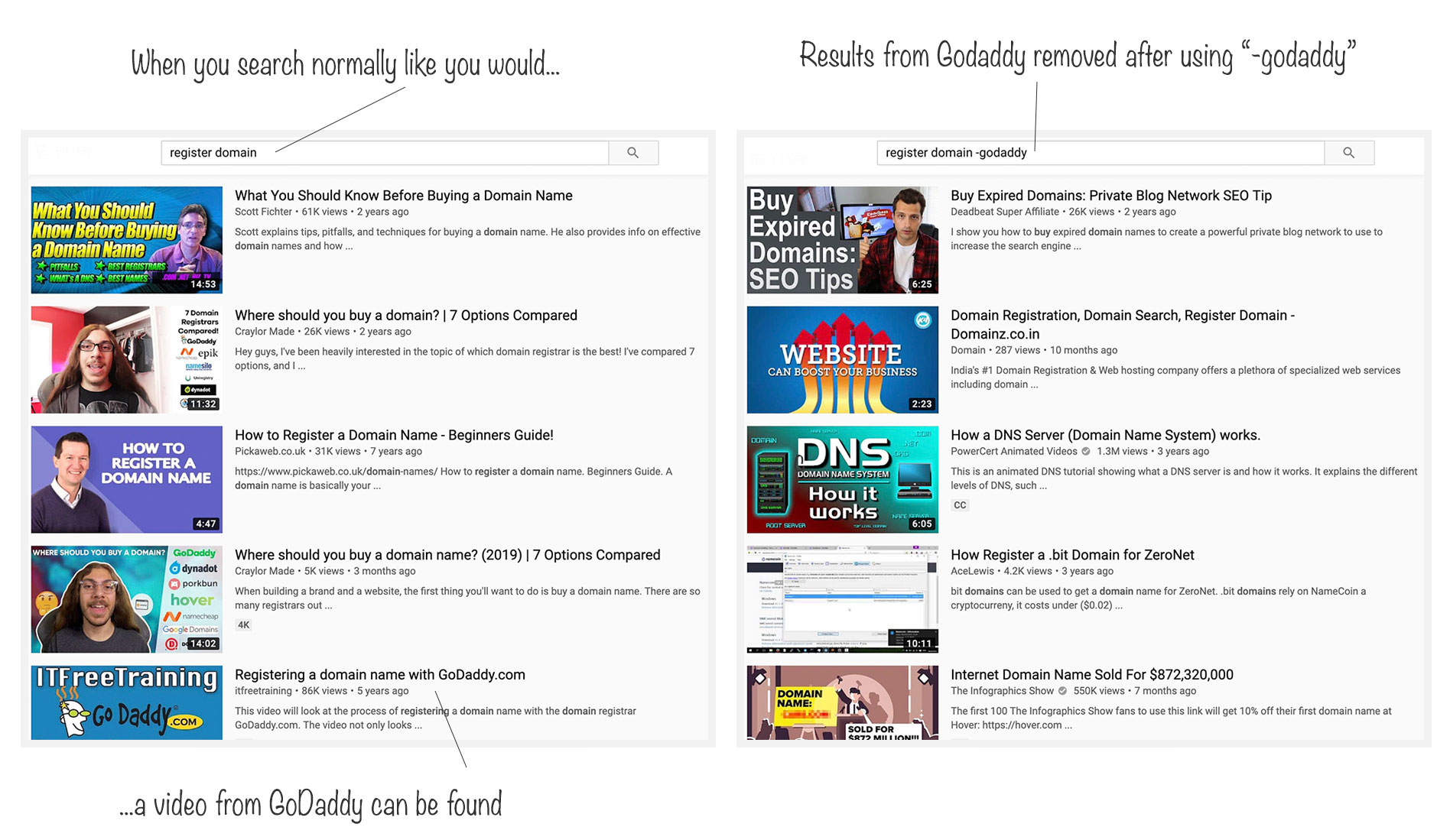
Did you know you can fine-tune your searches on YouTube to include or exclude specific keywords? Say you’re on the hunt for a tutorial about ‘registering a domain‘. If you search in the usual way, you’re likely to see a flood of videos on how to register a domain with GoDaddy.
But what if you’re looking for alternatives and want to avoid GoDaddy-related tutorials? Easy! You can tweak your search to exclude certain keywords. Simply add a minus sign before the keyword you wish to exclude.
For instance, searching Register domain -GoDaddy filters out GoDaddy-related content, streamlining your search results to suit your needs.
2. Sharing Videos from a Specific Time
Ever wanted to share just the best part of a YouTube video? You can easily direct someone to start watching a video from any specific moment.
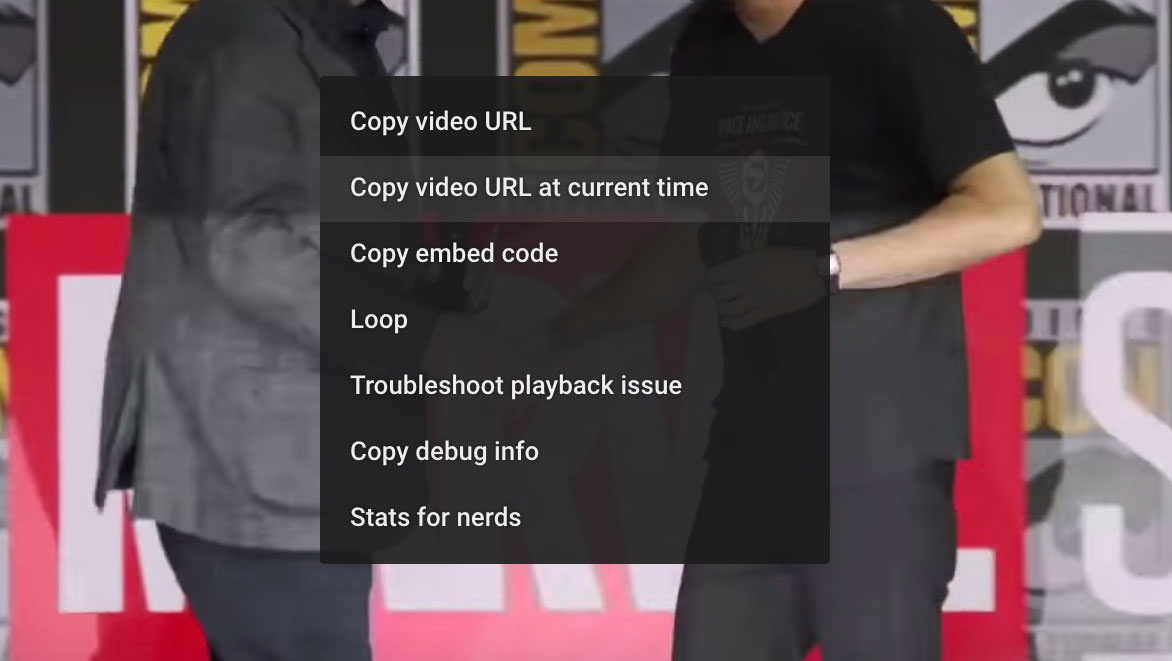
Just pause the video at your desired starting point and right-click on the video screen. You’ll see an option to Copy video URL at the current time. Sharing this link will take viewers directly to the chosen moment, skipping everything before it.
3. Looping Videos Automatically
Ever found yourself wanting to replay a song or video on YouTube over and over again? Rather than pressing the replay button each time, YouTube has a nifty feature that lets you loop videos automatically, perfect for those times when you just can’t get enough of a good thing.
To set a video on auto-replay, simply right-click on the video you’re watching and select Loop from the menu. Voilà! The video will now play in a continuous loop until you decide to stop it by unselecting the Loop option the same way.

4. Setting HD as Default
YouTube’s default setting adjusts video quality based on your internet connection’s speed and reliability. However, if you’re sure about your internet’s performance and prefer watching videos in the best quality available, you can make HD your default.
How to Disable Video Autoplay for YouTube Videos
As video junkies would attest to, sometimes you want to open more than just one video at the... Read more
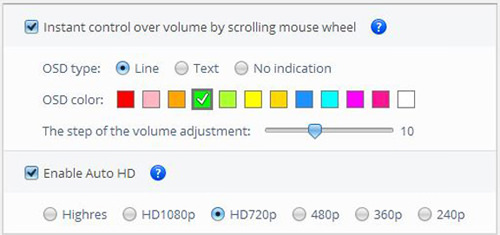
To achieve this, download the Magic Actions for YouTube extension, available for Google Chrome and Firefox. Once installed, activate the Auto HD feature and choose your preferred resolution. You can also adjust the video volume with a simple scroll of your mouse wheel.
5. Refining Video Searches
Finding that one needle in the haystack of YouTube videos can feel like a daunting adventure. But what if you could make the search needle a lot bigger and the haystack a lot smaller?
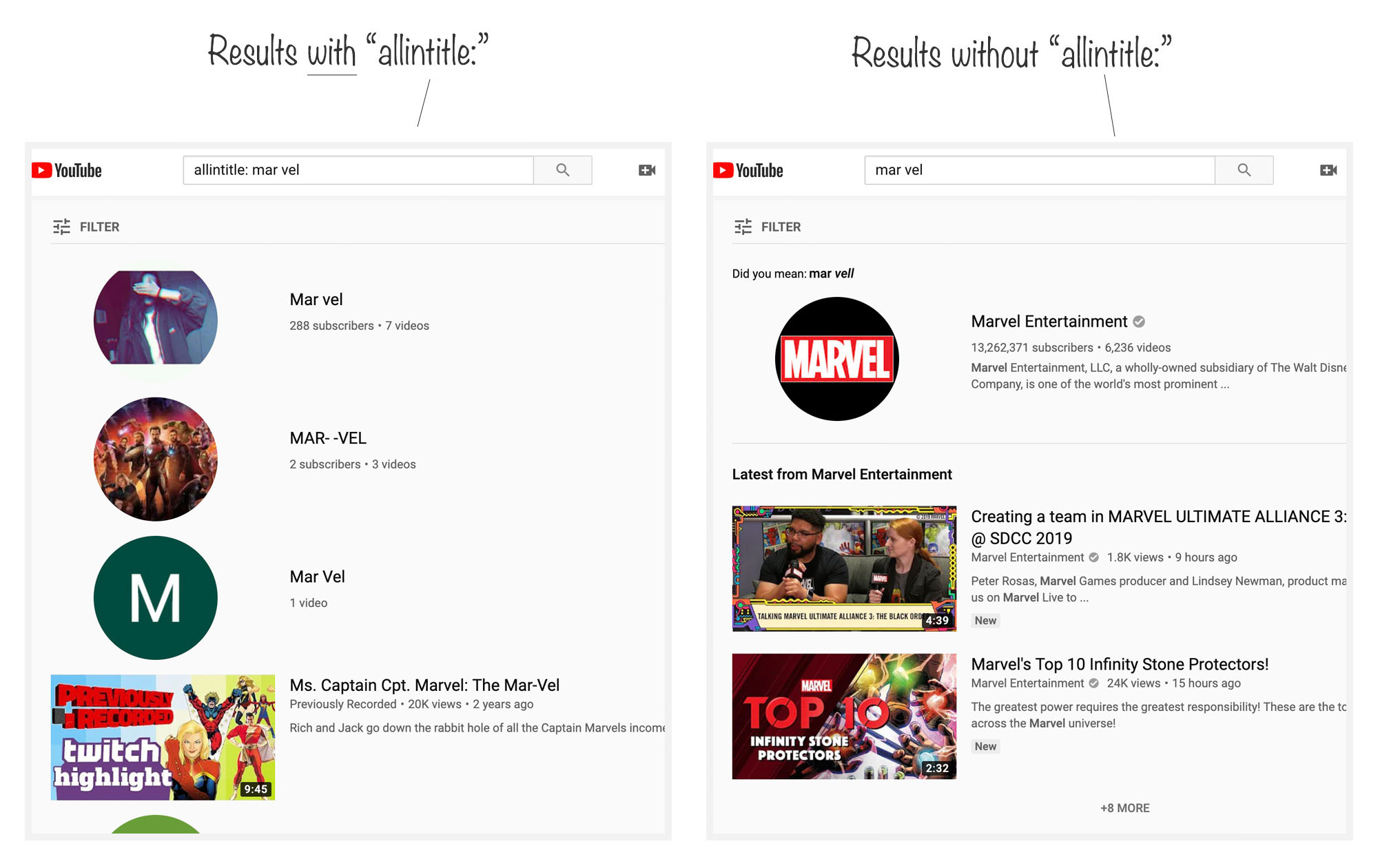
For results that hit closer to home, preface your search query with allintitle:. This command zeroes in on videos whose titles directly contain your specified keywords, significantly narrowing down your search to more relevant results.
By using this trick, you’re more likely to find exactly what you’re looking for, without wading through pages of unrelated content.
6. Viewing Video Playback Speed
Wondering if the buffering is due to the video itself or your internet connection? YouTube offers a neat feature to get to the bottom of this.
Simply right-click on the video you’re watching and select "Stats for nerds" from the menu. A small box will pop up on your screen, displaying a wealth of information including your internet speed, network activity, and how well the video is buffering.
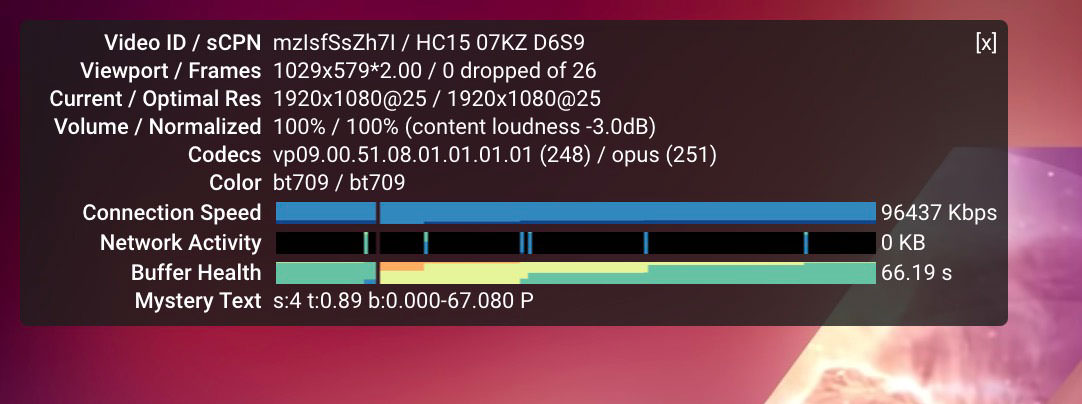
This feature doesn’t just stop at your connection speed; it also provides detailed stats on the video such as the Video ID, frame rate, optimal resolution, and codecs, among others.
7. Creating and Managing Clips
You can easily create clips from any YouTube video or live stream and share them on social platforms or directly via email or text. These clips are public, meaning anyone with the link can view them and potentially the original video as well. Find your created clips and those made from your videos in the Your Clips library page.
To create and share a clip, just follow these steps:
- Sign in to YouTube.
- Navigate to the video you want to create a clip from.
- Select Menu > Clip.
- Give your clip a title (up to 140 characters).
- Select the part of the video you’d like to clip. You can adjust the clip length between 5 seconds (minimum) and 60 seconds (maximum) by dragging the slider.
- Click SHARE CLIP to finish.
8. Queuing Videos
Ever been watching a video on YouTube and thought about what you’d like to watch next? There’s an easy way to line up your next videos automatically.
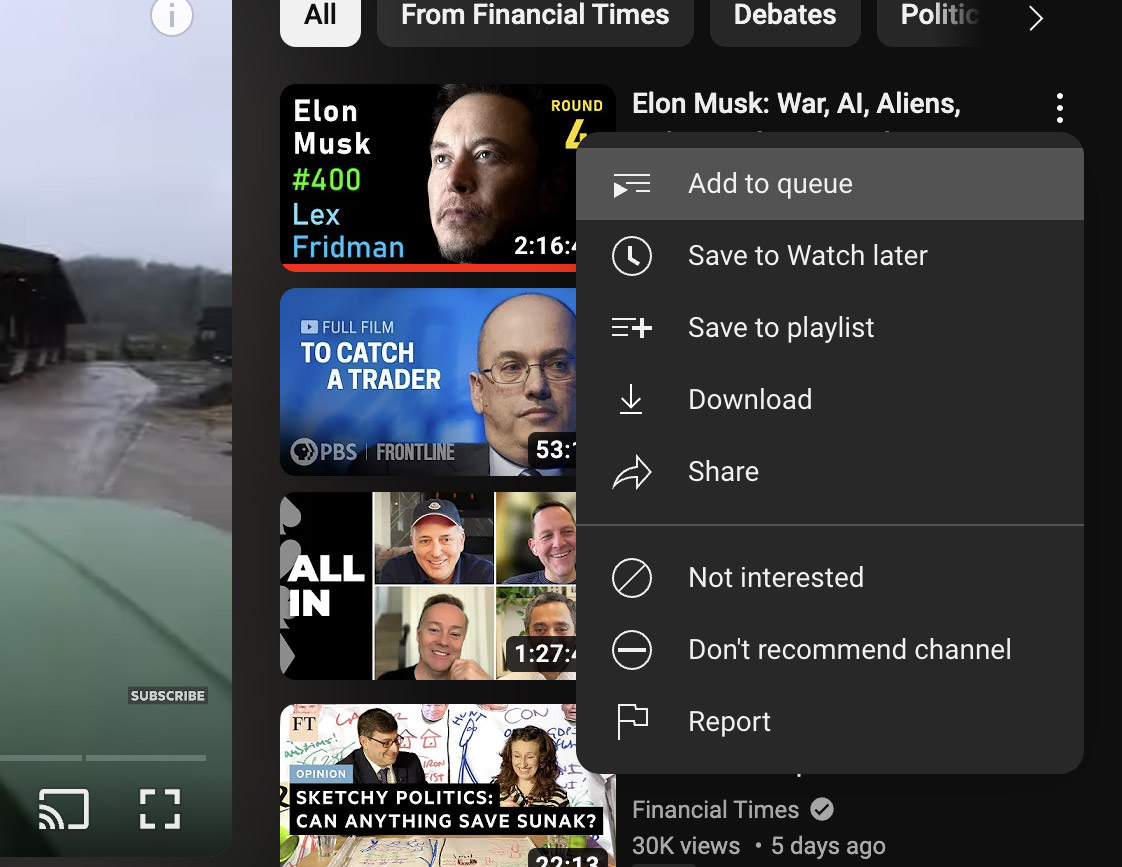
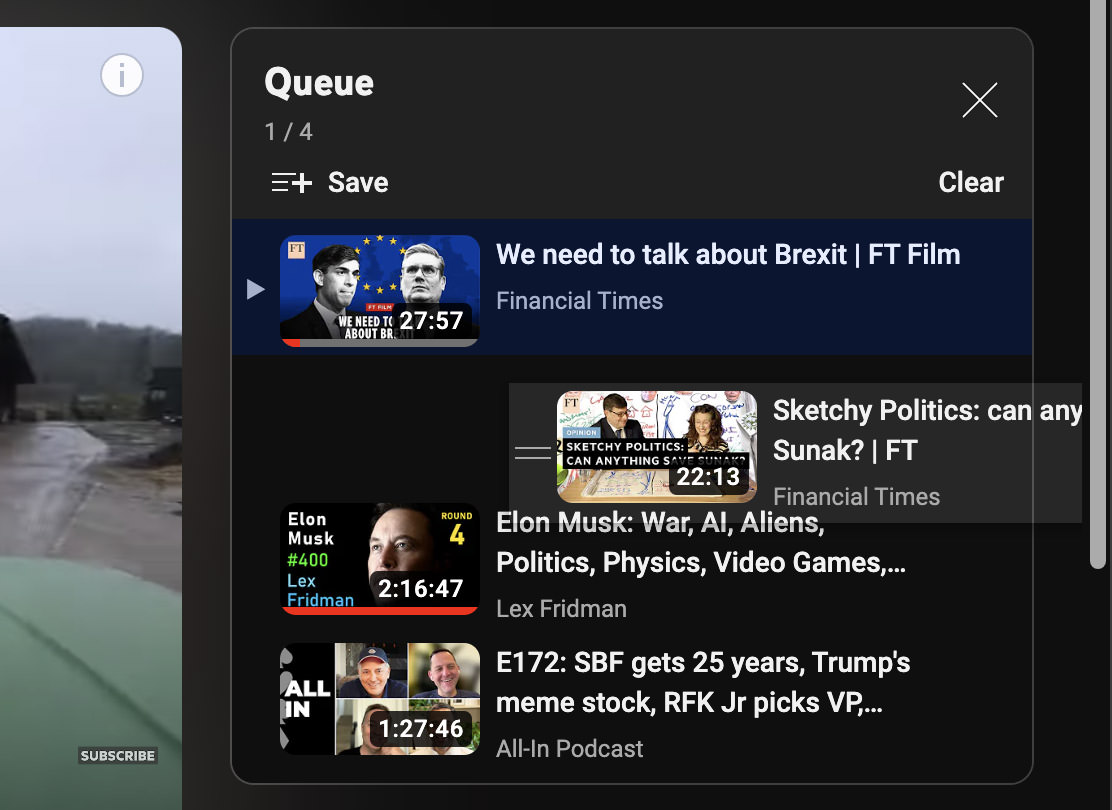
Simply right-click on the video (or videos) you want to watch next and select “Add to queue.” This action creates a Queue list. Once your current video ends, YouTube will automatically play the videos you’ve added to your queue.
Plus, you can change the order of your queued videos by dragging them up or down in the Queue window.
9. Clearing Watch History
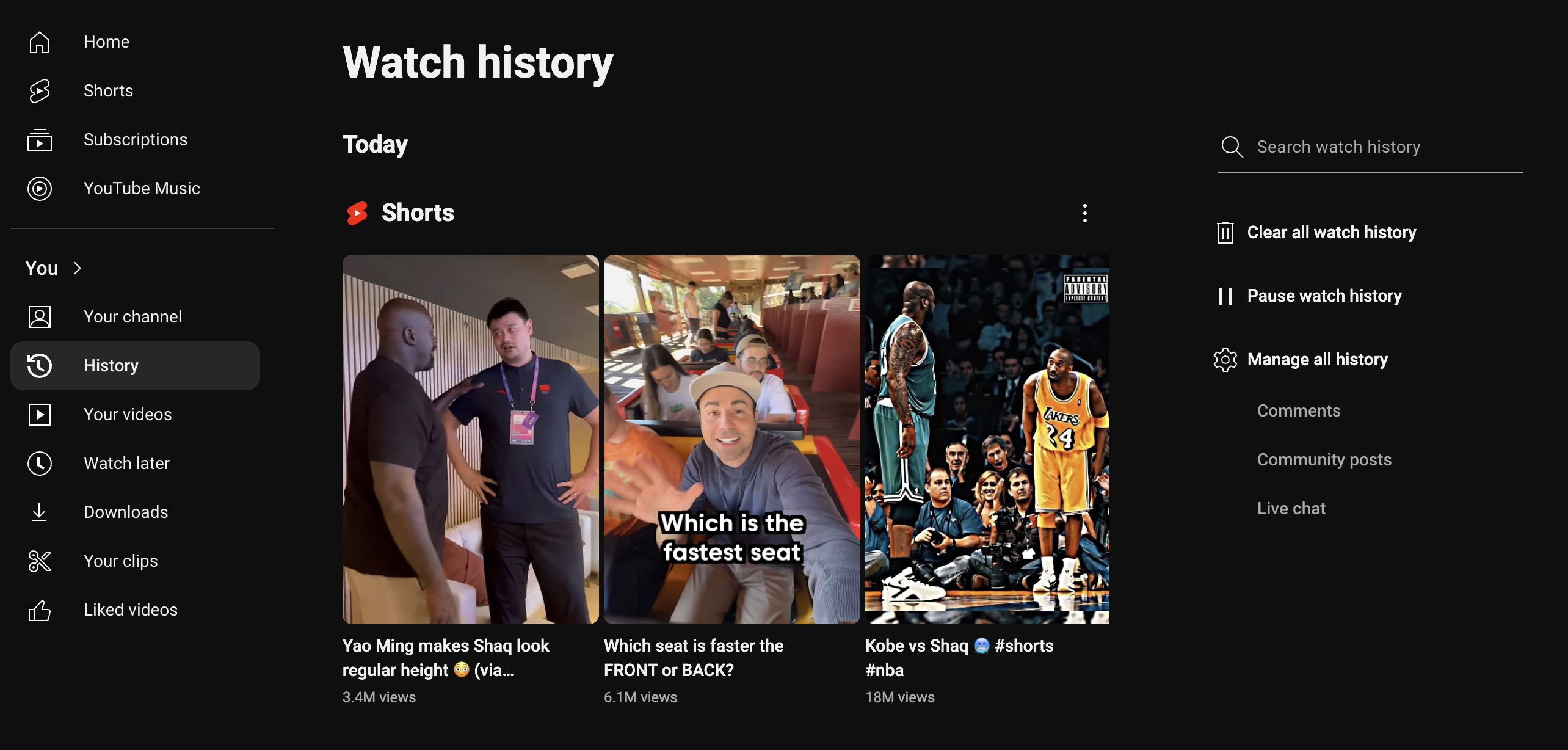
Did you know YouTube keeps track of every video you’ve watched? You can review everything you’ve previously watched under You > History.
If you’re trying to find a video you watched before to rewatch it, searching your watch history might help. And if privacy is a concern, you have options: “Pause watch history” stops YouTube from logging your activity, or “Clear all watch history” wipes your slate clean, removing all traces of your viewing history.
10. Using Shortcut Keys
Last but definitely not least, getting familiar with YouTube’s shortcut keys can dramatically improve how you interact with videos.
For instance, you can press the space to play or pause the video, the M key to mute, and the up and down arrow keys to adjust the volume. These shortcuts are just the tip of the iceberg! For a comprehensive rundown of all the YouTube keyboard shortcuts available, check out our post on YouTube keyboard shortcuts.