40 Firefox Add-ons For Better Productivity
Anyone who uses the Internet spends a lot of time on browsing the web. However, people always appreciate if they can save time during their borwsing experience. So if Firefox is your go-to browser and want to save time while using it, then you have access to a plethora of add-ons to customize your browsing experience.
In this post, I am going to share with you more than 35 useful Firefox add-ons that’ll help you save time one way or another.
10 Firefox Add-ons For Safer Browsing Experience
Today's internet is no longer just a source of information and entertainment, but also a place of treachery... Read more
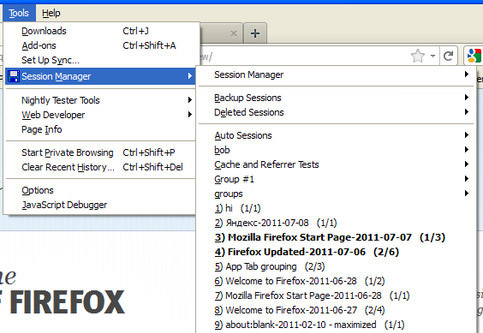
Tab Session Manager – This add-on helps you save the current state of the opened tabs in a Firefox window and recover it when needed. It can even recover tabs state after a crash.
Tip Tab – Simply shows a preview of the other opened tabs when you hover your mouse cursor over them. Very handy if you always have dozens of tabs opened and want to reach the right tab quickly.
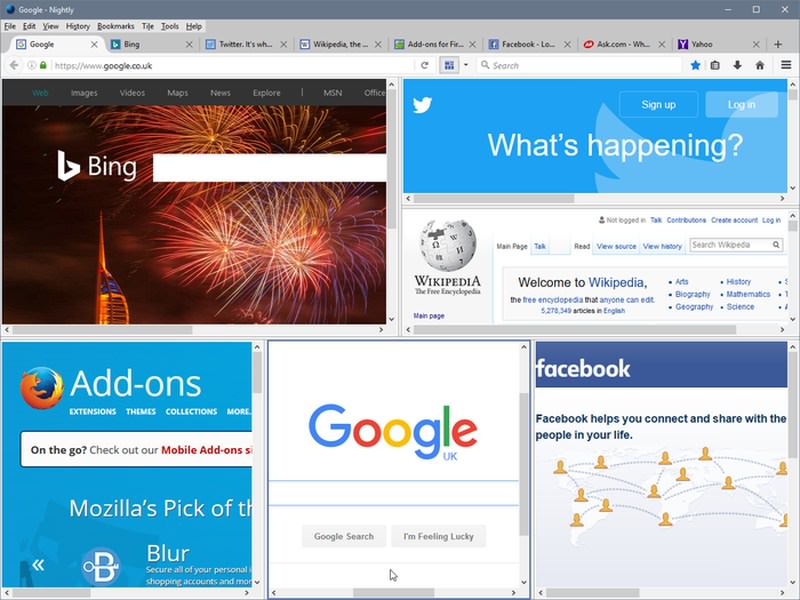
Tile Tabs – Tile Tabs helps you organize your tabs in highly customizable tiles. You can create vertical, horizontal, or grid style tiles and easily view and manage tabs.
ColorfulTabs – ColorfulTabs randomly gives a color to your opened tabs to make it easier to distinguish between multiple tabs. A must have extension to save time while working on dozens of tabs.

Tab Mix – It’s a highly customizable tab manager for Firefox that gives full control over your tabs. You can manage what each tab should do when it is opened/closed or is in session. There are also option to manage links, events, mouse shortcuts, tab display and much more.
Share Anywhere – Share Anywhere makes it easy to quickly share any web page or web page content over your favorite social network website. It has support for over 45 social media networks.
I don’t care about cookies – Due to EU regulations about cookies, many websites are bound to show an annoying pop up to confirm that the website is using cookies. This extension simply gets rid of that pop-up and saves you that one extra click.
Gif Blocker – GIFs can eat up bandwidth and slow down page loading speed, and many websites use GIFs today. If you don’t want GIFs to load without your permission, then install Gif Block. It will automatically block GIFs.
Link Fixer – Link Fixer solves one of the biggest browsing problems, URL typos. It will automatically fix most common URL typos and let you access the right website. You can add your own typo corrections and even configure it to ask before fixing a URL.
AutoCopy – As the name suggests, AutoCopy automatically copies anything you highlight in Firefox to the clipboard. You can then use the middle mouse click to paste it. A very handy extension if you need to copy/paste often.

Simplify Gmail – This add-on adds few helpful features to Gmail to make it easier and faster to manage your Gmail account. Some of the features include, unread messages count in tab favicon, attachment icon, hierarchical labels, and hide spam and chat, etc.
Grammarly – Grammarly automatically finds typos and grammar mistakes and lets you quickly fix them. It works on most of the websites, including email services and social media websites.

Lazarus – Lazarus simply saves all form entries you make and lets you restore it in case it gets deleted due to internet problem, crash, or a server timeout. It can recover form entries, comments, and any WYSIWYG editor content. It may not sound very useful, but it’s only because you haven’t faced a form crash yet. Just install it, you can thank me later.
iMacros for Firefox – This is basically an automation tool for repetitive tasks. You just need to record any task that you need to repeat often and iMacros will let you complete it with a single click whenever you need. The possibilities are limitless, but some of the things you can do include, automatic form filling, download/uploading content, updating websites, and much more.
Amazon Assistant for Firefox – If you shop on Amazon, then this will surely help save time and shop smartly. It will help you access daily deals, compare prices, track orders, create a universal wishlist, and much more.

Gmail Manager – The extension helps you manage multiple Gmail accounts in a single tab and view and control other accounts without moving away from the current account. Really handy for people with multiple Gmail accounts.
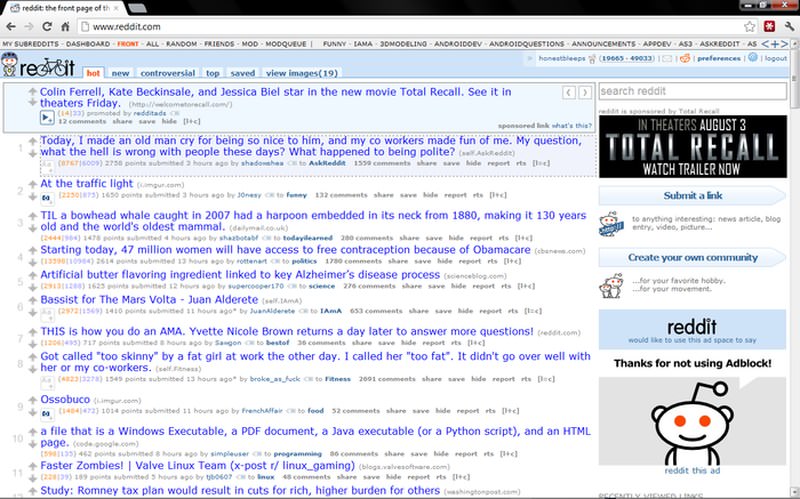
Reddit Enhancement Suite – A must have add-on for Reddit fanatics. Reddit Enhancement Suite adds features like unlimited scrolling, image preview, keyboard shortcuts, easy switching between two accounts, and much more to make it easy to use Reddit.
20 Interesting Reddit Communities to Get Lost In
Found yourself stuck in your flight, daily commute, or a friend is running late? Or perhaps you have... Read more
Disconnect – Disconnect stops all types of third-party tracking websites that track and store your data. It’s not only good for privacy but also speeds up browsing up to 44% as the tracking is disabled.

Magic Actions for YouTube – This add-on adds multiple features to YouTube to make your experience faster and smoother. Some of the features include AutoHD, screenshot, rating review, enlarge thumbnails, loop videos, hide comments/related videos, and stop autoplay.
Wikiwand – Wikiwand magically overhauls UI of Wikipedia and makes it much more advanced and easier on the eyes. The table of contents is on the left, and content is much more clear and easier to read.
Stylish – Stylish gives you tools to style websites the way you want them to work. You can customize the layout, change colors, remove content, add panels, and much more.
Adblock Plus – One of the best extensions to block ads. Adblock Plus will automatically block almost all types of ads you see while browsing the web, including video, audio, animation and text ads. As ads slow down browsing and create distractions, it will speed up your browsing. Although don’t forget to whitelist websites you care about, as ads fund them to keep providing free service.
4 AdBlock Plus Alternatives for Chrome
Ad blockers are very simple tools. Install it on your browser, and a huge majority of ads will... Read more

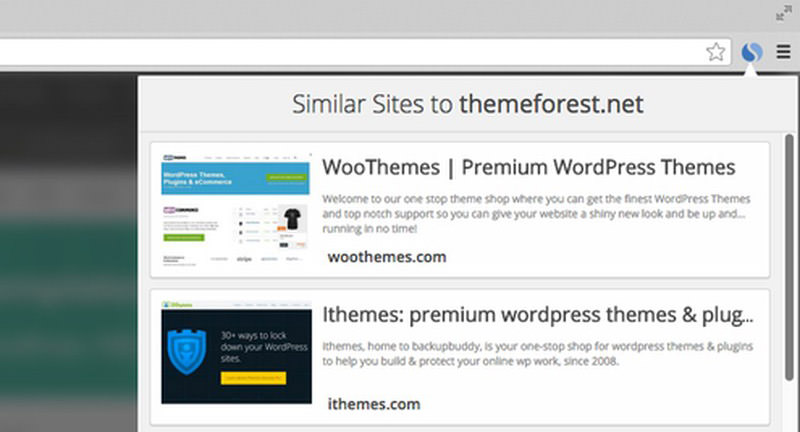
Similar Sites – Simply click on the Similar Sites icon in the search bar and this extension will show a list of websites that are similar to the one you are viewing. Talk about faster research.
Full Web Page Screenshots – A powerful screenshots extension that can take screenshots of individual tabs simultaneously and even create PDFs out of them. You can also edit and annotate screenshots.
Morning Coffee – A very handy extension to organize your favorite content websites by days and automatically open them on a specific day. It can make it really easy to get your daily dose of web content, such as news websites or weekly columns.
Speed Dial (Lite) – Similar to Opera’s speed dial feature, this add-on offers you a speed dial UI in Firefox to save your favorite websites for quicker access. The UI is fully customizable and you can even add a background image.
Vertical Toolbar Reloadedsession – Simply adds a vertical toolbar at the side of Firefox window where you can add extensions, bookmarks, and buttons for quick access.
LastPass – One of the best password managers, LastPass will automatically save all your passwords and make it easier to automatically login to websites. You just need to remember a single master password to manage all your passwords.
7 Android Apps to Create and Manage Passwords
Online accounts are password-protected from unauthorized access, but how secure this password protection is depends on your ability... Read more

syncmarx – A simple extension to save all your bookmarks and syncs them over all your devices. If you don’t want to waste time syncing and moving bookmarks, then get Xmarks and store all bookmarks in one place.
Notepad (QuickFox) – A simple note taking add-on that focuses on taking notes faster. It uses tabs layout to quickly jot down multiple notes and has features like spell check, auto copy/paste, and auto save to make note taking easy.
DownThemAll – A must have extension for any Firefox user. DownThemAll not only helps save time by speeding up download speed up to 4 times but also helps stop/resume and manage downloads in one place.
Save to Folder – This add-on removes the need to deal with “Save File to” dialog. Anything you download will be directly downloaded to your predefined folder.

ScrollAnywhere – The extension makes your middle mouse button work as a quick grab and move button for the scrollbar. Just press the middle mouse button and move up/down to scroll.
Foxy Gestures – This add-on puts dozens of mouse gestures in your hand to do almost anything in Firefox. You can move between tabs, move forward/backward, close/open tabs, re-open tabs, and a whole lot more just with your mouse. You can even create your own scripts if you can.

Visual Tabs – Viewing the contents on the each tab may be quite a time consuming task hence, this add-on makes it easier since you can preview and navigate the tab contents through pop-up either in the backward or forward direction.
FlasgGet – This add-on helps maximizes your download speed. It is light-weight, reliable and amongst the most popular download manager.

Firebug – This add-on probably doesn’t need any introduction. For web designers and developers, this is a must-have.

FireFTP – This is a secure, cross platform FTP tool for Mozilla. If you are a fan of opening too many apps, then this add-on is for you.

Summary
All these Firefox add-ons will make your work easier and get things done faster. Tab management is probably the best way to save time and work hassle free, and I’ll recommend you to check out Tab Mix Plus for this as it’s astonishingly functional.
If there are any other time-saving Firefox add-ons that you use, share with us in the comments.
6 Firefox Add-Ons to Improve Your YouTube Viewing Experience
YouTube has grown so much over the years, becoming a social media giant. But it doesn't mean that... Read more