Binky Is a Free Mac App That Sorts Messy Folders for You
Every Mac has a problem folder. Downloads is the obvious one, but it might be your Desktop, a Dropbox inbox, a screenshots folder, or a project folder where exported files keep piling up.
Binky is a native macOS app for cleaning up those fussy folders. It can sort a folder on demand, watch folders continuously, and move files according to rules you control. It waits for files to finish arriving first, then routes them into folders like Images, PDFs, Media, Documents, Archives, Apps, Screenshots, and Misc.
The point is not clever file management. It is predictable file management.
Quick Sort Handles One-Off Cleanup
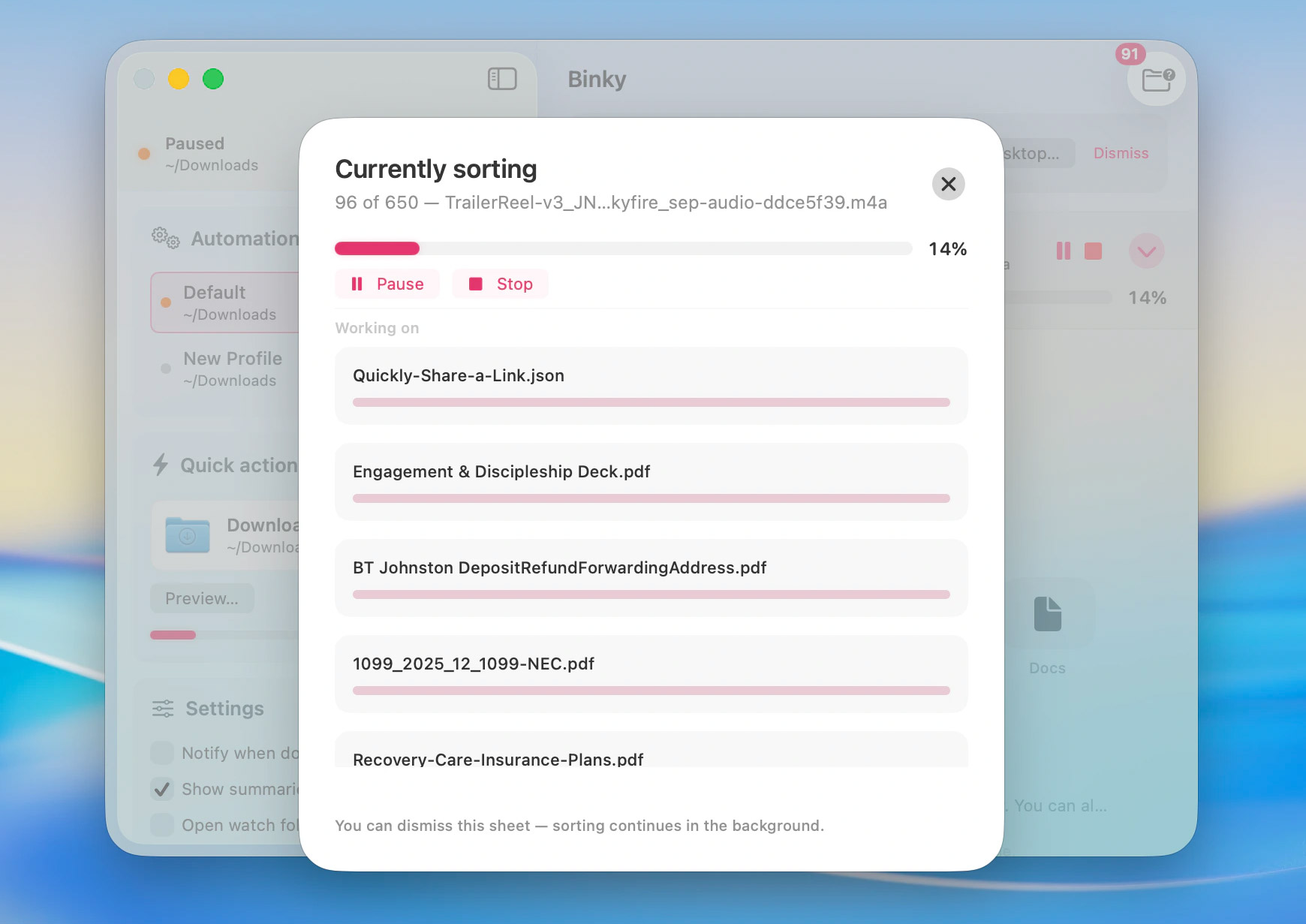
Binky’s Quick Sort is for the folder you want to clean right now. Pick an inbox, run the sort, and Binky sweeps through the files in one pass.
Downloads is the default target, but it is not the only one. You can use it on any folder that has become a dumping ground: Desktop, a shared folder, a client upload folder, a screenshots folder, or wherever your Mac stores chaos. If your issue is less about sorting and more about Finder itself feeling limited, a utility like XtraFinder sits in the same Mac productivity lane.
By default, sorted files land in folders such as:
Images/PDFs/Media/Documents/Archives/Apps/Screenshots/Misc/Review/
Binky waits for files to settle before moving them, so it does not grab a download halfway through. It also uses collision-safe moves, so two files with the same name do not overwrite each other.
Anything unknown or questionable goes to Review first. That is the part that makes the app feel safer than a blunt extension-based sorter. If Binky is not confident, it does not bury the file somewhere random.
Routines Watch Folders Continuously
Quick Sort is manual. Routines are automatic.
A Routine is a named watcher with its own source folder, rules, and optional Finder tags. You can have one Routine for Downloads, another for Desktop, another for a Dropbox inbox, and another for a screenshots dump. Each one can follow different routing logic.
That makes Binky more flexible than a simple Downloads cleaner. It can sit behind the places where files enter your workflow and keep them from becoming junk drawers.
Rules Give You Control
Binky can sort by file type, but it is not limited to extensions.
Rules can match by name, extension, file kind, size, date, origin, OCR or receipt hints, and Finder tag conditions. A rule can move a file, rename it, apply Finder tags, extract an archive, install from a DMG, trash a match, or fan files out by tag.
A few practical examples:
- send invoices and receipts into a finance folder
- keep client uploads away from general downloads
- route screenshots separately from normal images
- move project exports into the right project folder
- tag files during sorting so they are easier to scan in Finder
Rules run before the default sorted folders. So if you want receipts handled separately, Binky can catch them before they fall into a generic PDFs folder.
It Fits Into Mac Workflows
Binky is built with SwiftUI and AppKit, so it behaves like a Mac app rather than a web app wrapped in a window.
It supports Finder Quick Actions and Services, which means you can select files in Finder and run Sort with Binky directly. If you like tuning Finder actions yourself, this guide to adding items to the macOS context menu is a useful companion.
It also includes an Apple Shortcuts action called Sort Files, so you can pass file paths to the running app from your own automations. For a broader example of Mac automation, see this walkthrough on how to automate opening and positioning apps on Mac.
There is a binky command-line tool too, for people who want to preview sorts, run Routines from Terminal, or plug the same rules into scripts. The app, CLI, and Routines use the same preferences and routing logic, so you are not maintaining separate systems.
Binky also keeps history and batch summaries. You can see what moved, what was skipped, and what went to Review. Undo is available where macOS allows it.
What It Does Not Do
Binky moves files. It does not copy them. When a file is sorted, the original leaves the source folder and goes to its destination.
It also only watches folders while the app is running. If Binky is closed, new files stay where they are. Open it again or run Quick Sort, and it can clean up what accumulated.
There is no cloud account involved. Sorting happens on your Mac, and Binky does not upload your files.
The Bottom Line
Binky is a small Mac utility for a common problem: folders that turn into junk drawers because sorting files by hand is boring.
The app is more useful when you stop thinking of it as a Downloads cleaner and treat it as an inbox cleaner. Point it at any folder where files pile up, set a few rules if the defaults are not enough, and let Review catch anything uncertain.
Binky requires macOS 14 Sonoma or later. It is open source under the MIT license, and the 1.x line is free. You can download the DMG from binkyfiles.com and install it like a regular Mac app.