38 iPhone Tips & Tricks You Should Know
Your iPhone is nothing less than a magical device that can do hundreds of functions and substitute many everyday tools. But even the most fervent iPhone users don’t know about its many features and so they fail to use it to it’s full potential.
This post aims at highlighting some of the lesser-known but equally interesting features of the iPhone that can be useful in different quotidian situations and may add a lot to your productivity. Well then, let’s start with the list.
- Create custom alerts for different people
- Install Beta version of new iOS
- Use iPhone as a magnifying glass
- Teach Siri to call you by a certain name
- Correct Siri’s mispronunciation of a name
- Connect two pairs of AirPods to the same iPhone
- Unsubscribe to services no longer needed
- Migrating from Android to iOS
- How to force reboot your iPhone
- Update all apps in one click
- Ask Siri for password
- Use your iPhone as a Continuity Camera for Mac
- Create custom ringtones for iPhone
- Shortcut all the way to the top of Photo Album
- Find missing AirPods with Siri
- Send Unknown Callers to Voicemail
- Optimize charging to increase battery life
- Move multiple apps at once
- Using iPhone as Apple TV Remote
- Remove the last digit in Calculator app swiftly
- Scan QR Code with the Camera app
- Set a sleep timer for playing media
- Hide photos in the Photo Album
- Use iPhone as a level
- Use iPhone’s keyboard as a trackpad
- Remove App download size limit
- Silence all unknown callers
- Close all Safari tabs at once
- Use Spotlight to for a quick math
- Stop apps from asking for feedbacks
- Start a group Facetime Call
- Make iPhone flash when getting notifications
- Add multiple faces to Face ID
- Using one-handed keyboard
- Scan documents using Notes and File apps
- Offload unused apps
- Create a custom vibration
- Get texts/ calls on other Apple devices
Create custom alerts for different people
You can create custom alerts for different people in your contacts, so you’d know who’s calling or texting without even looking at your phone.
Here’s how to do it:
- Go into your Contacts app
- Tap on the contact you want to give a custom ringtone to.
- Tap Edit, and then tap either Ringtone or Text Tone.
- You can choose from the list of iPhone’s built-in ringtones or text tones to play whenever that person calls or texts.
Note: Unfortunately, Apple doesn’t let you use any music service with this feature.
Install Beta version of new iOS
If you want to experience the features of an upcoming iOS version before it’s released into public (being an iOS developer or just someone who’s curious about the new version), then there’s a way to install the Beta version of the software in your iPhone.
Take a look at this step-by-step guide to get an iOS in Beta version on your iPhone.
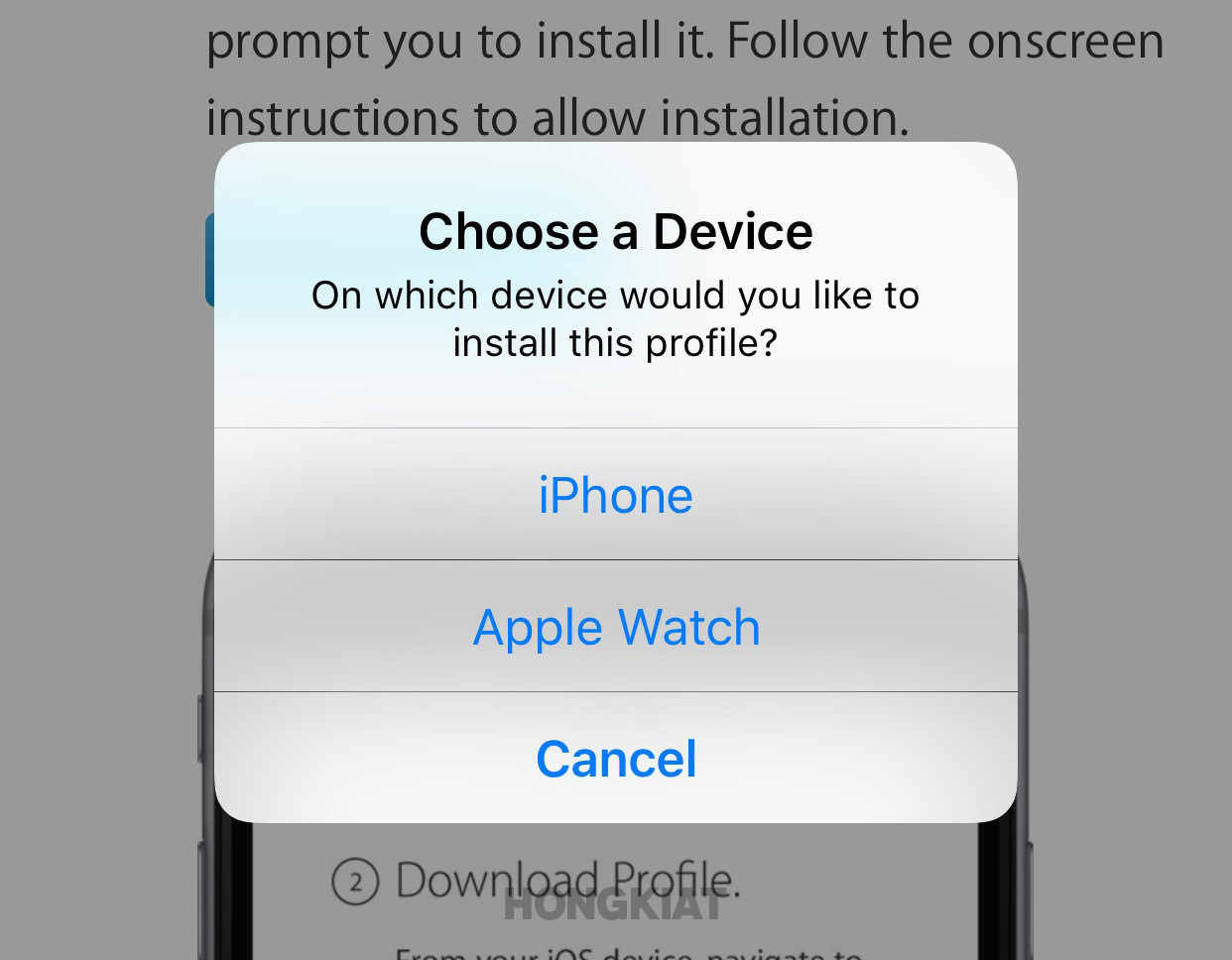
How to Install iOS 11 Public Beta on iPhone or iPad
Install iOS 11. get all the new features before everyone does. Read more
Use iPhone as a magnifying glass
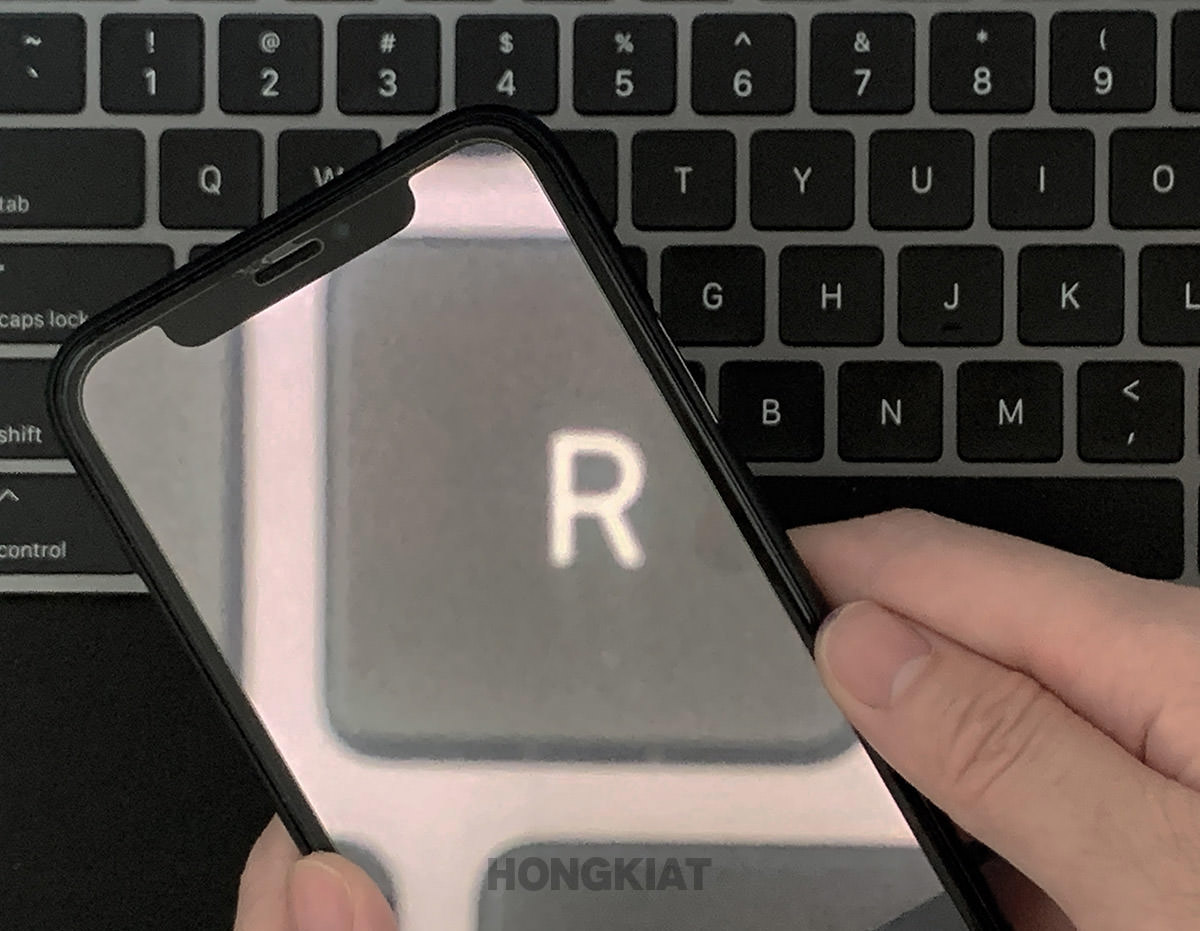
It’s a wonder how many different tools your iPhone can tun into, including even a magnifying glass. It can be quite a useful feature for long-sighted people who find it difficult to read a fine text (or during a treasure hunt to find the hidden clues).
To tun your iPhone into a magnifying glass:
- Go to Settings > Accessibility > Magnifier
- Toggle on the Magnifier
From now on, whenever you’ll triple-click the home button, your iPhone’s camera will turn into a magnifying glass, and your screen into a viewfinder.
Teach Siri to call you by a certain name
Siri is a marvel of tech and a useful feature for iPhone users. On a lighter note though, Siri gives you a kind feel-good factor when you ask her to do some function and she does it immediately according to her capacity. Cheesy much?
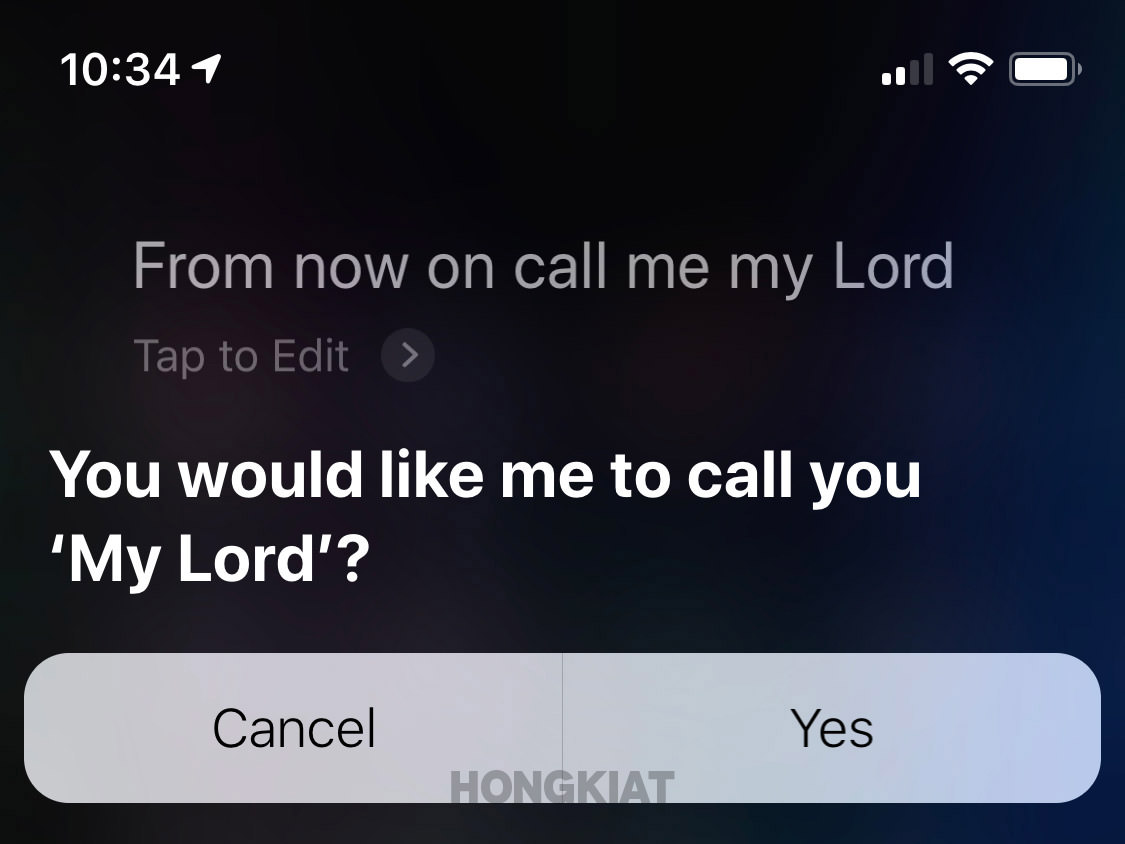
Well, you can have even more fun with Siri by teaching her to call you by a certain name. Just activate Siri by holding the side button on your iPhone, and tell her to "Call me ___ from now on".
Correct Siri’s mispronunciation of a name
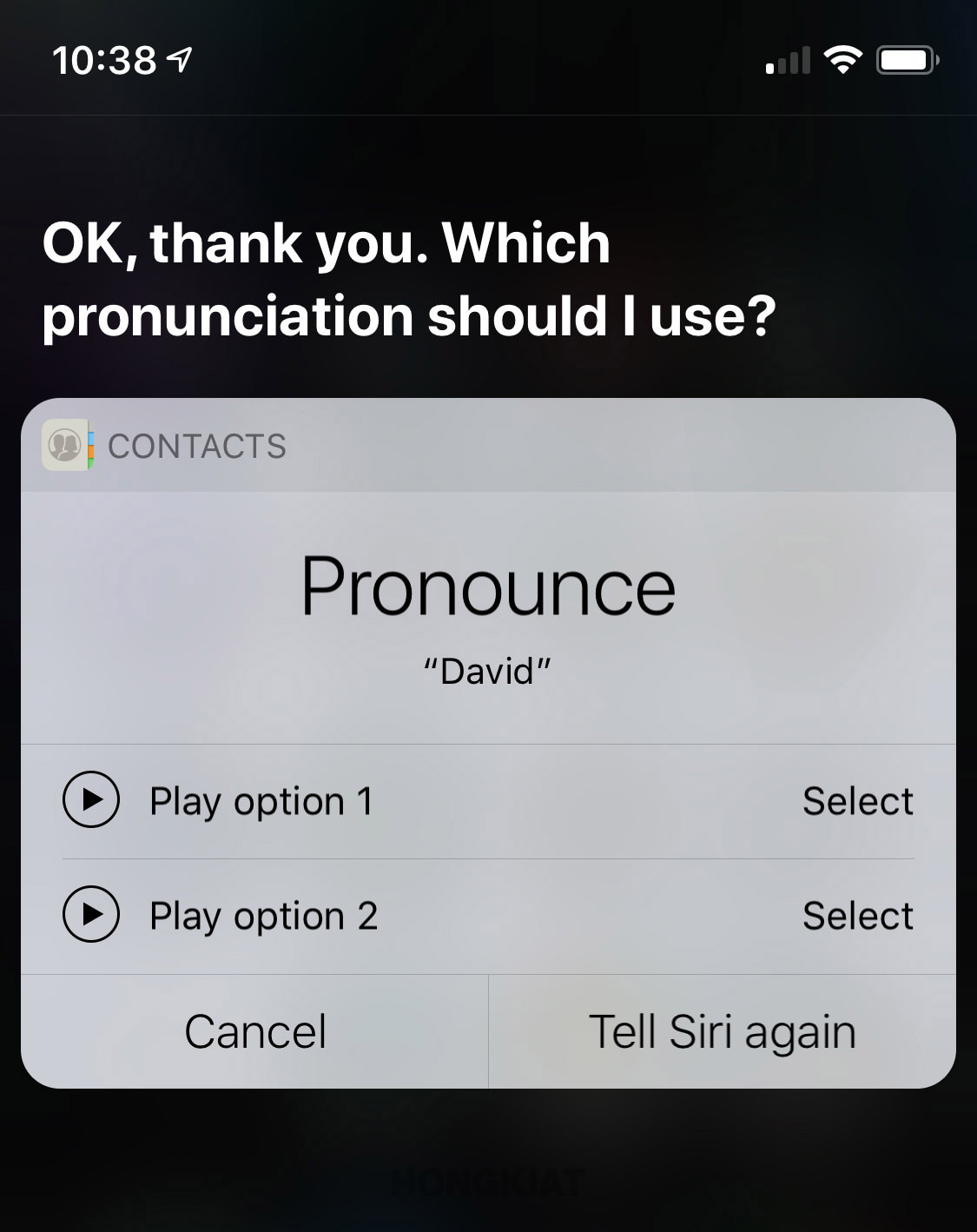
Some people have names that are difficult to pronounce and hard to catch – even for Siri. But unlike people who repeatedly mispronounce a name, Siri’s mispronounciation of name can be corrected for good.
If Siri says someone’s name wrong, you respond by saying:
"That’s not how you say ____.”
Siri will now say:
"OK, how do you pronounce the name ____?”
and present a list of pronunciations, which you can play out loud by taping on the play button.
And if you find none of Siri’s pronunciation options to be correct, just give her the name again.
Once you get an option that you’re happy with, just tap Select and Siri will say:
"OK, ____ it is.”
Connect two pairs of AirPods to the same iPhone
You can connect two pairs of AirPods (or some Beats headphones like the Powerbeats Pro and Beats Solo Pro) to the same iPhone.
This is a great feature especially during travel when you and your travel buddy would want to watch the same movie or listen to the same music.
To set it up:
- Open the charging case lid and hold the pairing button on the back of your AirPods until the light starts to flash white.
- Bring the pair close to the iPhone you want to connect with.
- Tap the pop-up menu confirming that you want to pair the AirPods to your iPhone.
- Repeat the same steps to connect a second pair of AirPods with your iPhone.
- However, at this point, when you’ll start playing music, you’ll hear it through only one pair of AirPods.
- Now tap the AirPlay button on your iPhone and select the second pair of AirPods that you connected.
And viola! Now you’ll hear the music playing in both sets of AirPods at the same time.
Unsubscribe to services no longer needed
Once in a while you subscribe to a service that you stop using or don’t need after a while. But you forget to unsubscribe it and keep getting charged without notice or you realize when the payment is already made.
To find out about the services you’re currently subscribed to, or to make changes changes to them:
- Go to the App store
- Click on the avatar on top right to go to your account.
- Click subscriptions. This will open up a list of all the services you’ve currently subscribed to and information about when they’ll be renewed. If you want to cancel any of the subscriptions, simply click on any individual app, and then tap "Cancel Subscription".
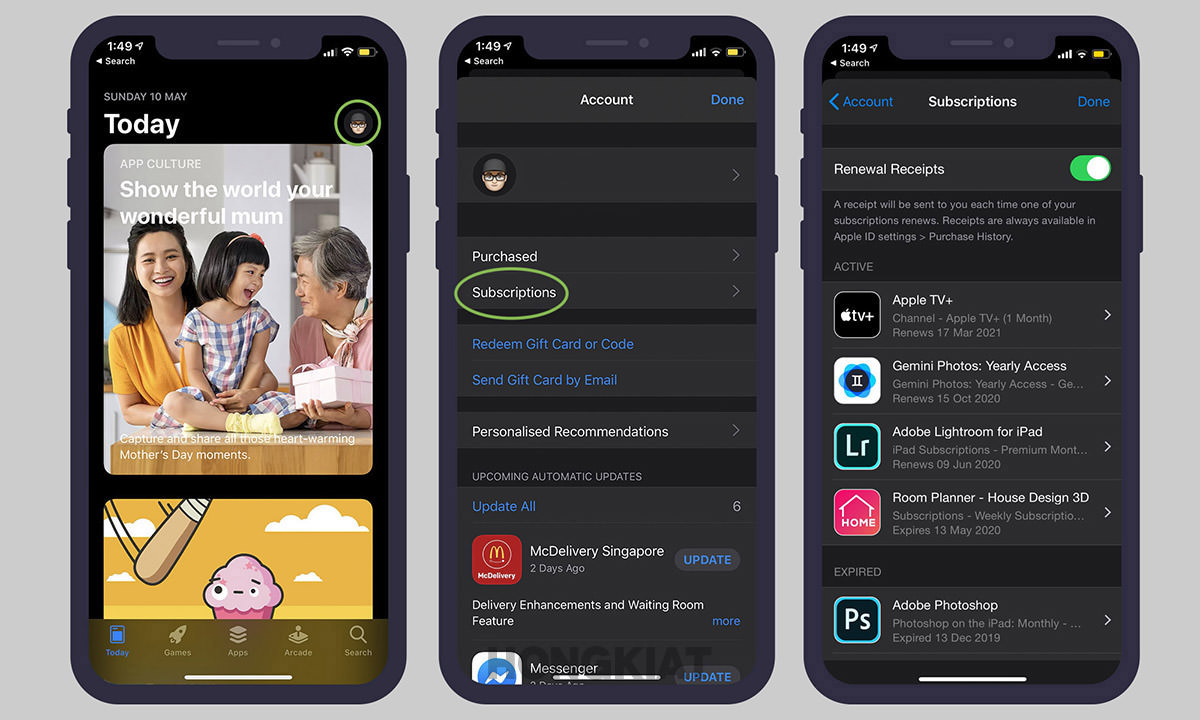
Note: Your subscription will not end immediately after clicking "Cancel Subscription" and will normally end on the date it is due to be renewed.
Migrating from Android to iOS
So you’ve finally decided to leave your Android phone and shift to an iPhone. Well, congratulations… but wait, you must be having a lot of issues in migrating from one OS to another, especially when both OSs are so different in features and functions.
You need not worry though, as in this post, we have covered the topic of migrating from Android to iOS in detail. So read through and start enjoy using your iPhone.
Migrating From Android to iOS: 10 Burning Questions
Are you an Android user who has recently purchased an iOS device and are having difficulties in setting... Read more
How to force reboot your iPhone
Apple has an amazing iOS but there are times when one of your apps get stuck or the phone freezes up right in the middle of something important.
In such situations, the best solution is to force reboot your iPhone. Check out this tutorial to know how to reboot any iPhone model.
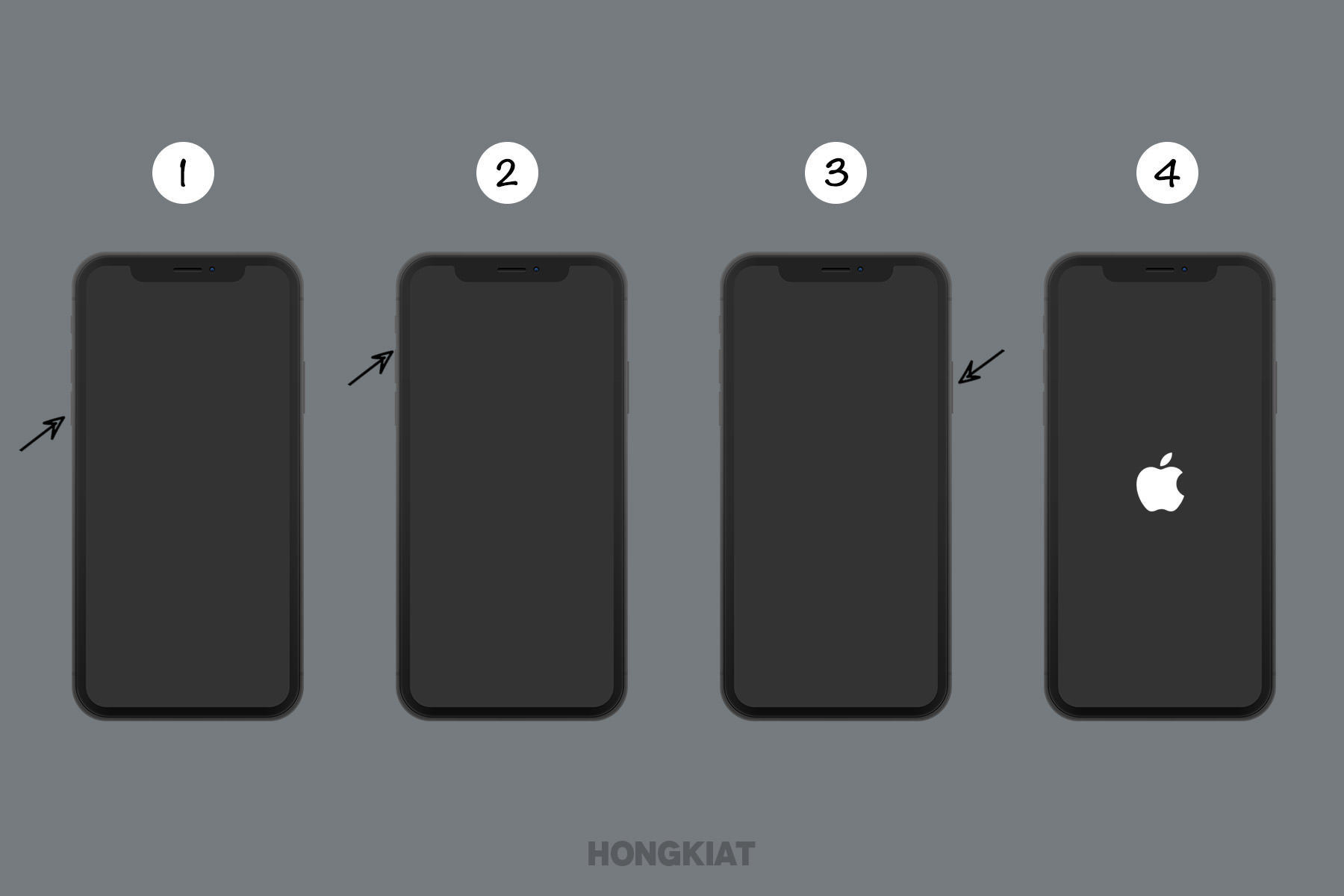
Force Start / Reboot Any iPhone
Guide to force restart or reboot any type of iPhone models. Read more
Update all apps in one click
While the iOS strives to keep all your apps updated, it is however, not done instantaneously. Sometimes it takes hours or even days before the iOS updates your apps in bulk.
To counter that, you can take the matters in your own hands and manually update all apps in your iPhone.
Here’s how to do it:
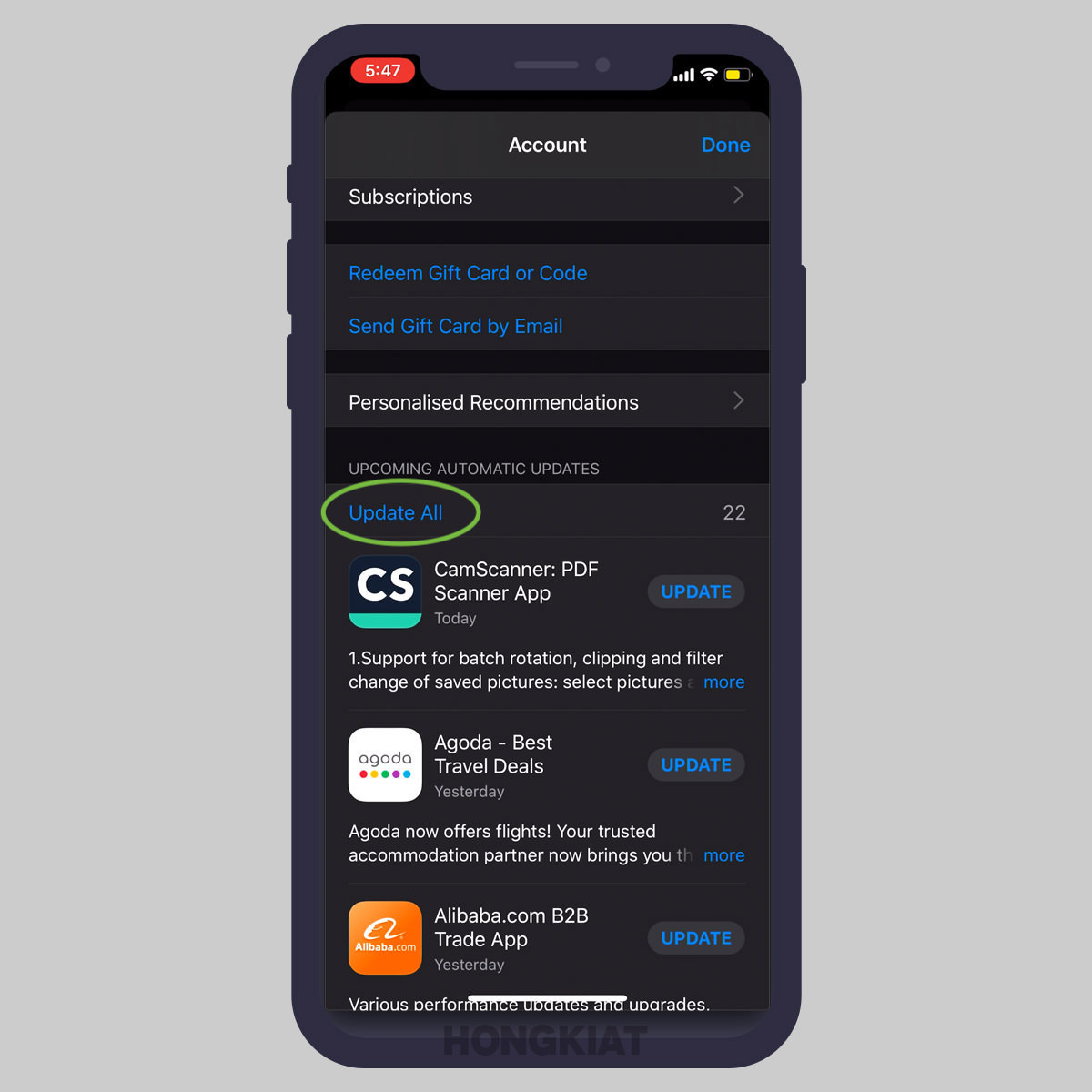
- Launch the Apps store
- Click on your avatar on the top right corner to go to your account
- On your Account, slide down once to refresh it
- Click "Update all" under "Upcoming Automatic Updates" to update all your apps at once
Ask Siri for password
Apart from making phone calls or sharing information, there are many more things that Siri can do, including retrieving your passwords for you.
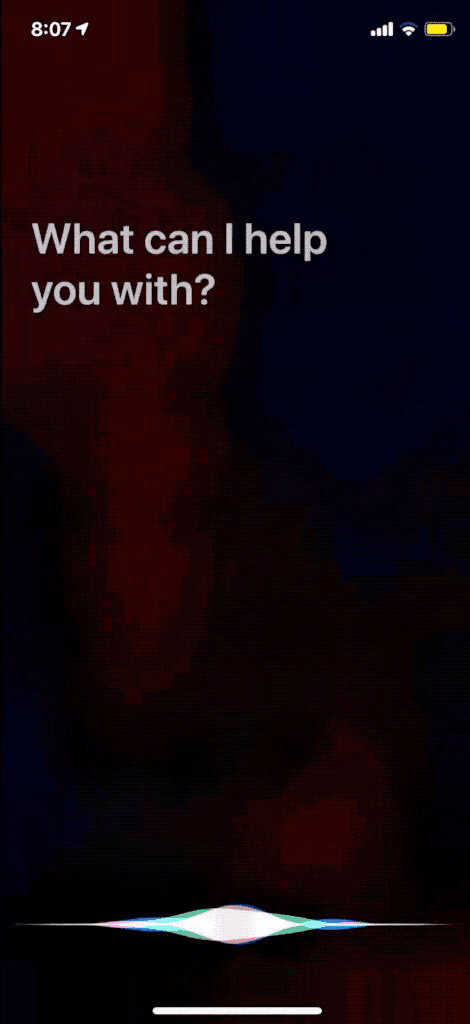
Just say the phrase, "Hey Siri, show me my passwords" and it’ll take you to the Passwords & Accounts section of the Settings app and authenticates you to reveal your saved passwords.
You can also ask Siri about a specific website’s password, like "Hey Siri, show me my Facebook password" and it’ll take you through the aforementioned route to reveal your password.
Use your iPhone as a Continuity Camera for Mac
Apple has added yet another absolutely useful feature in the macOS Mojave and iOS 12 called the Continuity Camera.
With this feature, you can take images and scan documents from your iPhone and insert/ transfer them instantly and directly to your Mac – no wires, no apps.
Now there are two ways to use the Continuity Camera feature. You can either get the images on your desktop or insert them directly into any document-based app in Mac.
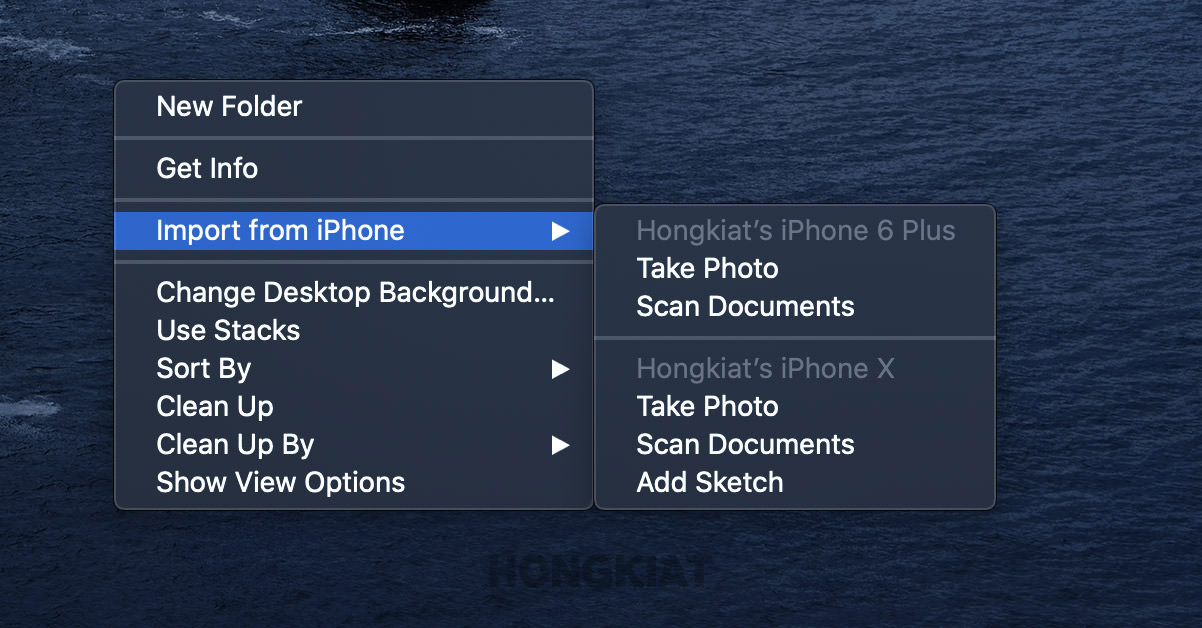
To get images on Desktop:
- On your mac at the desktop, right-click and select Import from phone.
- Here you’ll see the name of the connected iOS device and two other options; "Take Photo" and "Scan Documents"
- Go ahead and click "Take Photo" (or "Scan Documents") to take photos from your iPhone
- Once it’s done, tap Use Photo in your iPhone and the photo will appear automatically on your Mac’s desktop in a jiffy.
To get images in an app:
- On your Mac open any document-based app like Pages, Notes, Keynote, TextEdit, Photoshop or MS Word
- Bring the cursor to the point where you’d like to add the image
- In the app’s Edit menu go down to Insert from iPhone
- A small menu box will appear at the insertion point in the Mac app with the name of the connected iOS device and two other options; "Take Photo" and "Scan Documents"
- Go ahead and click "Take Photo" (or "Scan Documents") to take images from your iPhone
- Once done, tap Use Photo in your iPhone and the photo/ image will instantly appear in the Mac app at the point where you anchored your cursor
Remember: In order for the Continuity Camera feature to work, your Mac and iOS device need to be on the same iCloud and must be placed close to each other.
Create custom ringtones for iPhone
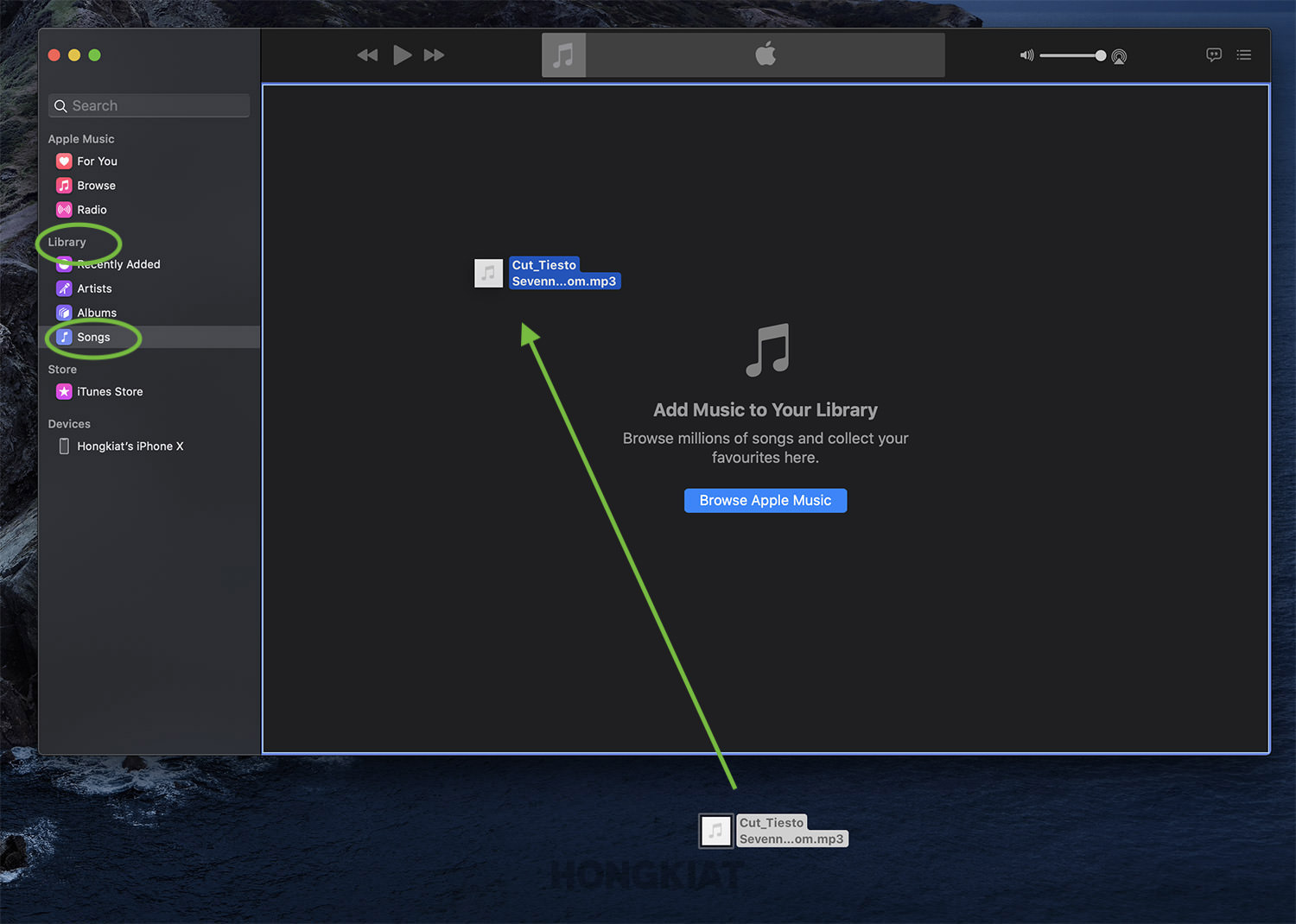
There are apps bulging with ready-made ringtones for iPhone. But if you like your ringtone to have your own personal touch (a particular part of a song or your baby’s first words) then go ahead and create one yourself.
In this tutorial, you’ll find the easiest way to create custom ringtone for your iPhone.
Shortcut all the way to the top of Photo Album
When you go into the photo album on your iPhone, it lands you on the very bottom of the album showing the most latest photos. So to go to the very start of the album where the first few photos are, you have to scroll all the way up. And for those who have hundreds of photos in their phone, the scrolling takes a lot of time.
Interestingly, there’s a way to save time and your thumb’s energy by avoiding the scroll up.
Simply tap on the top of the screen once and it’ll take you all the way to the very top of the album.
Find missing AirPods with Siri
AirPods are really cool but being tiny and wireless makes them too prone to getting lost quite often. But if you do lose them, there’s a way to find them through your iPhone.
Just activate Siri and say, “Find My AirPods” and Siri will offer to play a loud tone from your wireless earbuds to help you find them.

Send Unknown Callers to Voicemail
Annoyed by too many spam or unknown calls? You can easily get rid of them by automatically redirecting unknown numbers right to voicemail.
But before activating this feature, just make sure you have all important numbers saved in your address book so that you don’t miss them.
So here’s how to send all unknown numbers to voicemail:
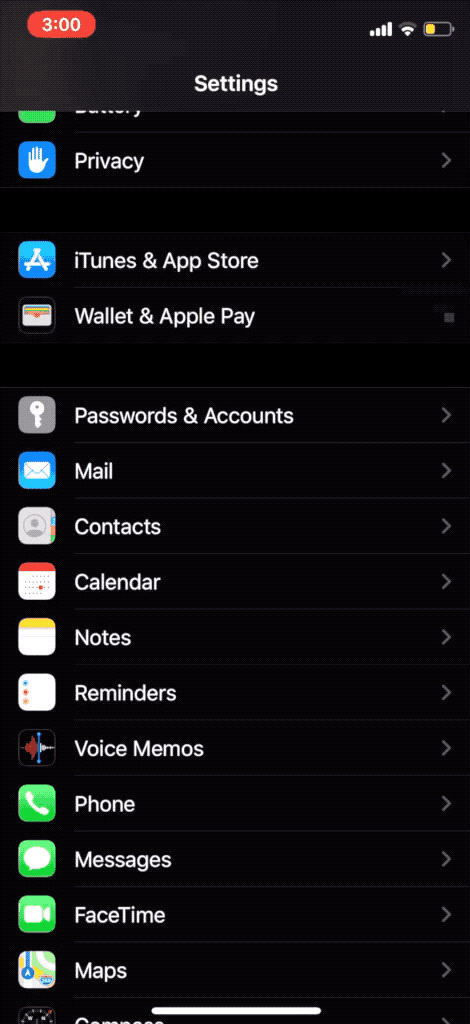
- On your iPhone, go to Settings > Phone
- Scroll down to "Silence Unknown Callers." Toggle the button to on
Optimize charging to increase battery life
Smartphone users often complain about their loosing it’s battery life with usage. Don’t know about other manufacturers, but Apple phones have a feature that enables your phone to improve its battery life.
This feature is called “Optimized Battery Charging” and it enables your iPhone’s battery to age slower by charging it a bit differently.
Here’s how the feature is explained: “To reduce battery aging, iPhone learns from your daily charging routine so it can wait to finish charging past 80% until you need to use it.”
If you find this feature useful, then here’s how to turn it on:
- Open Settings > Battery > Battery Health
- Toggle on “Optimized Battery Charging” and this feature will start working in your phone
Move multiple apps at once
If you ever wanted to move multiple apps in your iPhone, the only way is to hold down and drag them one by one – not too efficient eh?
Well, Apple has finally decided to pay some attention to this under-efficient feature and so with the new iOS, you can now move multiple icons all at once.
This is how you can do it:
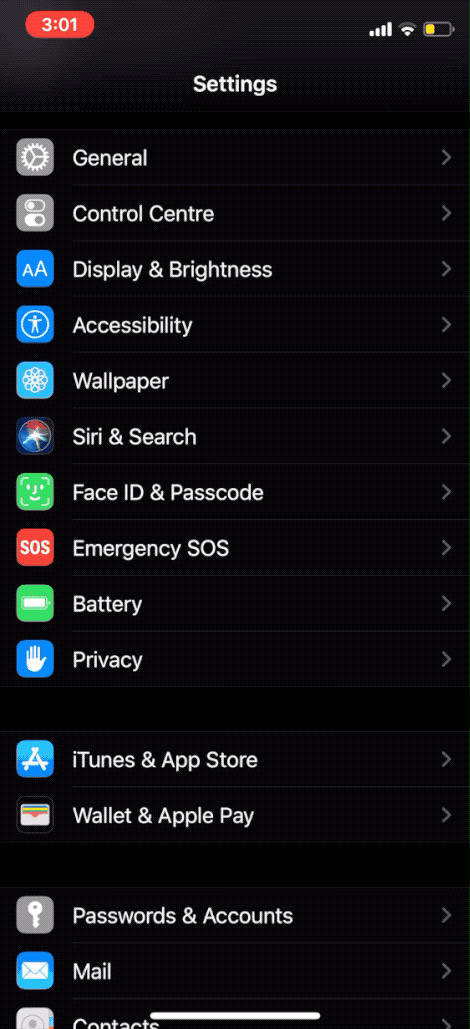
- Enter iOS’s jiggle mode by tapping and holding on an icon and then select "Edit Home Screen"
- Now move the icon just ever so slightly so that the “x” in the top-left corner of the apps vanishes
- Tap other app icons to add them to your selection to move the bundle to a new position.
Using iPhone as Apple TV Remote
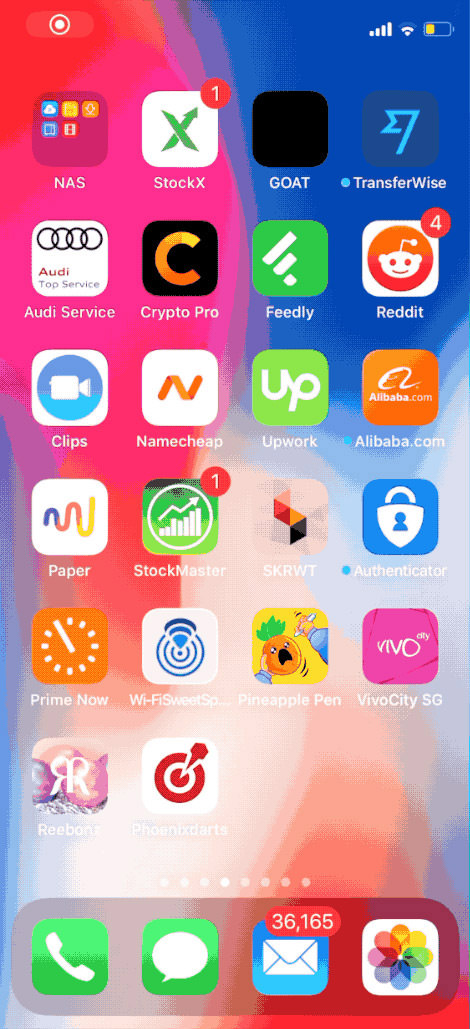
One of the things that magically vanish when you need them is the TV remote, especially if it’s the tiny remote of your Apple TV.
Well, you’ll be relived to know that you can use your iPhone as a substitute for Apple TV remote.
There are two ways to launch your Apple TV Control via iPhone:
1. Through the Control Center
- From the top right corner of your screen, scroll down
- Select the remote icon to launch the Apple TV remote app
2. Through Apple TV Remote app
Download the Apple TV Remote app to your iPhone and access the virtual remote.
Remove the last digit in Calculator app swiftly
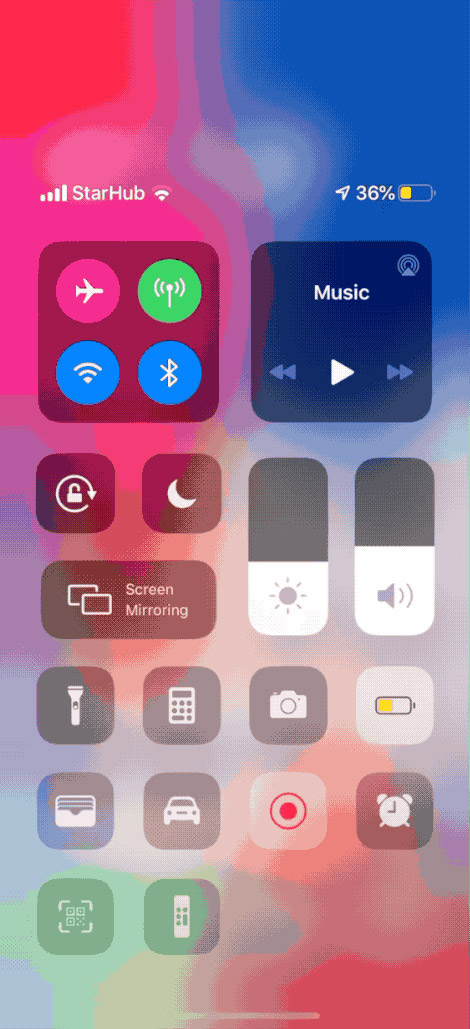
Sometimes, while using the iPhone’s Calculator app, we enter a wrong digit causing your lengthy calculations to mess up and there’s no choice but to tap the Clear [C] button that clears all the numbers altogether.
Well, you might not know but there’s a way to delete ONLY the last digit that you accidentally entered in the Calculator app. Just swipe your finger to the left or right of the numbers to clear the last digit.
Each swipe will remove the last digit until the number becomes zero.
Scan QR Code with the Camera app
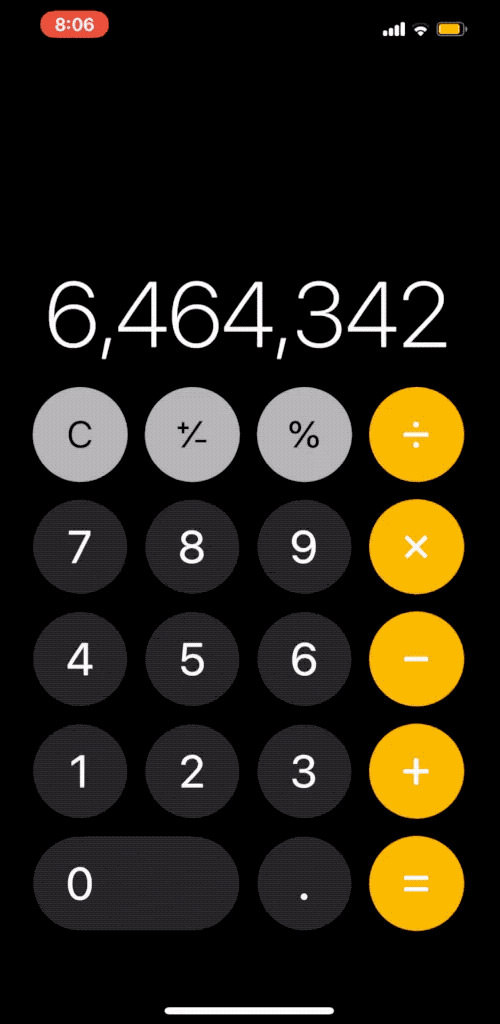
While this feature has been there for quite some time, it’s quite surprising that some iPhone users still don’t know that their phone’s camera can actually detect and scan a QR code.
To use this function, point your phone’s camera to a QR code, and it will be translated into it’s corresponding URL. The camera will then ask if you’d want to open the URL in Safari.
Set a sleep timer for playing media
You can set a sleep timer on your iPhone that would stop playing media after the set time. This feature is useful for the people who like to sleep to playing music or for those who need white sound as a sleeping aid.
To use the sleep timer:
- Open the Clock app and select Timer at the bottom right
- Set how long you want the timer to be and tap When Timer Ends
- Scroll to the bottom of the list and tap Stop Playing
- Tap Set at the top right of your screen and then tap the Start
Now you can drift off to sleep without worrying about your iPhone’s battery being dead in the morning from leaving your music on.

Hide photos in the Photo Album
Sometimes you hand your iPhone to one of those annoying people who take the liberty to swipe through your Photo Album which may have certain photos that you wouldn’t be too proud of.
Fortunately, you can prevent that from happening by hiding those ‘certain’ photos. To do this:
- Open the Photos app and go to the album where the photos you want to hide are
- Tap Select at the top right and select the photos you want to hide
- Tap the share icon at the bottom left
- In the menu that appears, tap Hide at the bottom
- Tap Hide Photo for confirmation
Remember: After selecting Hide your chosen photos will be hidden from all other places in your library but can be found in the Hidden album.
Use iPhone as a level
Most iPhone users don’t know how handy this little device can be in doing everyday tasks.
If you’re hanging a picture on the wall and don’t have a level around, then take help from your iPhone that comes with a pre-installed a virtual spirit level.
Here’s how to access it:
- Open up the Measure app
- Tap Level at the bottom right.
- Lay your phone flat against the surface you need to check levelness for
If you tap the screen, you can measure the difference between the two surfaces. The red margin shows how much the two angles vary. Cool right?

Use iPhone’s keyboard as a trackpad
Your iPhone’s keyboard can double as a virtual trackpad allowing you to move your cursor much smoothly and accurately.
Here’s how you can do it:
- While you’re writing some text, firmly press and hold the spacebar and you’ll see the keyboard turning blank – hence the virtual trackpad
- Drag your finger around to move your cursor through the text
- When the cursor is where you want it to be, just let go
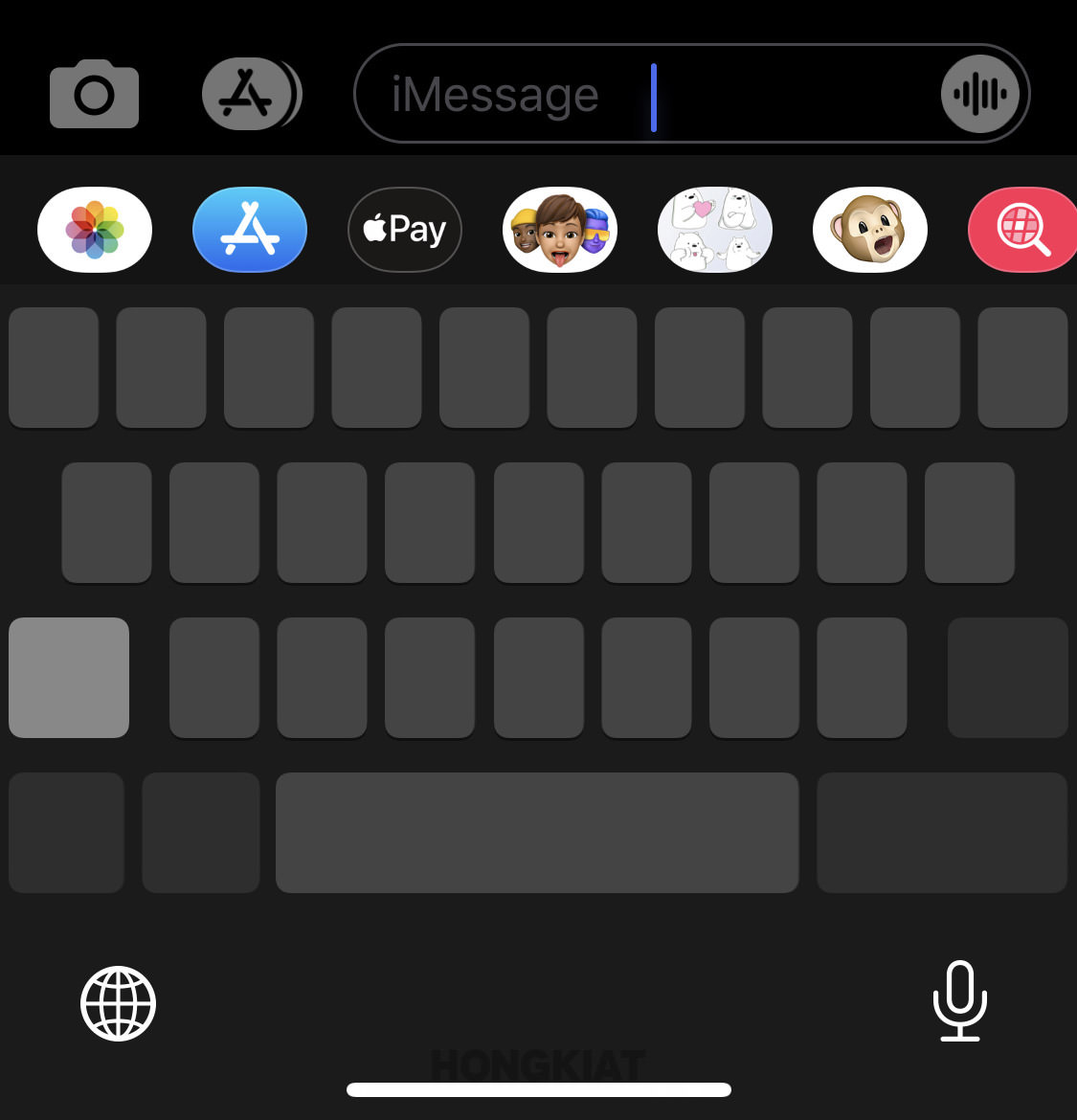
You can also tap and hold the cursor itself to move it around.
If you apply more force on the virtual trackpad, you will begin selection from the current position of the cursor and it’ll end when you’ll take off the pressure.
Note: You need an iPhone 6S or later models to avail this function.
Remove App download size limit
Apple has a safeguard in place to prevent you from going over your carrier data limits when downloading an app and you’d be able to download large files only over WiFi.
But if you still want to download a large file through the cellular data, then there’s a way to get rid of the download limit.
Here’s how to avail it:
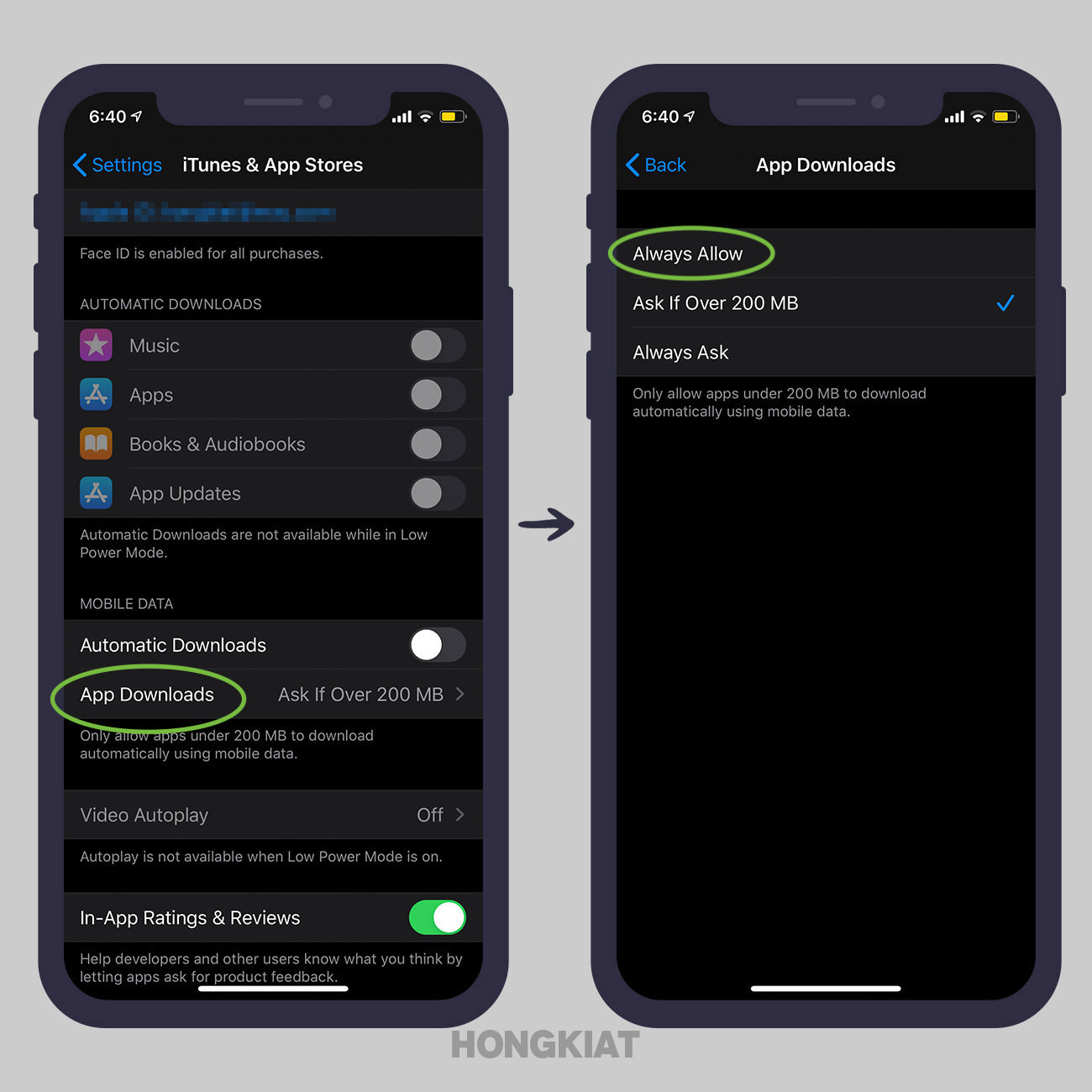
- Go to Settings > iTunes & App Store
- Tap App Downloads
- Here you’ll see some options (one with the data limit would already be checked) You can either choose Always Ask (user will be prompted to confirm app download on cellular data) or Always Allow (removes the data limitation altogether)
Silence all unknown callers
Are you getting too many spam calls or robocalls on your iPhone lately? Don’t fret, as iPhone gives you a simple option to silence such calls.
All you have to do is:
- Go to Settings > Phone
- Toggle on Silence Unknown Callers

But be reminded that by activating this option, you’ll silence ALL calls form unknown numbers. So make sure you save all the important phone numbers in your contacts first.
Close all Safari tabs at once
If you have a habit of opening a new tab window for every website you visit instead of replacing them, then chances are that you’ll have many Safari tabs left opened.
While closing each opened tab is a mere swipe right but if you are looking to close around 30-50 tabs, than that could be pretty tiresome and time-taking.
Well, a solution for this would be to close all opened tabs at once. To do so, just tap and hold on the open new tab icon in Safari, and select "Close All X Tabs", confirm to close all tabs and the browser will rid of all opened tabs at once.
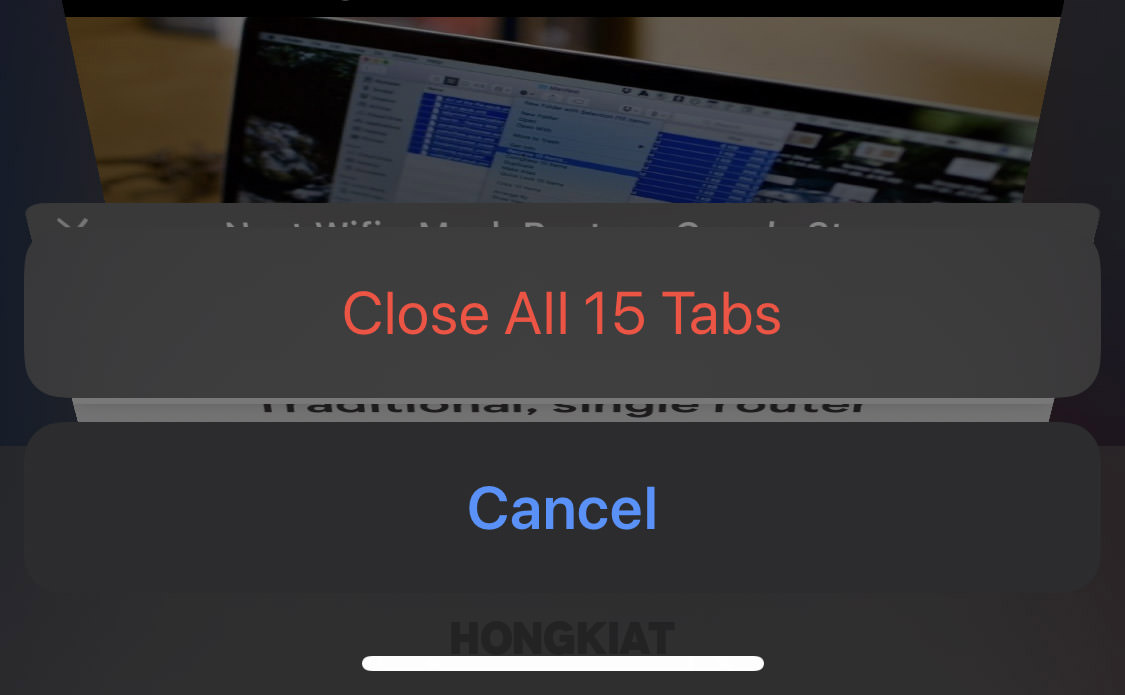
Once that’s done, Safari will ask you if you’d want to opt for automatically closing the tabs on daily, weekly or monthly basis. It sounds like a good option if you want to keep Safri from accumulating so many tabs for a long time.
Use Spotlight to for a quick math
If you need to do some calculation on the fly but don’t want to open the Calculator app, there’s a faster way I bet you didn’t know about!
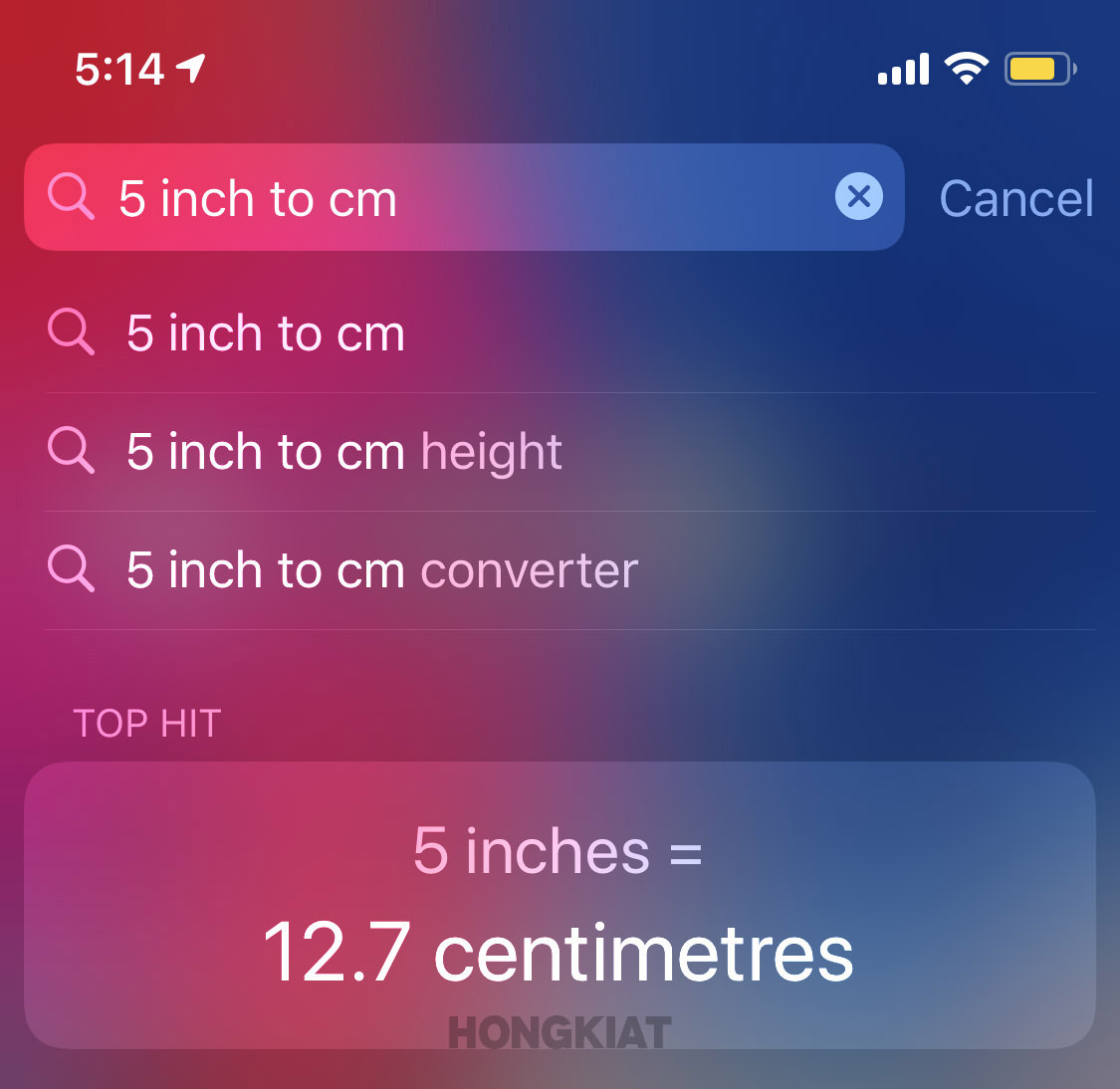
As it turns out, apart from searching your apps or other data on your device or the web, the Spotlight search field can also be used as a quick calculator.
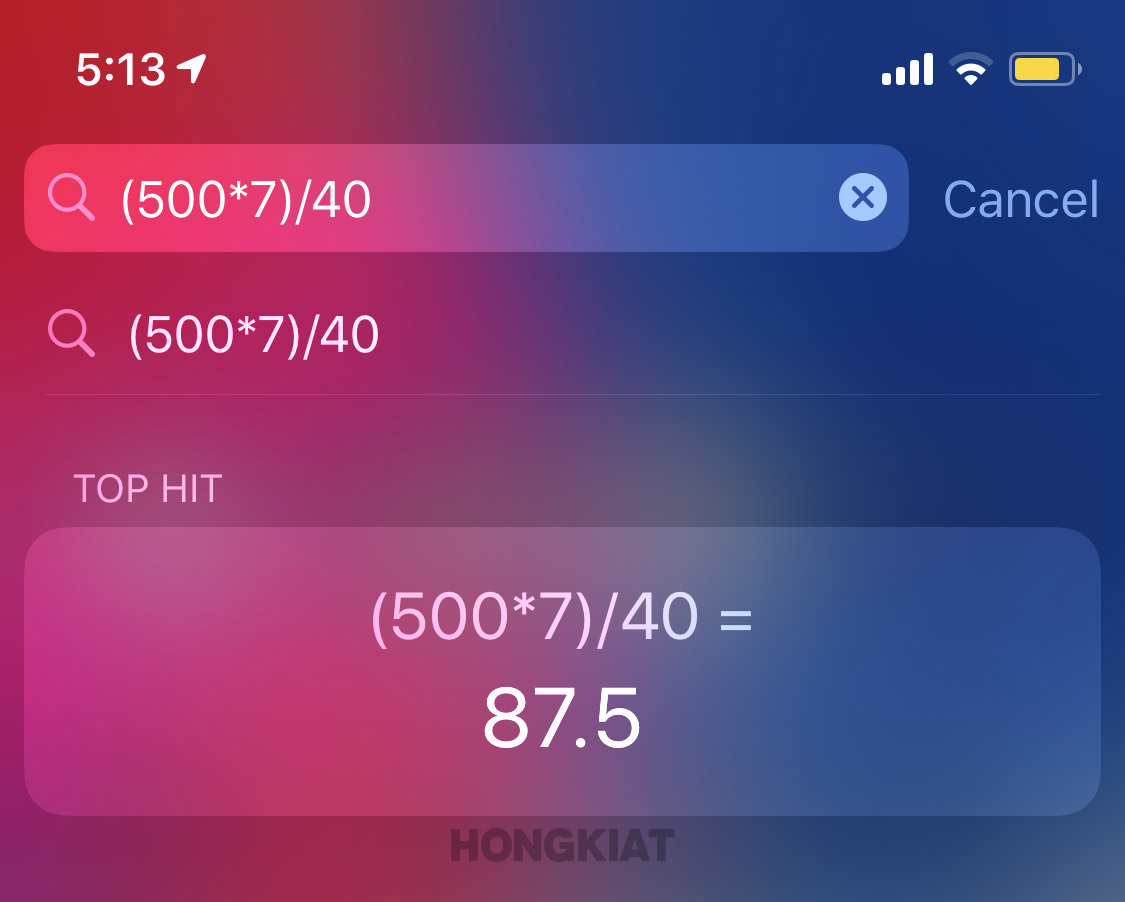
Here’s how to access it:
- Swipe right over the Home Screen or swipe down from the middle of the Home Screen and the Spotlight search will open up.
- Type in your calculation and you’ll get immediate result just below the search field.
Not just that, you can use Spotlight for unit conversions as well including currencies, measurements and all sorts of units.
Stop apps from asking for feedbacks
You’re in the middle of doing something important in an app and suddenly a popup appears asking you to rate the app or leave feedback.
Even though feedback and reviews are important for app developers, but it can be extremely annoying when you’re interrupted by these popups time and again.

Well, a good news is that there is now a setting in the iPhone to put an end to the constant pestering!
- Go to Settings > iTunes & App Store
- Toggle In-App Ratings & Reviews to "Off"
Start a group Facetime Call
While there are a lot of video calling apps out there but as an Apple user, why would you go for a third-party tool when you have your very own FaceTime app to make seamless video calls with other Apple users.
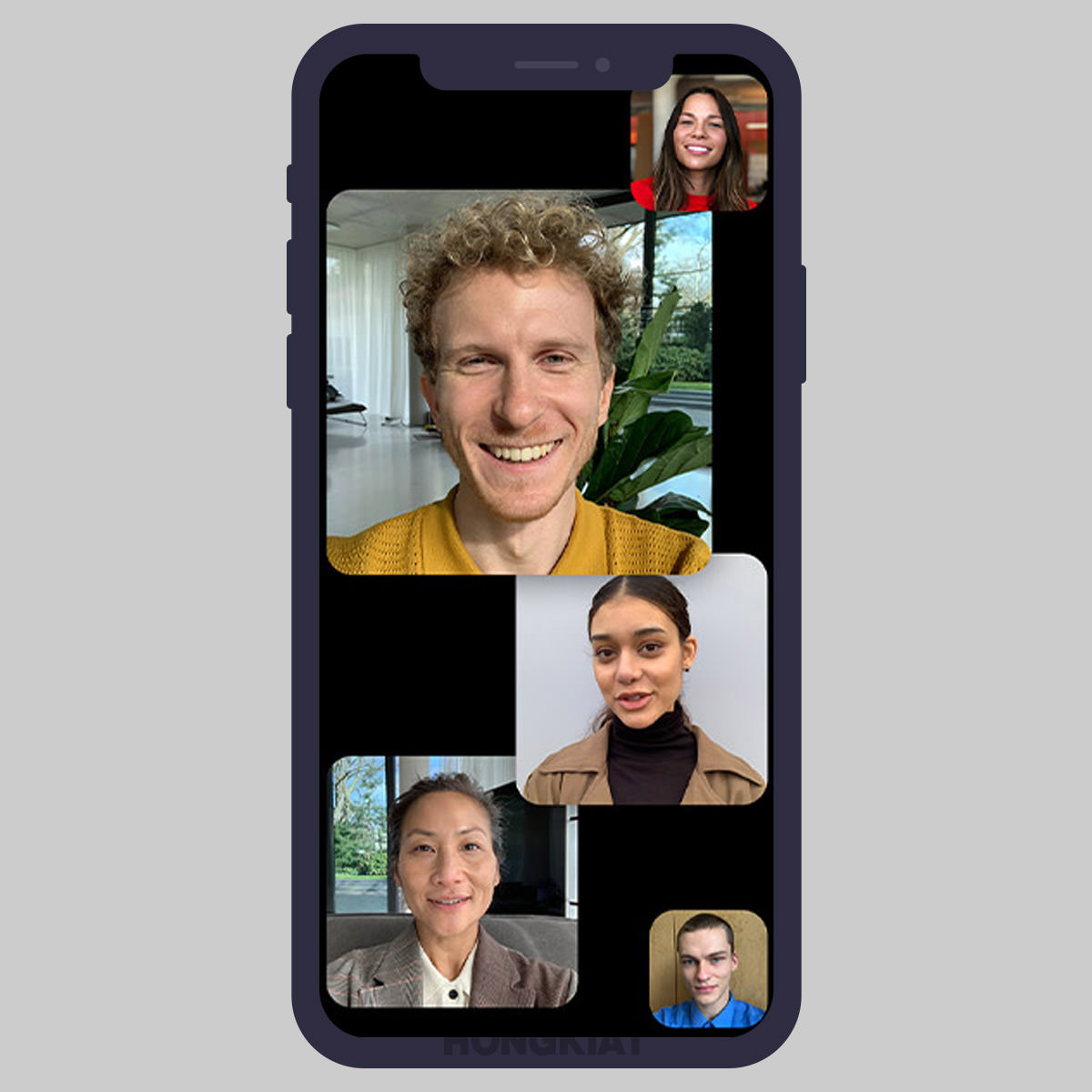
However, what many users don’t know about FaceTime is that the app allows you to make group calls, that too, with more than 30 people.
Here’s how to do it:
- Open the FaceTime app on your iPhone
- Tap the + button on the top right of your screen
- Enter the name or number of the person you want to call first
- Then enter up to 30 additional people from your contact to the conversation
- Now tap Video or Audio to place your FaceTime call
Make iPhone flash when getting notifications
Did you know that you can get visual alerts for notifications on your iPhone through the LED light flash?
This feature, in addition to the vibration alert, can be quite handy for people with hearing disabilities or for someone in a very noisy environment.
Here’s how you can turn the setting on:
- Go to Settings > General > Accessibility
- Scroll down a bit and go to Audio/Visual
- At the bottom you’ll find Enable LED Flash for Alerts
- Toggle it ON
Add multiple faces to Face ID
The latest iPhones (iPhone 6 and above) use Face ID to unlock your device. While it gives an additional layer of security to your device, it can also get a bit annoying if your partner has to move your phone in front of your face each time they want to use it.
Just as you could register multiple fingerprints with Touch ID, Apple now lets you register multiple face IDs to unlock a single iPhone.
Here’s how to do it.
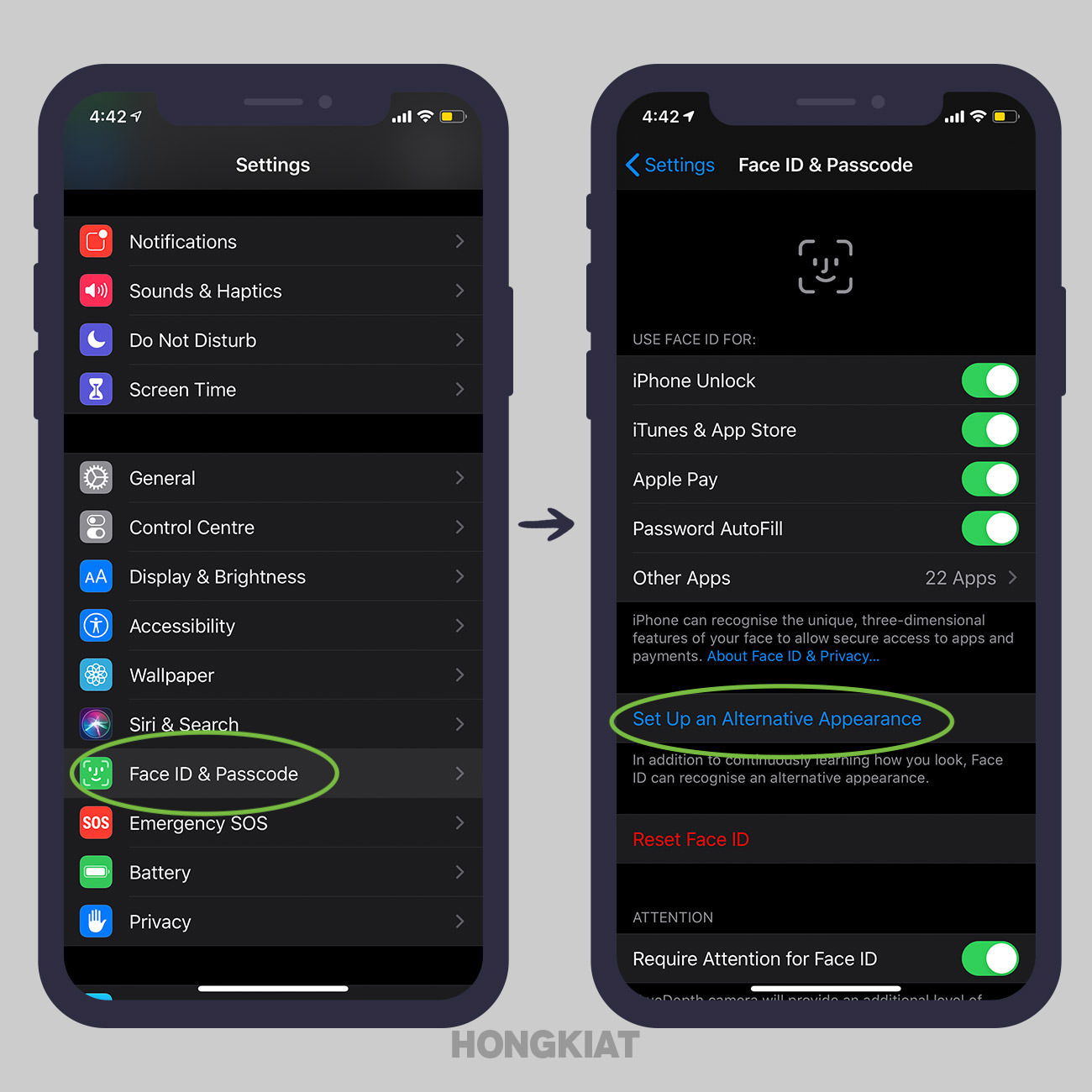
- Go to Settings > Face ID & Passcode
- Type in your passcode
- Tap Set Up an Alternate Appearance
- Scan the face of the person you want to add to face IDs and follow the prompts
- Once complete, tap Done at the bottom
How to Unlock iPhone Without Passcode
Passcodes are pretty useful in securing your iPhone and its data in case it gets into the wrong... Read more
Using one-handed keyboard
Even though iPhones are reasonable-sized smartphones, still it can get a bit difficult at times to type on it with one hand (specially if you have really tiny hands).
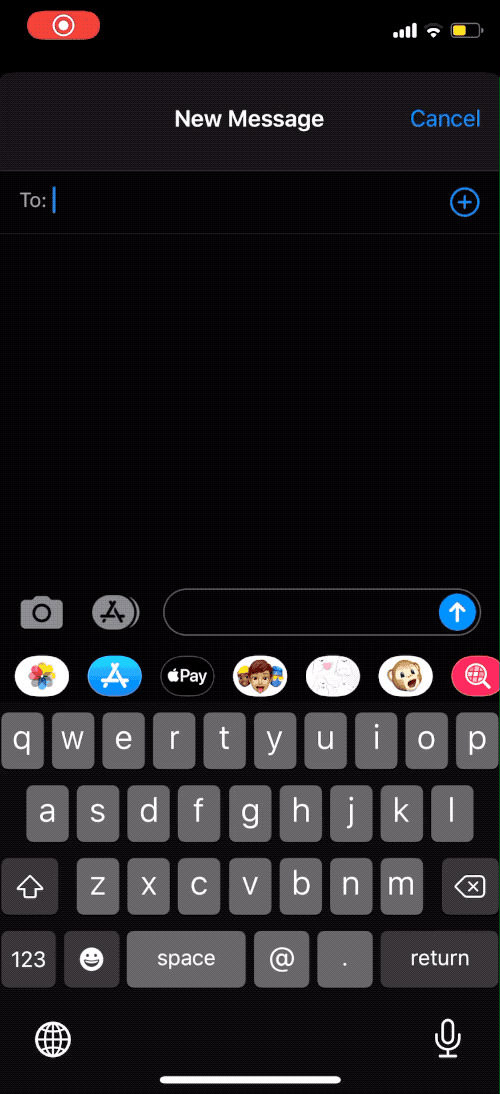
To cope with that, iPhone comes with a feature that shifts the keyboard over to a side so you can use just one hand for typing.
Here’s how to enable the feature.
- Hold down the emoji or globe icon on the bottom left of the keyboard
- Select the left- or right-handed keyboard icon and your keyboard with move a little to the right/left according to your selection
- To make your keyboard go back to normal, tap the arrow in the blank space.
Scan documents using Notes and File apps
Sometimes you want to scan a document quickly in a place where there’s no scanner around. Well, if you have an iPhone, scanning a document on the go won’t be an issue.
Apple has added a convenient document scanner right in the Notes app.
Here’s how you access it:
- Open the Notes app
- Create a new note or open an existing one
- Tap the camera icon that’s located above your iPhone’s keyboard in the center
- From the options that appear, tap Scan Documents
- Use the shutter button or one of your iPhone’s volume buttons to capture a photo of your document
- Adjust the corners of the document by tapping and dragging them, if necessary
- Tap Save
You can also scan documents through the File app. Here’s how to do it:
- Select the Browse tab
- Tap on the three-dot icon in the top-right corner.
- Tap Scan Documents
- Take a photo of your document
- Tap Save
Offload unused apps
With so many photos, videos, music, and all sorts of data in your iPhone, even a 256 GB iPhone can run low on storage space.
So in the face of the "Storage Almost Full" message, one of the things that you do is to get rid of apps that you don’t use.
You’ll be glad to know that Apple has added an Offload Unused Apps feature to cope with just that. It automatically deletes apps that you don’t use without deleting their documents and data.
Here’s how to offload apps and save precious storage space:
- Go to Settings > iTunes & App Store
- Toggle on Offload Unused Apps at the bottom
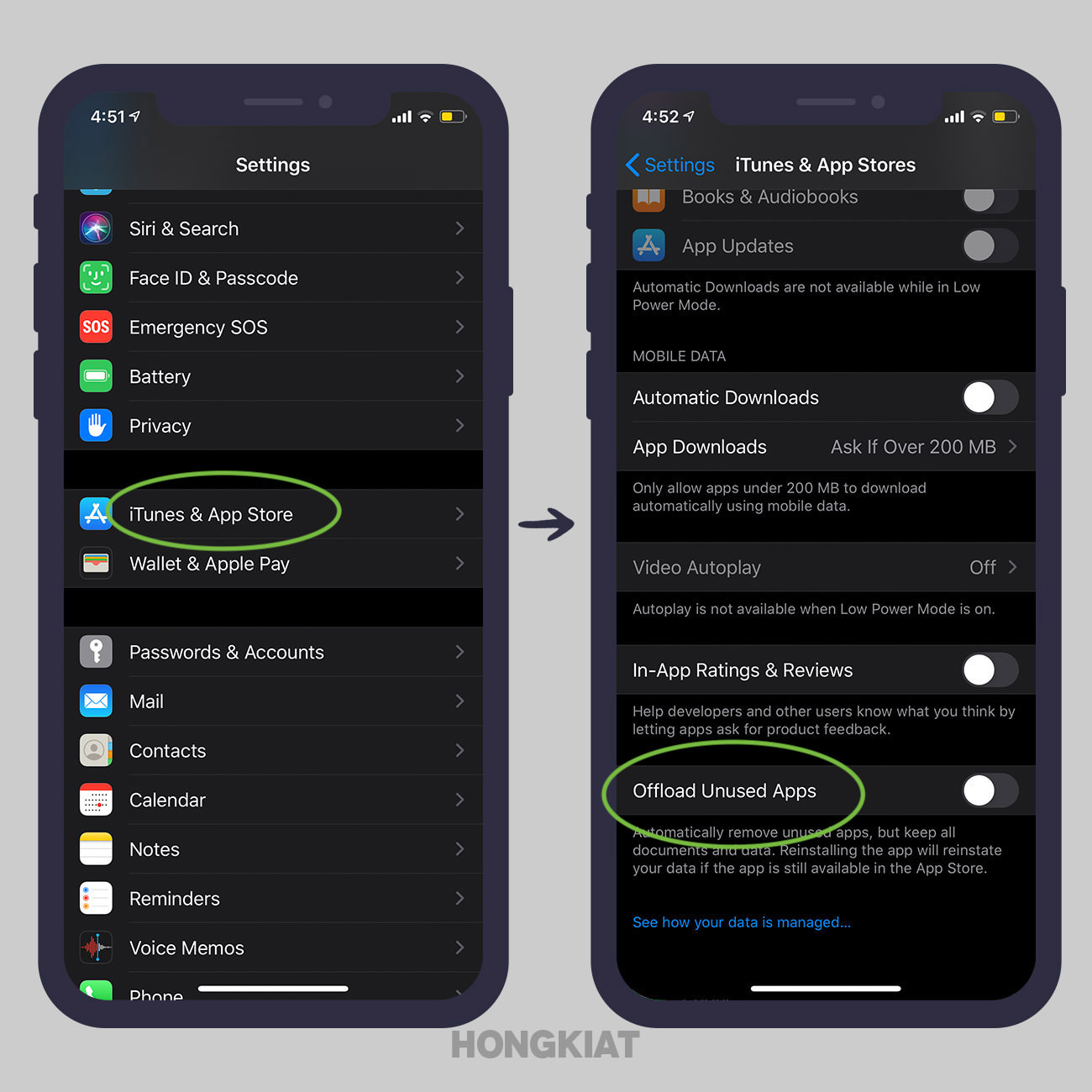
The deleted apps will be grayed-out on your home screen, and they can be reinstalled with a simple tap.
Transferring Data From Your iPhone to iPhone 13
Apple has launched its new phone, the iPhone 13 in the market. Like every year, the new iPhone... Read more
Create a custom vibration
Just like adding a custom ringtone to specific contacts, you can also add custom vibrations to any contact in your iPhone so even on Silent mode, you’d know who’s calling you.
Let’s take a look at how it works:
- Go to Settings > Sounds & Haptics > Ringtone > Vibration
- Tap Create New Vibration
- Create a new vibration by tapping and holding however you want
- Tap Stop at the bottom right and then tap Save at the top right
- Name the vibration
Once you’ve created the custom vibration, here’s how to assign it to a contact:
- Open the Contacts app Choose the contact you want to assign the custom vibration to
- Tap Edit on the top right corner
- Select Vibration
- Choose the new vibration that you created earlier
Get texts/ calls on other Apple devices
One of the biggest advantages of iOS over Android is that your iPhone seamlessly pairs with other Apple devices, including the MacBook, iPad, and the Apple Watch.
So, if you want to be able to answer a call or reply to a text message from any of the connected devices, here’s what you need to do:
- Go to Settings, tap Phone or Messages
- Tap Allow calls on other devices (or Text Message Forwarding)
- Toggle on the devices you’d like to receive and send phone calls or messages to and from