How to Turn Gmail into an Online Storage
While Gmail isn’t designed to be a storage service, you can still use it to keep files, especially by linking it with Google Drive.
In this guide, we’ll show you an easy way to turn Gmail into your own storage space. Whether it’s for securing vital documents or storing precious pictures, this unique approach provides another option for handling your digital belongings.
Read Also: 10 Best Google Gmail Alternatives
1. Google Drive Integration
Gmail and Google Drive work together seamlessly. This connection makes it super easy to handle email attachments by saving them straight to Google Drive.
Read Also: Google Drive Tips and Tricks (Part III)
Let’s say you get an email with an important document or photo attached. Instead of downloading it to your computer, there’s a smarter way to handle it.
Hover your mouse over the attachment at the bottom of the email. You’ll see an icon that looks like a triangle pointing up – that’s the “Add to Drive” button. Click it, and just like that, your attachment is saved to Google Drive.
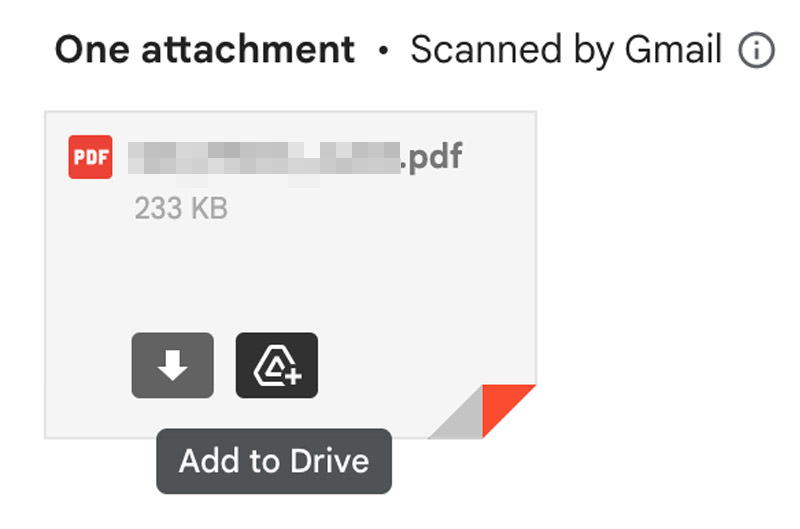
Once it’s in Google Drive, you can sort it into folders, share it with friends, or open it from any internet-connected device. This means you can check or change your files from your phone, tablet, or another computer, without needing to use USB drives or send files by email.
2. Sending Files to Yourself
Sending files to your own email is a clever workaround to use Gmail as a storage space, keeping your computer free from clutter. It’s like turning your Gmail into a personal locker for all sorts of files.
After you send the email, it’ll show up in your inbox. You can either leave it there or move it to a specific folder to stay organized. The coolest part? You can get to these emails and their attachments from any device where you can open your Gmail.
3. Creating a Storage Label
Gmail’s labels are great for sorting emails, and they’re super handy for organizing files you want to keep. Set up a special label just for storage, and you’ll have all your files tidy and easy to find.
Want to know how to create and use labels in Gmail? Check out this helpful article.
4. Utilize Google Workspace
If you have Google Workspace (the new name for G Suite), there’s a cool feature that really boosts how you store and share files: shared drives in Google Drive.
Shared drives are part of Google Drive but with extra features for teamwork. Files in shared drives belong to the whole team, not just one person. So, if someone leaves, the files stay put for everyone else. If you’re on Google Workspace, you can make a shared drive.
Just go to Google Drive, find “Shared drives” on the left, and set up a new one. Name it for your project or team.
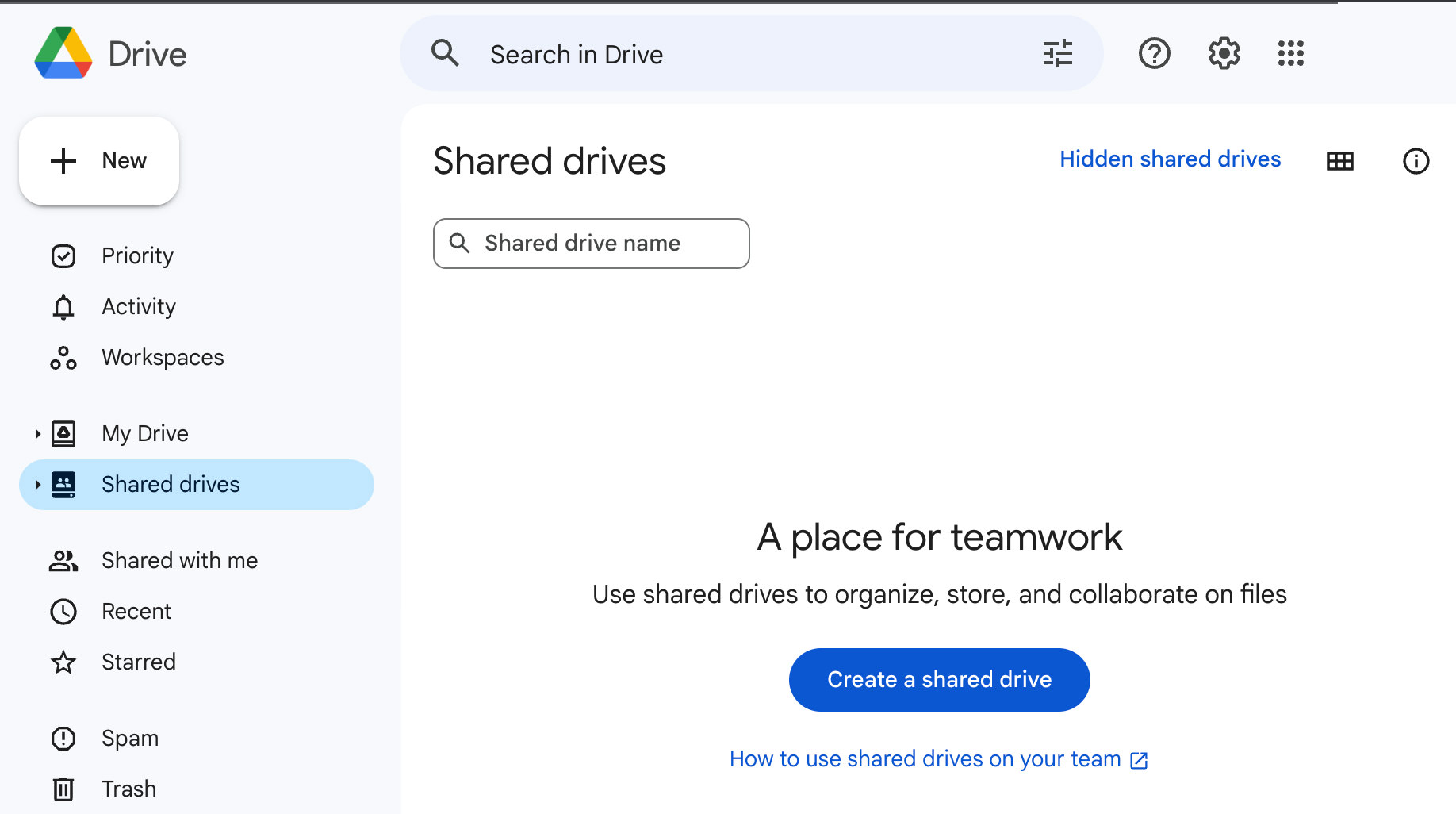
Once your shared drive is ready, you can add files and folders. These could be documents, spreadsheets, slides, or any file type. Shared drives make it a breeze to share these with your team. You can also control who gets to see, comment on, or edit each file.
5. Using Google Drive Directly
While linking Gmail with Google Drive is handy for storing files, using Google Drive on its own is often simpler and more effective for online storage.
Google Drive lets you upload files and folders straight from your computer or mobile. You can drag and drop files into Drive or use the upload button. It accepts various file types like documents, images, videos, and more.
Once your files are in Drive, you can organize them your way. Create folders and subfolders to sort your files, making them easy to find and manage. For example, you could have different folders for personal stuff, work projects, photos, and so on.
Conclusion
Using Gmail’s free space is just one way to save files online instead of on your computer. And remember, there are other cloud storage options like Dropbox, OneDrive, and more. Check out our article on cloud storage comparison.
And if you prefer to send files to friends or colleagues instead of storing them online or on your PC, take a look at these tools that let you send large files online.