80 Twitter Tools for Almost Everything
Twitter is chaos, but in the midst of this beautiful mess is a ton of data that if you can understand, you can manipulate for your own use.
To do that, you need the right set of tools. The good news is, there is an abundance of tools, both free and paid, out there that can help you do things like sort your followers, tell you when it is best to tweet (for higher exposure), find out who unfollowed you and more.
Here in this post, we’ve compiled a list of 80 free Twitter tools that can help you analyze all aspects of your Twitter account, discover new users and topics, track and manage your followers and Twitter lists, find and organize group chats and schedule tweets individually or in a group.
Also included are WordPress plugins, Twitter clients, as well as other tools that help you do miscellaneous things on Twitter.
Twitter Analytics Tools
Circleboom — Get deep insights and analysis of your Twitter friend, followers, and overall performance. It also analyses your Twitter growth over time with the daily performance of tweets and detects inactive, fake, and spam bots, and finds and verifies friends and followers. Circlebloom can also be used to search for someone’s Twitter followings and followers, find the best time to tweet, find interested topics and Twitter audience, and create tweets accordingly.

Followerwonk — Sort followers, find influencers, analyze data, get interactive charts on followers and unfollows.
Twitonomy — Get detailed analytics and insights on tweets, RTs, replies, mentions, hashtags, keywords, followers and more.
Commun.it — Fancy a community manager for your Twitter community? Coca-cola and Microsoft are already using it to turn the tweeting battlefield into a relationship-building ,actually social platform.

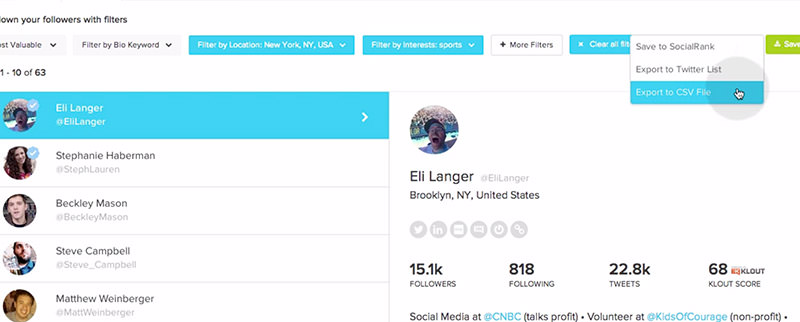
Social Rank — Rank and sort your followers by their location, interest, specific criteria, or by how engaged and valuable (in terms of reach) they are to your brand.
CrowdRiff — A Chrome plugin that gives you the info that matters, tweets, retweets, following and followers, top mentions, top hashtags for any username, in real time.
Hashtagify — A search engine for hashtags, Tweetbe tells you the best hashtag to use to reach your followers.
RiteTag — Are you using the right hashtag? You will know which hashtags are good to use and which are overused with RiteTag. Available as a Chrome extension.

Mentionmapp — Find out who interacts with you more than others in this interactive map of wonder.
TweetBinder — Sorts your hashtagged tweets for you while giving you detailed analytics on which categories win the popularity contest.
Twilert — Keep track of the Twitter hashtags, keywords or brands that matter to you via email alerts.
Onemilliontweetmap — Stay on top of 1 million tweets happening right now. Every second, 50 of the oldest tweets are replaced with 50 latest. Follow the numbers on the interactive map to find what is trending.

#tagboard — Sorts what people are saying via hashtags and displays them on large TV displays for events and broadcasting purposes.
SparkToro — A tool that provides reliable statistics on your followers along with key insights.

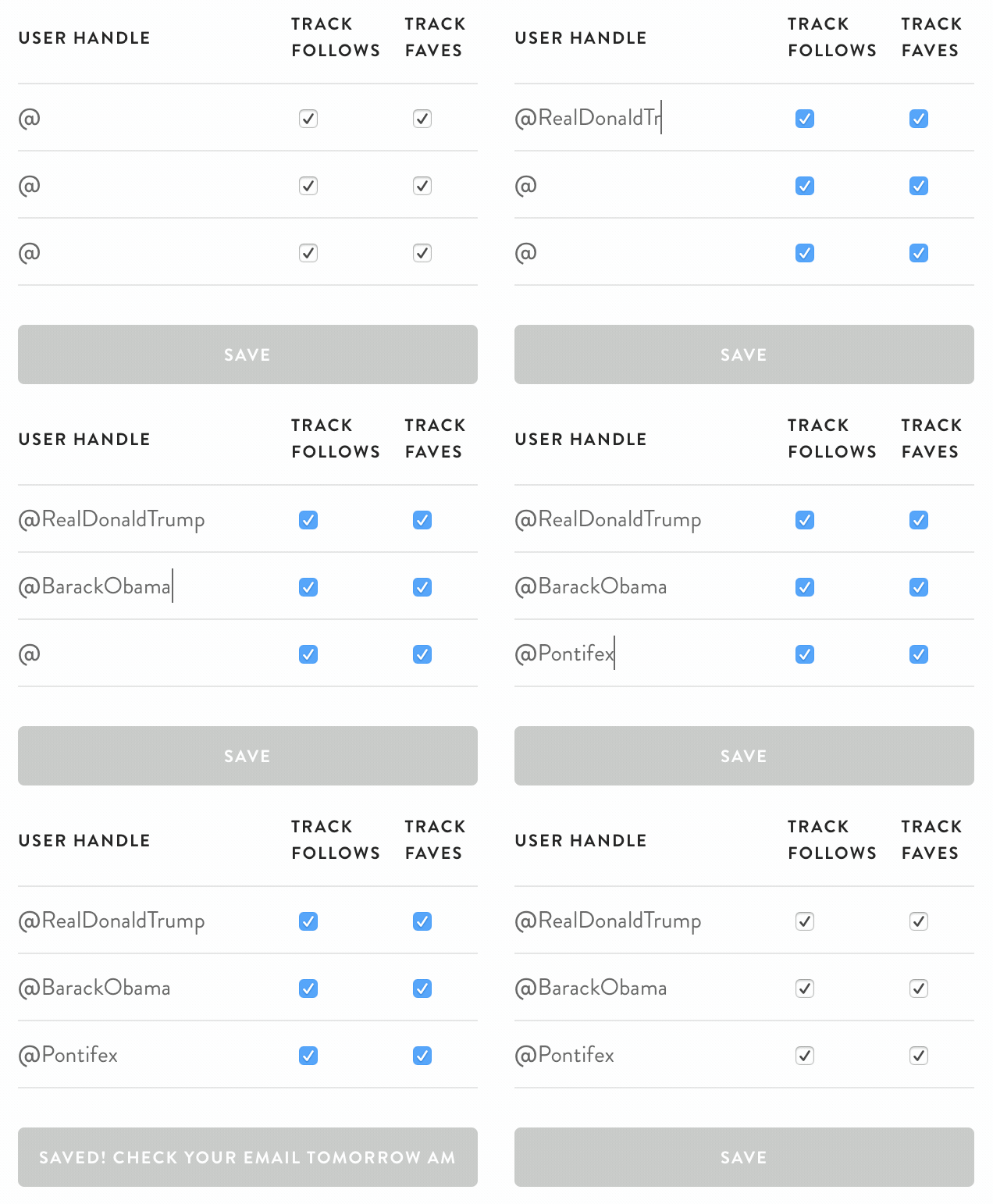
Daily 140 — Track activities of your favorite Twitter handles through daily email.
Klear — A tool to help you get stats on Twitter influencers so you can pick the one that suits best for your business.

Tweet Reach — Get comprehensive analytics report on your Twitter account with real-time monitoring.
Mention — Gives you insights on your target audeince and competitors as well as stats on your own brand on Twitter.
Twitter Clients
TweetDeck — Track and engage your followers on multiple custom timelines on your feed. Allows multiple users to manage the same account. Available for Windows, Mac.

YoruFukurou — A Twitter client for Mac, it lets you manage multiple accounts, and create tabs for the result of each query you were looking for.

Twitterrific — An award-winning Twitter client for Mac and iOS devices.
Ubersocial — Available for iPhone, Android, Blackberry, write your tweets in full with no worries about the 140-char limit. Links, images and media play inside the app.
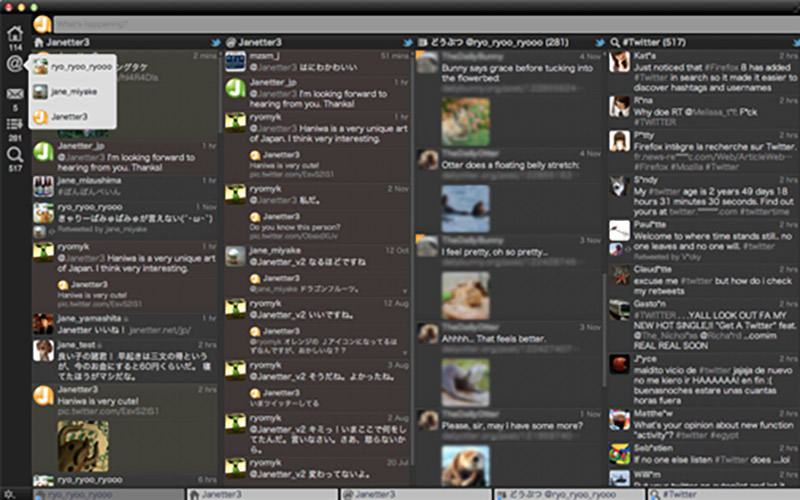
Janetter — Available for both PC and Mac, Janetter supports multiple accounts, multiple timelines in the same view, multiple designs, URL shortening and more.
Plume — A Twitter client for Android, Plume comes with widgets, colored tweets, and the ability to tweet from your homescreen.
Tweeki — A Twitter client for Windows, it allows for cross-device syncing, so you can sync multiple Twitter accounts on any device.
Twitter Lite — Customize your Twitter feed according to your personal or business interests with this tool.

Tweetbots — A Twitter client for mac and iOS that allows you to customize your timeline with filters and curated content.
Tweeten — A web app that gives you feature-filled and intuitive experience of Twitter.

Tweetium — A Windows Twitter client that helps you get the most out of the platform offering many features.
Tweetz Desktop — A tool that offers you to check posts and tweets directly from your desktop.
Raven — An intuitive Windows client for staying plugged in on what’s happening on your Twitter account.
pepeizq’s Twitter — Get a number of useful features of a comprehensive Twitter client (including multi-account support) right on your Windows desktop
Tweet It! — A tool with simple interface to give you a great Twitter experience on any Windows device.
TwitDuck — A Windwos version of TewwtDeck giving you some of the best features.
Socialize up — Enjoy a personalized experience of different social media accounts, including Twitter right on your desktop.

Twitter-related WordPress Plugins
Twitter — The Official WP plugin for Twitter which allows embedded tweets, embedded Twitter video, Twitter cards, analytics, and ad conversion tracking.
WP to Twitter — When you update your WordPress blog, or share a link, this plugin updates Twitter for you complete with URL shortening. It also displays your recent tweets on a widget.

Feed Them Social — A simple plugin to display social media feeds on your website.

Custom Twitter Feeds — Display customizable, responsive and search engine-friendly Twitter feeds on your website.

JM Twitter Cards — Get appropriate meta on your WordPress website so you can get Twitter cards for your posts according to your settings.
WP Twitter Auto Publish — Tweet automatically from your website or blog to Twitter. You can tweet a simple text message or message with image.

Twitter Tools to Discover Users, Content and Trends
Buzzsumo — Want to know the kind of content that works and where to find them? Find out about this as well as major industry influencers with this app.

Twipho — Search through Twitter via photos. Punch in a keyword to start your search, or follow the @twipho to see what photos are trending.
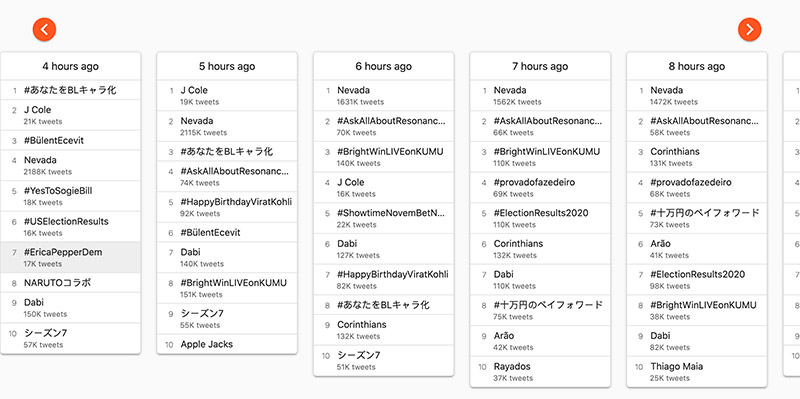
Trends 24 — A simple tool that shows you what topics were trending in an hour-by-hour breakdown for the past 24 hours.
Trendsmap — Trendsmap shows you the trending hashtags based on their interactive map. Just zoom in to get more detailed location-based tweets.
Publicfast — Discover and collaborate with thousands of brands and influencers that help you grow your business on Twitter.
Macaw — Track the Twitter activities (likes, tweets, or follows) of the people that interest you.

SocialOomph — A feature0silled post scheduling tool to manage your account the best.
The Hash — Highlights the most-followed stories on Twitter
First Tweet — A search engine that helps you find the first tweet on any link or keyword that you enter.
Twitter Tools to Manage Followers
Manageflitter — Sort followers by criteria, find who unfollowed you, find new users you can follow, manage multiple accounts and more.
Tweepi — Distinguish between those who did not follow you back versus spammers and inactive users (sources of clutter), sort users and get suggestions on who to follow.

Doesfollow — A simple tool that tells you if a Twitter user is following another Twitter user.
Planable — A quick way to plan and approve content that goes on social media (including Twitter) with the easiest collaboration tool.
Sendible — Manage your Twitte account, create customized content and monitor your social presence.
Twitter Tools For Chats
Twubs — Get a Twub page and send your audience there to start chatting. The feed is customizable, the host’s tweets stay up top and Twubs tells you the local time for the chats.

Grouptweet — Allow more than one user to tweet from the same account. Analytics show the participations of each user and measures their individual engagement.
Chat Salad — A tool to give you real-time information on Twitter chats according to your own timezone and topic of interest.

Twitter Tools to Schedule Tweets
Hootsuite — A hongkiat.com favorite, Hootsuite lets you stay on top of all your tweets with an easy to use scheduling app and interface.

Buffer — Available as an extension, Buffer makes custom scheduling and scheduled retweets a breeze.

Other Twitter Tools
Hootsuite — Get team mates in on the tweeting. With Hootsuite, tweets can be moderated before it gets out on its scheduled time.
Clicktotweet — Write your message and generate a link with this tool. The link can be tracked over time. Plus when other users click ont he link it appears in their status box.
Twitter for Chrome — A Chrome plugin that lets you do all your Twitter deeds without leaving the browser.

dlvrit — Feed your content via RSS to social network sites like Twitter.

Backtweets — Search through old Twitter archives for tweets that carry URLs linking back to your site.
Refined Twitter — A useful Chrome extension that simplifies the Twitter interface and puts in some useful features.

Periscope TV — You can embed a cool video or live broadcast in your Tweet with this tool.
Twitter Bots — Create your own Twitter bots to perform different actions like auto-replies and give generic responses etc.

Mute — A tool that helps you mute one or more words on your Twitter account so tweets containing those words won’t appear on your timeline.
Flap It — Show off your Twitter following with this physical counter that you can connect with your online account and place it in your shop, office, or restaurant.

Twithelper — An online graphic editor that helps you create image tweets, memes, or headers with options to select background and text and publish the visuals directly on your Twitter account.
