It all began in Plaza Hotel, New York City on the 10th of November 1983. Two Microsoft founders Paul Allen and Bill Gates officially announced their corporation’s first and next-generation graphical user interface operating system – Microsoft Windows.
Despite the criticism on stability and constantly being compared to their rivals Apple Macintosh, Microsoft Windows is still the most widely used operating systems in the world. In this article, we’ll bring you back to 1985 where the very first official Microsoft Windows 1.0 was announced, and then we take a trip down memory lane to see all boot screens and desktop interface of all Windows operating system possible.
Here are more related entries we’ve previously published:
Full content after jump.
Windows 1.01 (1985)
Officially released on November 20, 1985, this 16-bit OS that cost less than 1MB in overall is Microsoft’s very first operating system that allows multi tasking with graphical user interface on PC platform that runs on MS-DOS 5.0.


Windows 1.03 (1986)
Introduced in 1986, Windows 1.03 is an upgrade to its previous predecessor Windows 1.01. Entire operating system cost about 2.2Mb hard disk space.


Windows 2.03 (1987)
Taking advantage of the speed of Intel 286/386 processor at that time, Windows 2.03 is a replacement for Windows 1.x. It also starts the era where users are able to overlap windows, customize screens, etc. Still the entire operating system cost no more than 2.5Mb.


Windows 2.86 (1989)

Windows 3.0 (1990)
This is the third major released of Microsoft Windows with a improved set of Windows icons and applications like File Manager, Program Manager that is still being used in today’s Windows. This 22 May 1990 released operating system is then replaced by Windows 3.1 two years later.


Windows 3.1 (1992)
Windows 3.1 is probably the earliest Windows most of us are familiar with. Windows 3.1 and later Windows 3.1x is an upgrade to Windows 3.0 with bug fixes and multimedia support.


Windows NT 3.1 (1993)
The first Windows New Technology (NT) introduced. It maintains consistency with the Windows 3.1, a well-established home and business operating system at the time, the new Windows NT operating system began with version 3.1. Unlike Windows 3.1, however, Windows NT 3.1 was a 32-bit operating system.

Windows 3.11 (1993)
A superset of Windows 3.1, Windows for Workgroups 3.11 added peer-to-peer workgroup and domain networking support. For the first time, Windows–based PCs were network-aware and became an integral part of the emerging client/server computing evolution – Microsoft


Windows NT 3.51 Workstation (1995)
The Windows NT Workstation 3.5 release provided the highest degree of protection yet for critical business applications and data. With support for the OpenGL graphics standard, this operating system helped power high-end applications for software development, engineering, financial analysis, scientific, and business-critical tasks – Microsoft


Windows 95 (1995)
Previously code-named Chicago, Windows 95 is a successor to all the existing Windows operating system so far. It gives full graphical user interface support, integrated a 32-bit TCP/IP (Transmission Control Protocol/Internet Protocol) stack for built-in Internet support, dial-up networking, and new Plug and Play capabilities that made it easy for users to install hardware and software.


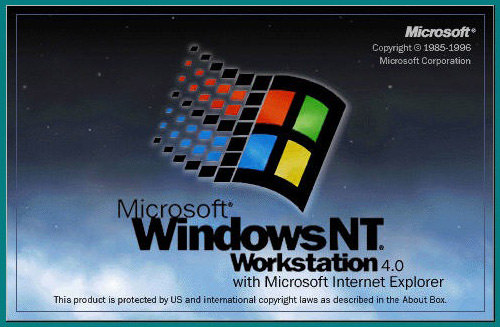
Windows NT 4.0 (1996)
Windows NT Workstation 4.0 included the popular Windows 95 user interface yet provided improved networking support for easier and more secure access to the Internet and corporate intranets – Microsoft.

Windows NT Server 4.0 (1996)


Windows 98 (1998)
Windows 98 was the upgrade from Windows 95. Described as an operating system that "Works Better, Plays Better," Windows 98 was the first version of Windows designed specifically for consumers – Microsoft.


Windows 2000 (2000)
More than just the upgrade to Windows NT Workstation 4.0, Windows 2000 Professional was also designed to replace Windows 95, Windows 98, and Windows NT Workstation 4.0 on all business desktops and laptops. Built on top of the proven Windows NT Workstation 4.0 code base, Windows 2000 added major improvements in reliability, ease of use, Internet compatibility, and support for mobile computing – Microsoft.


Windows 2000 Server (2000)


Windows ME (2000)
Designed for home computer users, Windows Me offered consumers numerous music, video, and home networking enhancements and reliability improvements – Microsoft.


Windows XP (2001)
Windows XP Professional brings the solid foundation of Windows 2000 to the PC desktop, enhancing reliability, security, and performance. With a fresh visual design, Windows XP Professional includes features for business and advanced home computing, including remote desktop support, an encrypting file system, and system restore and advanced networking features – Microsoft.


Windows Server 2003 (2003)
Released on April 2003, and also known as Win2k3, this operating system is a sucessor to it’s predecessor Windows Server 2000 (Win2k).


Windows Vista (2006)
Came more than 5 years after it’s predecessor Windows XP, Vista is the longest timeline break for Microsoft between two operating system. Read more.


Windows 7 (2009)
Codenamed Blackcomb, Windows 7 is one of the most anticipated operating system which should be available somewhere in Oct 2009. Read more.


References
In order to gather all boot screens and interfaces of various Windows Operating System, we crawled the Internet up and down. Here are some sites we’ve cross-referenced:
- A Visual Tour of Windows 1.01 – Vista
- Microsoft Evolution in Technology
- Desktop Evolution: Windows and Mac OS Visual Comparison Through the Years
- Windows History
- History of MS Windows
Related Contents |
Sponsors |
|
Posted by hongkiat in Tools , at 09.29.09
Tags: bill gates, evolution, history, Microsoft, operating system, windows |
|


Comments
xun September 29th, 2009
Vista + Win ME are the worst Windows product ever. Bluek!
Replyestudio web September 29th, 2009
Muy buen blog de diseño! great blog! thanks from Argentina.
ReplyMahmoud M. Abdel-Fattah September 29th, 2009
@xun :
ReplyI’m totally Agree with you !!
hongkiat September 29th, 2009
Haha, that in return I’d say 98 and XP were the most stable :-)
ReplyRahul Chowdhury September 29th, 2009
Out of these, Windows 98 and Windows XP are the best, they were superhit in the market, and till now(excluding Seven) are the best versions of Windows, I really like Windows XP very much.
ReplyTommytrc September 29th, 2009
Where’s Windows BOB? This listing rocks!!! Thanks for sharing!
ReplyJohn Woods September 29th, 2009
OMG I loved Windows 3.1 I still have my original disks!
RT
Replyhttp://www.total-privacy.net.tc
JonC September 29th, 2009
haha, great post! I’ve never seen before the 1.01’s frontend, but it’s sooo beautiful! :)
ReplyJonC September 29th, 2009
btw, about 2 years ago I had the 98 installed on my computer too (beside the XP), because the GTA2 won’t work on XP at all :) so I’ve got some fresh memories about it :)
ReplyDinesh September 29th, 2009
yes they are, bit windows 7 is my favourite.
Replye1d September 29th, 2009
@xun: There’s nothing wrong with Windows Vista.. Your PC are..
Replywolfee182 September 29th, 2009
This list has every major release of windows including the not yet release of Windows 7, but why is it missing Windows Server 2008?
ReplyBQAggie2006 September 29th, 2009
Where’s Server 2008?
ReplyBrian R Cline September 29th, 2009
After the release of SP1, I found Windows Vista to be okay; honestly, Windows ME wasn’t very friendly.
Also, there’s no mention of Server 2008?
Replyeman September 29th, 2009
Where’s Windows Server 2008? Windows 98 Second Edition? Windows 3.0 with Multimedia Extensions?
Replydiego September 30th, 2009
I am agree with the win 98 and xp FTW, there is no better OS than XP for gaming, and i prefer any Linux distribution over win Vista, that is why i turned once and for all from win XP to win 7.
Replybtw @JonC I play GT2 on windows XP.
Michael September 30th, 2009
great post! i still like the fact that minesweeper still hasn’t really changed since windows 3.11. also…what’s up with thunderbird being on the screenshot for 3.51. talk about backporting. lol
ReplyScoreInTheBox September 30th, 2009
I skip from window 98 to XP. Now I gonna skip Vista and jump to Window 7 =)
ReplyJagoan SEO September 30th, 2009
nice post dude
Replyi love windows
Xaint September 30th, 2009
Mac rules !!
ReplyTech Tips September 30th, 2009
Nice and informative post , thanks for sharing
ReplyKarthikeyan Ganesan September 30th, 2009
Great Work! I’m expecting a Linux Evolution similarly.
ReplyMin Thu September 30th, 2009
Very nice to see their improvements over time. :) Thanks for this post.
ReplyMACOSX September 30th, 2009
MAC Rules
Replynaz September 30th, 2009
I dont know, I really missed win98. my first experience on computer.hahah
ReplyBen September 30th, 2009
Great article! I like Vista the best.
ReplyFixonet.com September 30th, 2009
Great Post man…
Its really nice…
ReplyDan London September 30th, 2009
Great screenshots. So funny looking back at the older versions and thinking they were so high-tech at the time.
ReplyWebpageLottery October 1st, 2009
For some reasons, I love Window 98 the most.
ReplyTehPage October 1st, 2009
Does anyone who is using Win 7 thinks that switching to Win 7 is the right choice? I am thinking to switch but I am happy with my XP now.
ReplyHoney October 1st, 2009
I’ve tried the RC version and so far so good, I recommend to switch your XP to Windows 7 since it’s more secure than XP.
ReplyAh Hong October 1st, 2009
I still amazed on the evolution speed of the technology we have here, hope Microsoft can do better in their new OS
Replyozzy October 1st, 2009
I used 98, 2000, xp, vista and now 7. 7 is more complicated, solving my driver problems and really great. Vista is da worst for gaming. XP sp2 is fast.
Replyrecamp83 October 1st, 2009
Vista is excellent (in my opinion you’re computer sucks… upgrade!). I love windows 7, i’ve been using it for a while now on my work computer. Love it!
Replyalex October 1st, 2009
I remember 3.1 when i was a kid! lol
love xp though…. and 7 is by far what vista should have been.
still, 7 doesn’t beat mac os x
ReplyDaveb October 2nd, 2009
Really MS. Start acknowledging Bob. It was a mistake, but at the time an interesting experiment in interface design which was an alternate to Win3. Stop trying to pretend that it didn’t happen! Cripes you have ME listed.
ReplyAndreas J. October 2nd, 2009
Ok. One thing bugs me. The Windows Vista boot screen is not correct. The real one is much more boring.
Windows 7 rules!
ReplyJuanLu October 2nd, 2009
Hey! What about BOB? XD
ReplyChok October 2nd, 2009
The screen is correct. You get different look probably because you have turned off the “Welcome Centre”.
ReplySbri October 2nd, 2009
I don’t know, I find Windows Vista much more secure and full of options that we don’t have on XP. It’s much more stable too, programs never crash on me like they used to on XP.
Replycomputertech October 2nd, 2009
The Vista Boot screen does not have the logo on it. Out of the hundreds I have seen, none of them boot saying Windows Vista. It is just that boring loading bar.
Good list though.
ReplyCrazartist October 2nd, 2009
More About BOB:
http://en.wikipedia.org/wiki/Windows_Bob
I used windows 95, 98, 2000, 2000 server, ME, Xp, 2003, Vista and using 7. I’d like to try Mac OS on My PC, I tried to install ideneb but it said no boot file though the installation was complete!
Replyzool October 2nd, 2009
WOW! To think I was working as a technician for Randy and John (Fry’s), as an IBM/HP PC repair and upgrade technician, when it all started. Lets go a little further back to DOS days and floppy disks.
Replymaverick October 2nd, 2009
cool compilation of Windows OS Hongkiat! Great job!
Replybtw, i think there is soemthin wrong with ur theme.. all become blank liao :P
webtechnepal October 2nd, 2009
Great !! I am the using windows from windows 95 to windows 7.
ReplyWp templates October 2nd, 2009
I still remember the computer game that i played on the green screen of a 386 dos. Those were the days. :)
Replyyoyomandroid October 2nd, 2009
Oh wow! This is amazing.
and it gives me an idea….
ReplyAero October 3rd, 2009
Thanks for sharing the visual history. :)
Replyizulcybercafe October 4th, 2009
Wow..Nice..
Where is Longhorn..??
Thanks for sharing
ReplySwift October 4th, 2009
This gives me memories. Though I am very young and haven’t had experience with those versions before windows 98, it is really a journey for microsoft and its users eh? I still have vivid memories of myself (a little kid) using the windows 98 a few years back.
ReplyDenis Lee October 5th, 2009
+1
ReplyFeRHaD October 5th, 2009
Heh, I still use 8 years old XP. :D
Replyjust a man October 5th, 2009
I loved and preferred Windows 2000 out of them all.
I am sorry I had to change to XP since new pieces of hardware (like ATI video cards) do not support it (no drivers…).
In my opinion, it was more stable than XP.
And Windows 7 (RC, of course) still has its week points, too – like managing e.g. Quick Launch bar and user rights.
ReplyTibike October 5th, 2009
Where is Server 2008??? I miss Core version..
ReplySecnir October 5th, 2009
Hi
Replyon the C=64 the MS created a software, called Microsoft GEOS. It was two pieces double-sided floppy, and contain a word processor, a calculator, a print and a file manager (if i remember correctly). to the end of 3.11 if you minimalize the program manager, the icon was a red-blue C=64 logo…
Be1con October 5th, 2009
Windows Vista , Time to start , it isn’t same inthe picture now
ReplyKeith October 5th, 2009
oh gosh… hard to beoieve that its been over 20 years for the gui…. I still remember working with DOS… ugh…. I really liked Win 98 and XP … I am using Win 7 now and I can’t wait for the final release. Plug n play really helped put. The DOS games were awsume….lol
ReplyAtiKuSDesign October 5th, 2009
It’s amazing just how far it’s come in what is a relatively short period of time.
Have you thought about doing an evolution of OSX?
ReplyPatrickv October 5th, 2009
Though it would have made this post longer, betas and RCs should have been listed !!! nice post none the less
ReplySondreB October 6th, 2009
You’re missing two very important versions, Windows Server 2008 (Vista codebase) and Windows Server 2008 R2 (Windows 7 codebase). Additionally the boot screen from Vista is wrong and the Windows 7 screenshots are from the beta, not the RTM. Otherwise a great read!
Replypaper search engine October 6th, 2009
Windows Vista is too slow. Mac is better.
Replymalaya October 6th, 2009
agree! I really hate Wind Vista… Win Me? Ever tried once in my life and it was only for a week. =]
ReplykAiN October 6th, 2009
MAC OS ! !!!!!!!!!!!!!!!!!!!!!!!!!!!!!!!
Replyn_________________n
Hari October 6th, 2009
hey.. thanks a lot for this nice article.. :) Indeed win 7 is the BEST till yet but I feel MS will do even better than W7 though it might not happen near future.
Well Win Me and Win Vista are both failed compare to 98 n XP. But unlike Win Me, Vista SP2 got better chance of survival.
I also experienced Vista SP2 to be more Stable and fast when you will run more and more High End Apps( e.g. 5 Adobe CS4 Apps at a time + Multiple Browsers running + Music + Download + Video) compare to Win XP
ReplyRoy October 7th, 2009
Hi
Thanks for the trip down memory lane. I remember starting out using Windows 3.0 and then WFW 3.11. The hype around the Win95 and the interface especially was amazing at the time. I find it curious how the gui has essentially remained with the same format since then. Makes me wonder if any future versions will have a similar impact!
ReplyDaniel October 7th, 2009
Wow this is a good listing however as mentioned, Windows Server 2k8 isn’t included. And I agree that the real deals from Microsoft are the Win98 and XP. They are really stable and fast.
I still remember Win98 clearly.. Ah those days when I screwed up the whole computer till could not boot up coz I messed with the BIOS too when I was 10 years old..
Quote:
“Does anyone who is using Win 7 thinks that switching to Win 7 is the right choice? I am thinking to switch but I am happy with my XP now.”
YES, I recommend you to try Win 7 however, I strongly suggest you to do an online check whether your computer is compatible with Win 7. Most of the people just upgrade to Win 7 to find out most of their drivers are not compat or do not meet the min requirement.
Win 7 is fast and not bloated like Vista that really worths everyone’s trial :)
ReplySteve October 8th, 2009
Win 3.1 still holds a place in my heart!
Call it nostalgia, call me stupid, but it was my first MS love…
Hmm… looking back perhaps it was my last MS love.
ReplyIt should have been. (;
Dan Lovejoy October 9th, 2009
Memories…..
ReplyI’ve been using computers since 1978. This was a nice trip down memory lane.
Thanks
Gottlob October 10th, 2009
Dans n’importe quelle version, Windows a été, est et restera une grosse merde! Une arnaque monumentale doublée d’une impressionnante série d’atteinte aux libertés individuelles: Espionnage de nos ordinateurs, virus en tous genres fabriqués volontairement pour pouvoir ensuite nous vendre des anti-virus hors de prix, violations multiples des lois sur la concurrence, etc, etc…
ReplyJe suis depuis peu passé à LINUX, et je peux vous dire que mon PC a retrouvé une nouvelle jeunesse. De plus, le monde du libre possède déjà une très vaste logithèque qui fait qu’il n’y a plus de raisons de rester esclave de Big Brother!
Zach October 11th, 2009
After wiping the harddrive clean for the 50th time (give OR take), finally in December of 2002 with the aide of Apple’s transformative new operating system Jaguar OS X (10.1), AND some clever advertising I jumped in with both feet. I have had several Mac’s since my first white I-Book they have ALL been perfect machines I leave my personal MacBookPro turned on all the time, the operating system is Granite-like in stability, the code is beautifully written to suit these machines they have power to spare. I will never go back1
In Love
Replyfun games for kids October 12th, 2009
I really like Windows XP, my favorite OS of all time.. I haven’t tried Windows 7, because currently I am using Vista.
ReplyJehzeel Laurente October 12th, 2009
wow.. the first windows version i saw is the Windows NT for Workgroups. That was the OS of my first laptop back then. :)
ReplyFran October 13th, 2009
Oh I liked that..very vawncast like ..microsoft has a lot to be proud of if you ask me.
ReplyCristhian October 18th, 2009
Nice!!!!!!!!!
Thank you so much!
Replyou October 18th, 2009
lost sever 2008.
what a nice post!
ReplyShawn October 20th, 2009
My favorite was XP. I’m currently on Vista and have been for about 3 years. Personally I have had no problems with Vista, but have heard enough headaches from others to know its not so great. Looking forward to trying out Windows Seven.
Replyjascaentipol October 23rd, 2009
Yep, pretty much. damn i miss 98, great os
Replyfun games for kids October 23rd, 2009
@Shawn: What do you think of Windows Vista? (Since you have used it for 3 years)
ReplyFamegadget October 28th, 2009
I use XP then move to OSX.. :D
ReplyAnkit Jain October 31st, 2009
check ur windows NT 3.5 image
Replywas then Mozilla Thunderbird there, then back?
and how come a modern Google logo there?
it’s fake screen shot
Ankit Jain October 31st, 2009
this is a useless post.. coping/paste from other website… without checking authenticity and completeness. sucks.
ReplyPavan Somu November 5th, 2009
great collection of images
Replyzulfiqar November 11th, 2009
mm
Replyanonymous December 2nd, 2009
I totally agree
Replyrob555 December 20th, 2009
Top 10 Windows Utility Tools
http://www.tips29.com/2009/11/top-10-windows-utility-tools.html
ReplyPrisley January 25th, 2010
haha i agree with you also..
Replylet just stay with our PC..
better then new PC..
hehe
TruXter Tech January 30th, 2010
I have been using windows since 3.1 . Got mine for less than 100 freaking bucks, but that is like 16 years ago lol.
ReplyExcellent post.
I love this. there is a guy who did a video, may be you. but still. it’s all the exact same pictures. and well, seeing how clear your images … it was you first.
I love tech stuff.
Trackbacks