Use Siri to Message Your Telegram Bot (Yes, Even on CarPlay)
Telegram shipped a small but genuinely useful update to their iOS app not too long ago. I first came across it while browsing the official Telegram iOS GitHub repo, and it turns out you can now create a contact in iOS that lets Siri (and CarPlay) send messages to your Telegram bot by voice. No third-party apps, no shortcuts, no workarounds.
I use this to ping my OpenClaw bot hands-free while driving. It just works.
Bot Peer ID First
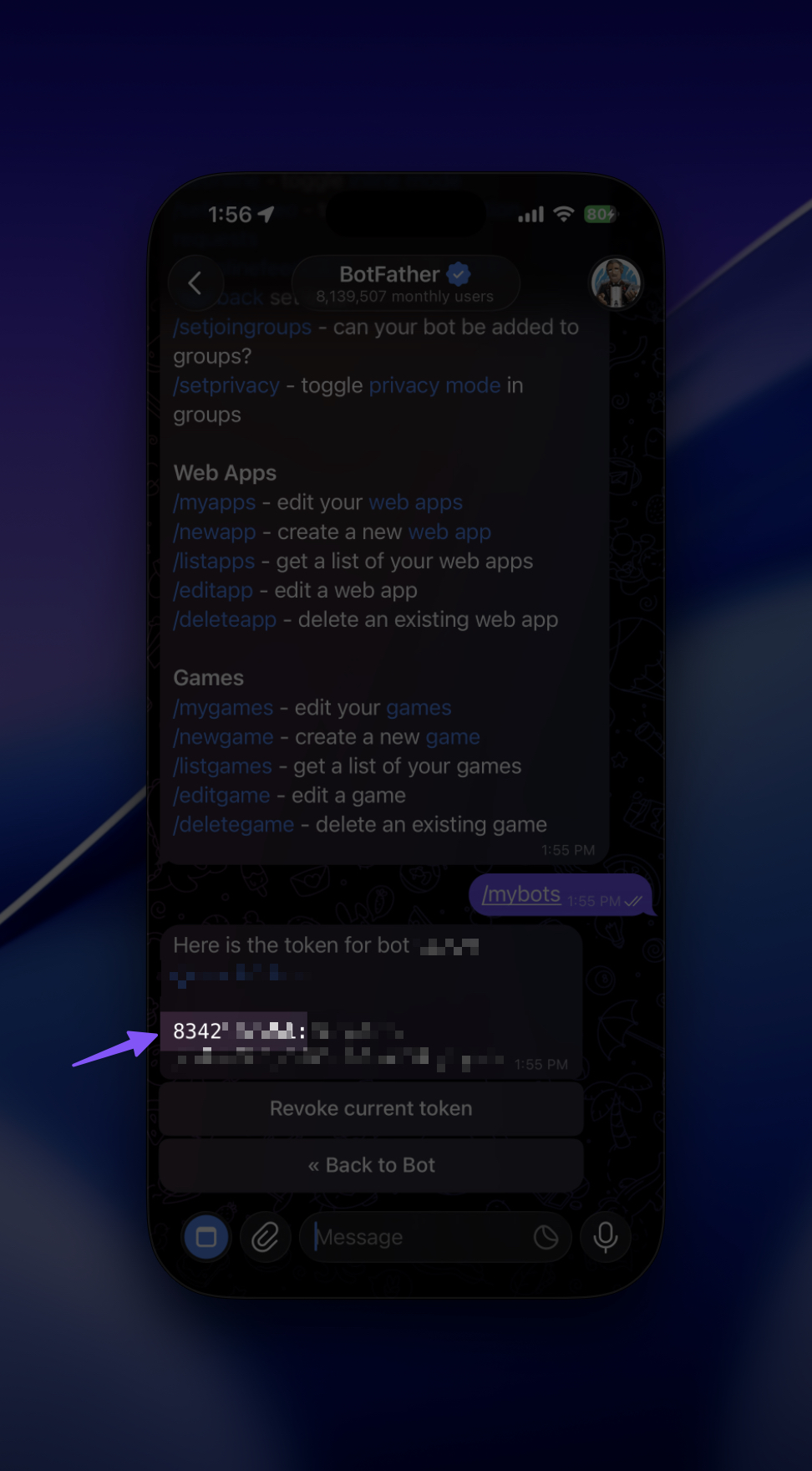
Before setting things up, you need your bot’s Peer ID. It’s buried in your bot’s API token.
Open the chat with your bot in Telegram. If you created the bot via @BotFather, the confirmation message includes the API token, something like 851234567:AA.... The Peer ID is the number before the colon. In that example, 851234567.
If you can no longer find that message, open @BotFather, select your bot, tap API Token, and Telegram will show the token again.
Write it down. You’ll need it in a second.
Create the Contact
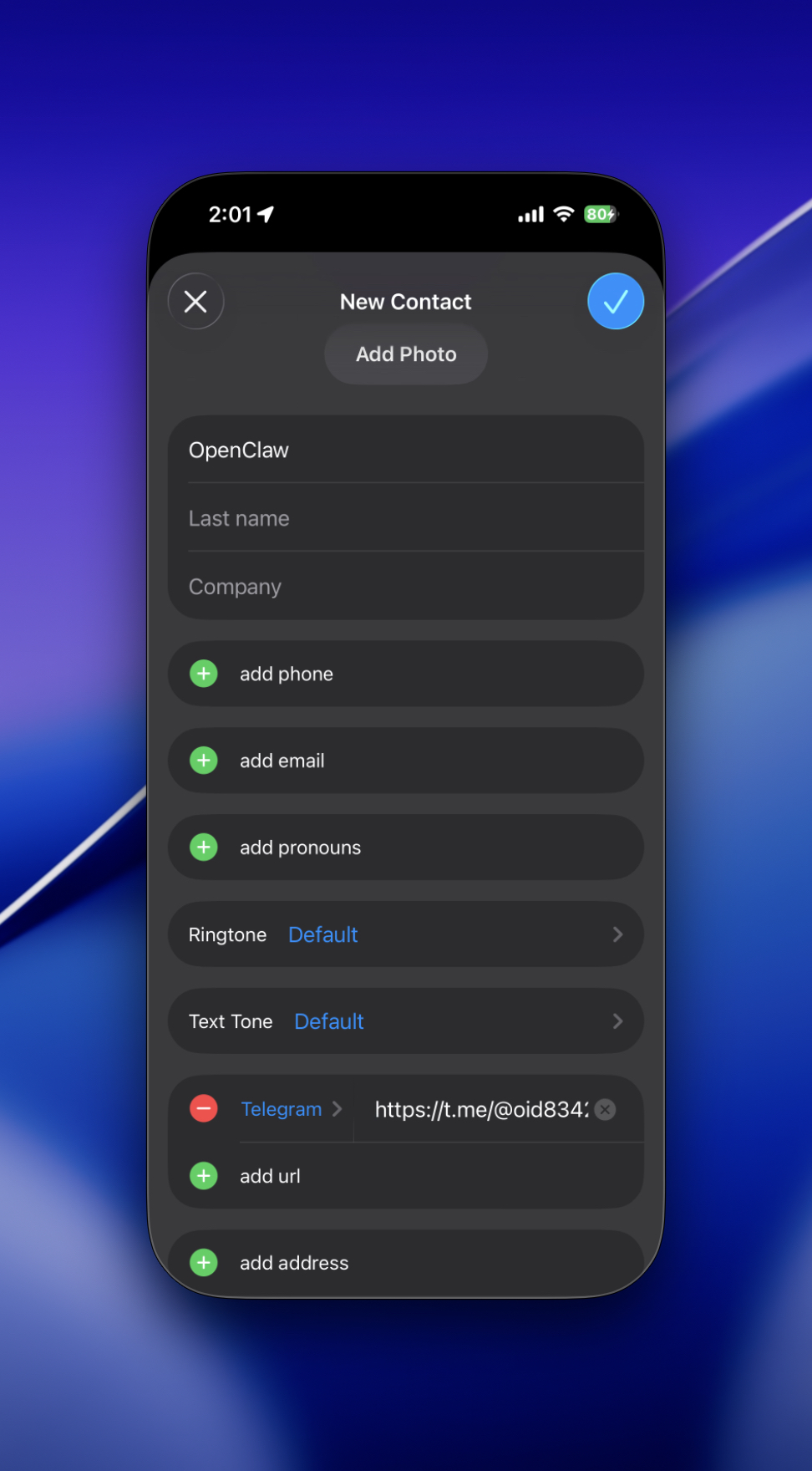
Open the Contacts app on your iPhone. Tap the + button to add a new contact.
Pick a short name, something Siri can recognise easily and unambiguously. I went with “Claw”, but “OpenClaw” or “MyBot” works just as well. Avoid names that sound like other contacts.
Scroll down, tap add url, change the label to Telegram (this part matters, so don’t skip it), then paste:
https://t.me/@oid<PEER_ID>
Replace <PEER_ID> with your actual number. So if your Peer ID is 851234567, the full URL becomes:
https://t.me/@oid851234567
Save the contact.
One Prerequisite
Make sure you’re using the official Telegram app on iPhone and that it’s reasonably up to date. This trick relies on Telegram’s iOS contact integration, so if the Telegram URL label does not show up in Contacts, update the app first.
The bot won’t respond unless you’ve already sent it at least one message from your account. If you’ve never chatted with it before, open the bot in Telegram, hit Start or send any message, then come back.
Using It
- Say “Hey Siri, message Claw on Telegram”, using whatever name you gave the contact.
- Siri opens the Telegram chat with your bot and is ready for your next voice command.
- On CarPlay, the same contact appears in your app list and responds to your car’s voice assistant.
It’s the same mechanism, just carried over to a driving context.
What Actually Works
- Any Telegram bot you have an existing chat with, not just OpenClaw bots.
- The contact name needs to be short and distinct. Naming a contact “Test” or “Bot” will confuse Siri.
- If you rename the contact later, update the Siri phrase accordingly.